EasyManua.ls Logo

Panasonic TX-86PW100A - Strobe.21; Colour Set.21; Vcr;Game.22; Text Select.22

Panasonic TX-86PW100A
48 pages
Print Icon
To Next Page IconTo Next Page
To Previous Page IconTo Previous Page
Loading...
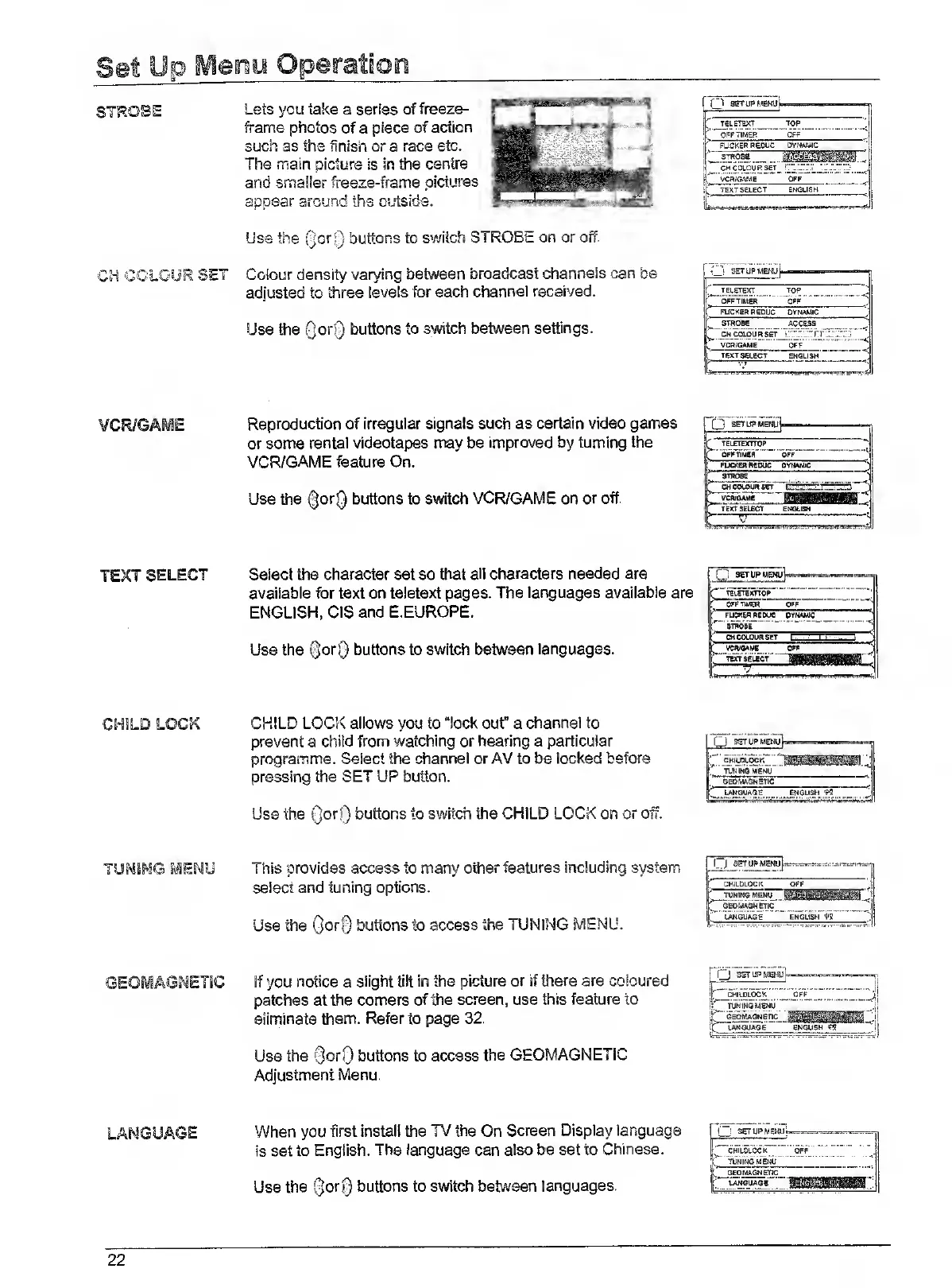
STROBE
Lets
you
take
a
series
of
freeze-
frame
photos
of
a
piece
of
action
such
as
the
finish
or
a
race
etc.
The
main
picture
is
in
the
centre
and
smaller
freeze-frame
pictures
appear
around
the
outside.
Use
the
QoriJ
buttons
to
switch
STROBE
on
or
ofr.
CH
COLOUR
SET
Colour
density
varying
between
broadcast
channels
can
be
adjusted
to
three
levels
for
each
channel
received.
Use
the
QorQ
buttons
to
switch
between
settings.
'
TELETEXT
TOP
'
OPF
TIMER
OFF
(
FUCKER
REDUC
DYNAMIC
STROS8
VCRfGAME
OFF
.."
TEXT
SELECT
ENGLISH
L..„„..
....,p„.
TELETEXT
TOP
'
OFF
TIMER
OFF
FUCKER
REOUC
DYNAMIC
STROBE
ACCESS
CH
COLOUR
SET
...)*j*
c
;
VCn/GAME
OFF
I
TEXT
SELECT
ENGLISH
L.,..L.
.j
VCR/GAME
Reproduction
of
irregular
signals
such
as
certain
video
games
or
some
rental
videotapes
may
be
Improved
by
turning
the
VCR/GAME
feature
On.
Use
the
(|orQ
buttons
to
switch
VCR/GAME
on
or
off.
1
....
.'
1
TELETEXTTOP
OFFTIP4fiR
OFF
FUCKER
REDUC
OVtMMie
STROBE
CH
COLOUR
ser
VCR/OAME
TEXT
SELBCT
ENSLIBN
TEXT
SELECT
Select
the
character
set
so
that
all
characters
needed
are
available
for
text
on
teletext
pages.
The
languages
available
are
ENGLISH,
CIS
and
E.EUROPE.
Use
the
©orQ
buttons
to
switch
between
languages.
0
seruPMEWuV
TEIETBUTTOR
OFF
TIMER
OFF
ruCKIR
AIDUe
OYIMMIC
STROBE
OtCOtOuRSET
c
VCftlOAMS
OFF
t
TEXT
SELECT
BC
V
CHILD
LOCK
CHILD
LOCK
allows
you
to
“lock
ouf
a
channel
to
prevent
a
child
from
watching
or
hearing
a
particular
programme.
Select
the
channel
or
AV
to
be
locked
before
pressing
the
SET
UP
button.
Use
the
0or[)
buttons
to
switch
the
CHILD
LOCK
on
or
off.
Cj
S^l)PMEw]i
i"'
CKiuSUOCK
P'
TWINOMBNU
t
OBOUAONBTIC
1
LANGUAGE
ENGUSH
,1
TUNSMG
^ENU
[
his
provides
access
to
many
other
features
including
system
select
and
tuning
options.
Use
the
QorQ
buttons
to
access
the
TUNING
MENU.
ir
CHILDLOCK
OFF
ll
TUNING
MENU
!F
GEOMAGNETIC
|[
LANGUAGE
ENGLISH
11!
_
If
you
notice
a
slight
tilt
in
the
picture
or
if
there
are
coloured
patches
at
the
corners
of
the
screen,
use
this
feature
to
eliminate
them.
Refer
to
page
32.
Use
the
0orf)
buttons
to
access
the
GEOMAGNETIC
Adjustment
Menu.
Q
SSTIPMSKUI
CHILDLOCK
OFF
TUNINGMENU
'
GEDMAGNETIC
M
i
'
UNOUAGE
ENGLISH
_.1
LANGUAGE
When
you
first
install
the
TV
the
On
Screen
Display
language
is
set
to
English.
The
language
can
also
be
set
to
Chinese.
Use
the
(3or§
buttons
to
switch
between
languages.
I
seruPMEKu
TUNING
MENU
QEOMAGNEDC
22

Related product manuals