EasyManua.ls Logo

Panasonic TX-86PW100A - Page 23

Panasonic TX-86PW100A
48 pages
Print Icon
To Next Page IconTo Next Page
To Previous Page IconTo Previous Page
Loading...
'•ol
qdiS
i_£i[E
§
§
D
0
,1]
CS
iS
ri)
it)
m
-ii)
®
ta
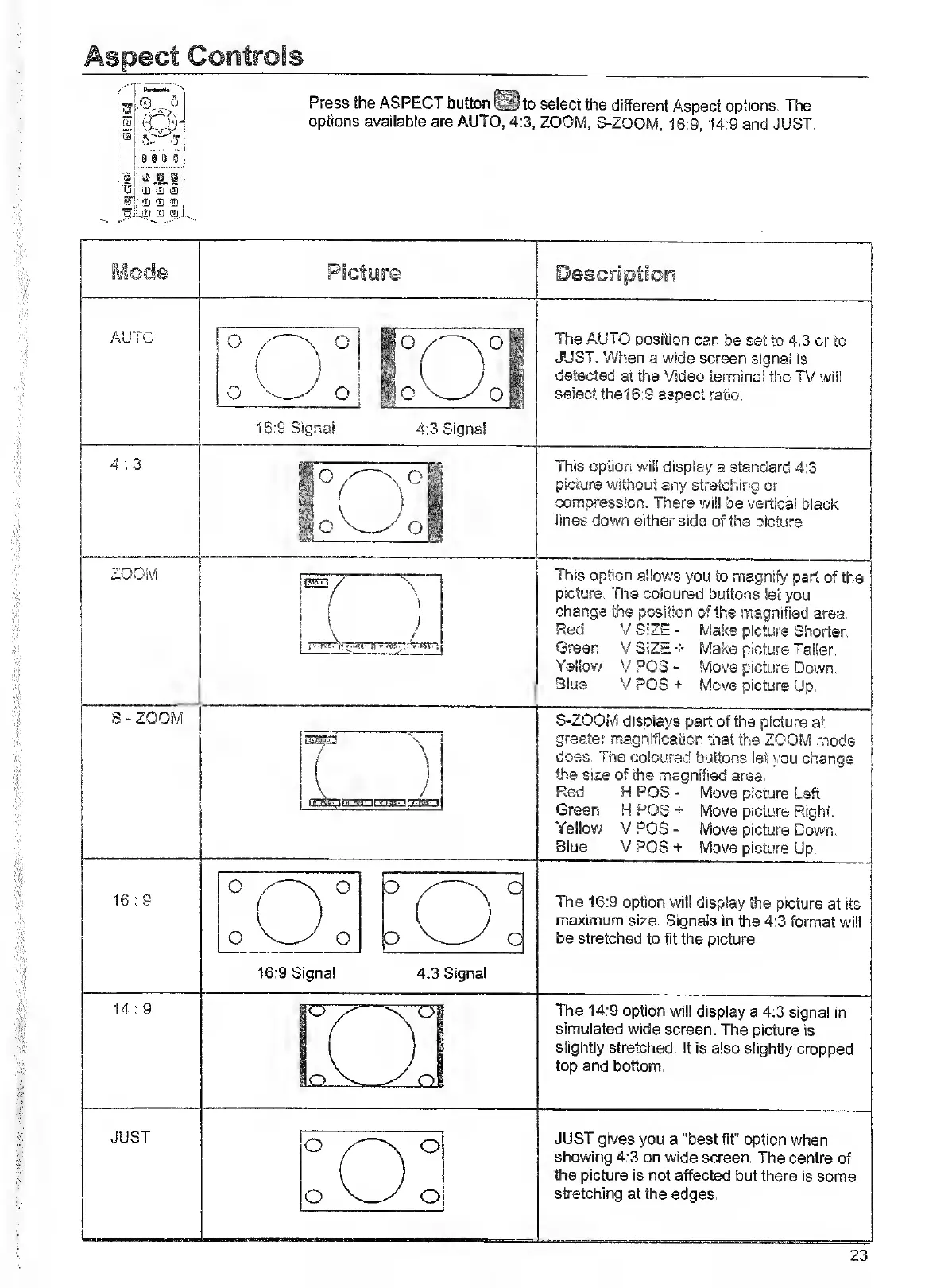
Press
the
ASPECT
button
to
select
the
different
Aspect
options.
The
options
available
are
AUTO,
4:3,
ZOOM,
S-ZOOM,
16:9,14:9
and
JUST.
AUTO
The
AUTO
position
can
be
set
to
4:3
or
to
JUST.
When
a
wide
screen
signal
is
detected
at
the
Video
terminal
the
TV
wiil
select
the16:9
aspect
ratio.
4:3
This
option
will
display
a
standard
4:3
picture
without
any
stretching
or
compression.
There
wiil
be
vertical
black
lines
down
either
side
of
the
oicture
S-ZOOM
j_\_
/
1
It
.1
Mi
UV
tM'.!
This
option
allows
you
to
magnify
part
of
the
picture.
The
coloured
buttons
let
you
change
the
position
of
the
magnified
area.
Red
V
SIZE
-
Make
picture
Shorter.
Green
VSiZE-f'
Make
picture
Taiier.
Yellow'
y
POS
-
Move
picture
Down.
Blue
VPOS+
Move
picture
Up.
S-ZOOM
displays
part
of
the
picture
at
greater
magnification
that
the
ZOOM
mode
dess.
The
coloured
buttons
let
you
change
the
size
of
the
magnified
area.
Red
H
POS
-
Move
picture
Lsft.
Green
H
POS
+
Move
picture
Right.
Yellow
V
POS
-
Move
picture
Down.
Blue
V
POS
+
Move
picture
Up.
16
:
9
15:9
Signal
The
16:9
option
will
display
the
picture
at
its
maximum
size.
Signals
in
the
4:3
format
wiil
be
stretched
to
fit
the
picture.
14
:
9
H
H
H
The
14:9
option
will
display
a
4:3
signal
in
simulated
wide
screen.
The
picture
is
slightly
stretched.
It
is
also
slightly
cropped
top
and
bottom.
JUST
JUST
gives
you
a
“best
fit”
option
when
showing
4:3
on
wide
screen.
The
centre
of
the
picture
is
not
affected
but
there
is
some
stretching
at
the
edges.

Related product manuals