EasyManua.ls Logo

Panasonic TX-86PW100A - Direct Programme Number Selection.12

Panasonic TX-86PW100A
48 pages
Print Icon
To Next Page IconTo Next Page
To Previous Page IconTo Previous Page
Loading...
i
^ri
GH
SEARCH
(TX“S6PW10OA
^
aX“T6P#i100A
or^^y)
This
option
is
used
to
show
freeze
frames
of
the
prcgrammes
being
broadcasi;
cn
ai!
the
stored
channels.
The
images
are
displayed
clockwise
arcijnd
ihe
edge
of
the
screen
starting
from
the
top
left
corner.
The
current
progrsir.me
is
displayed
in
the
centre
of
the
screen.
When
the
display
gets
back
to
the
top
iefi
corner
It
will
overv/iite
the
first
picture
with
the
next
one
in
series.
Tile
display
wi!!
continue
to
change
unai
either
tlie
STILL
button
is
pressed
tc
pause
or
CH
SEARCH
is
pressed
to
exit
the
feature.
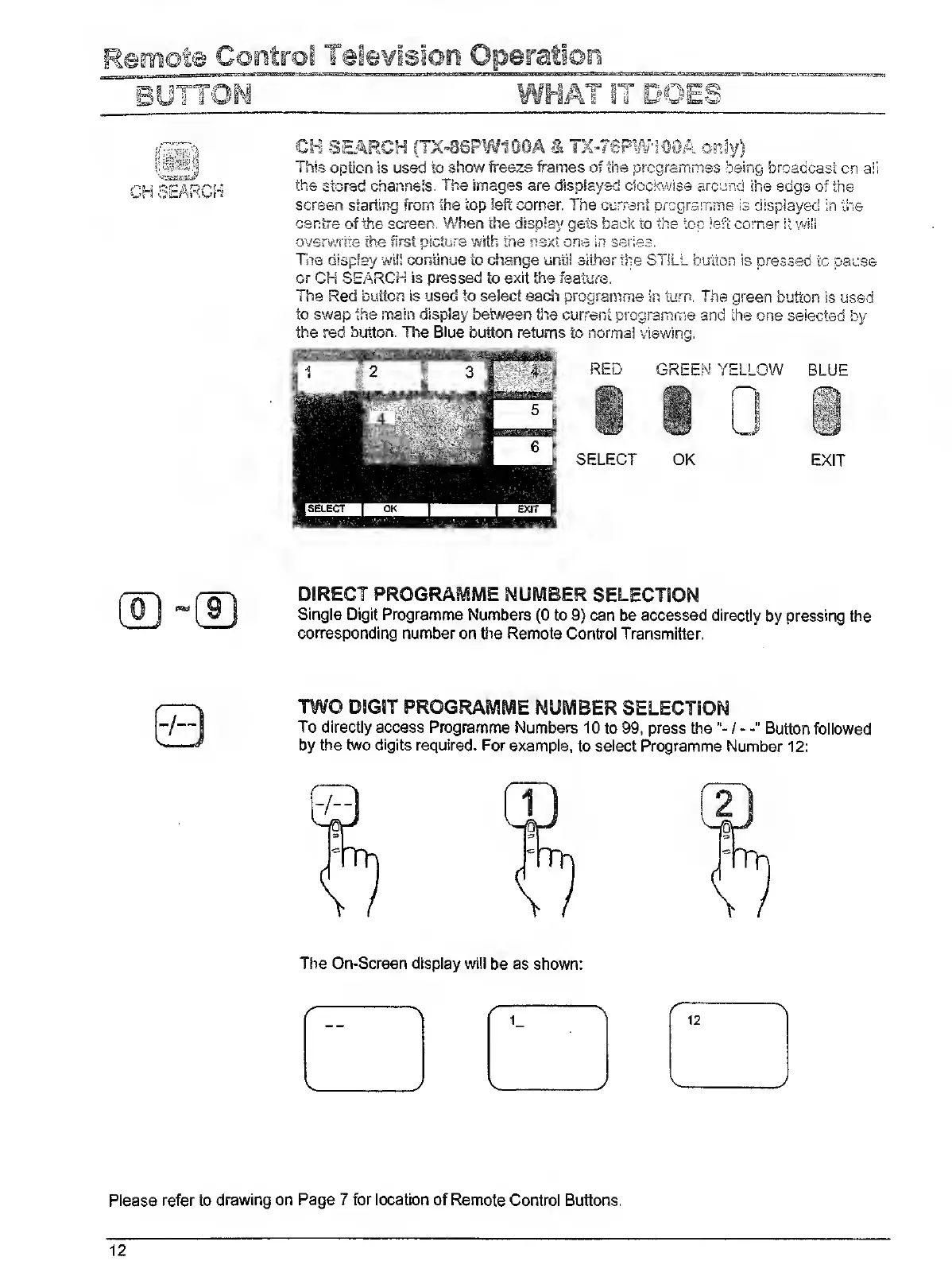
The
Red
button
is
used
to
select
each
programme
in
turn.
The
green
button
is
used
to
swap
the
main
display
beween
the
current
programme
and
the
one
selected
by
the
red
button.
The
Blue
button
returns
to
normal
viewing.
DIRECT
PROGRAMME
NUMBER
SELECTION
Single
Digit
Programme
Numbers
(0
to
9)
can
be
accessed
directly
by
pressing
the
corresponding
number
on
the
Remote
Control
Transmitter.
TWO
DSGBT
PROGRAMME
NUMBER
SELECTION
To
directly
access
Programme
Numbers
10
to
99,
press
the
Button
followed
by
the
two
digits
required.
For
example,
to
select
Programme
Number
12:
Please
refer
to
drawing
on
Page
7
for
location
of
Remote
Control
Buttons.
12

Related product manuals