EasyManua.ls Logo

Panasonic TX-86PW100A - Page 5

Panasonic TX-86PW100A
48 pages
Print Icon
To Next Page IconTo Next Page
To Previous Page IconTo Previous Page
Loading...
I
I
='5>
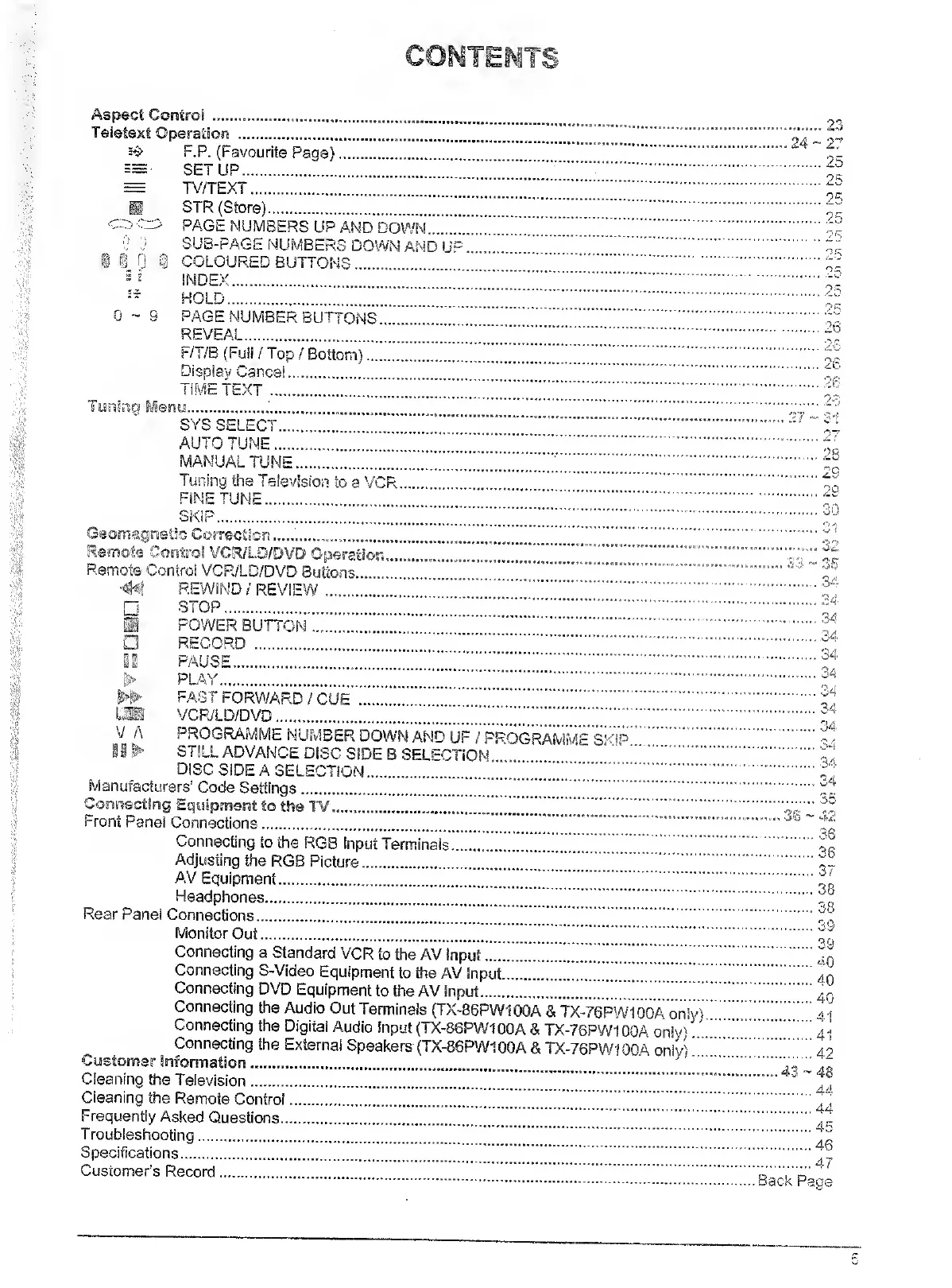
F.P.
(Favourite
Page)
SETUP.
TV/TEXT.
SIR
(Store).
>
PAGE
NUMBERS
UP
AND
DOWN.
SUB-PAGE
NUMBERS
DOWN
AMD
COLOURED
BUTTONS.
0-9
HOLD.
PAGE
NUMBER
BUTTONS
REVEAL.
F/T/B
(Full
/
Top
/
Bottom)...
Display
Cancel.
TIME
TEXT
.
enw....
SYS
SELECT.
AUTO
TUNE.
MANUAL
TUNE.
Tuning
the
Television
to
a
VCR.
FiNETUNE.
SKIP.
c
CosTecttorj.
Litt
V
A
24-27
Cleaning
the
Television.
Cleaning
the
Remote
Control
Frequently
Asked
Questions..
Troubleshooting.
Specifications.
Customer’s
Record.
4C
20
27
23
29
V
30
31
o'!
fiS
34
Remote
Control
VCR/LD/DVD
Buttons
44
REWIND/REVIEW
STOP.
.f
POWER
BUTTON.
.
RECORD
.
.
PAUSE.
.
PLAY.
.
FAST
FORWARD
/
CUE
.
J
'"!
VCR/LD/DVD..
PROGRAMME
NUMBER
DOWN
AND
UP
/
PROGRAMME
SKip.•
^
I
i
^
STILL
ADVANCE
DISC
SIDE
B
SEU-CTiON
.
"
'1
DISC
SIDE
A
SELECTION.!..f,
Manufacturers’
Code
Settings.!."!!”!!
!.
********.
^3w'
42
-.w
.k.
w
.
.........
.
i-ront
Panel
Connections.
'
......
Connecting
to
the
RGB
Input
Terminals.
Adjusting
the
RGB
Picture..
AV
Equipment....
Headphones.
.
^
Rear
Panel
Connections.
.
Monitor
Out.
.
Connecting
a
Standard
VCR
to
the
AV
Input.
.
J
q
Connecting
S-Video
Equipment
to
the
AV
Input.
.
Connecting
DVD
Equipment
to
toe
AV
input..
Connecting
the
Audio
Out
Terminals
(TX-86PW100A
&
TX-7SPW100A
onlyL"!!!!!.
Connecting
the
Digital
Audio
Input
(TX-86PW1OOA
&
TX-76PW1
OCA
only).
!.
4
Connecting
the
External
Speakers
(TX-86P/V100A
&
TX-76PW100A
only).4
36
36
•*«
38
40
41
dA
44
.47
'k
Pace
Ol
(Ji
O'l
C/l

Related product manuals