EasyManua.ls Logo

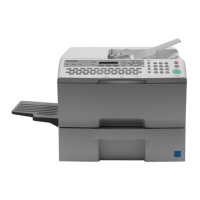
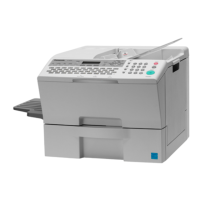
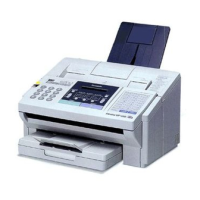
Panasonic UF-890 - User Manual

Panasonic UF-890
169 pages
Print Icon
To Next Page IconTo Next Page
Loading...
Operating Instructions
Before operating this equipment, please read
these instructions completely and keep these
operating instructions for future reference.
English
Facsimile
UF-890
(For Facsimile)
Getting to Know
Your Machine
Installing Your
Machine
Programming
Your Machine
Basic OperationsAdvanced
Features
Network FeaturesPrintout Journals
and Lists
Problem Solving Appendix

Table of Contents

Other manuals for Panasonic UF-890

Questions and Answers

  • J
    Jeffrey BrownSep 23, 2025
    What causes 'Receiver transmitted PIN in response to PRI-Q from transmitter' on Panasonic UF-890?
    • P
      Paul FisherSep 23, 2025
      If the error 'Receiver transmitted PIN in response to PRI-Q from transmitter' appears on your Panasonic Fax Machine, it could be due to poor line quality (excessive errors in received data) or defective FCB PCB or LCU PCB.
  • J
    James HodgeAug 25, 2025
    What causes XMT-Password mismatched on Panasonic UF-890 Fax Machine?
    • R
      Rebecca KramerAug 25, 2025
      An XMT-Password mismatch on your Panasonic Fax Machine indicates that the XMT or RCV password does not match, or the last 4 digits of TSI do not match with the last 4 digits of ONE- TOUCH, ABBR telephone number.
  • B
    bryan77Aug 25, 2025
    What does it mean if my Panasonic UF-890 Fax Machine says 'Command Sequence Error'?
    • E
      Emily CurtisAug 26, 2025
      A 'Command Sequence Error' on your Panasonic Fax Machine suggests a software problem occurred with the FCB/ FRM PCB.
  • Q
    qhahnAug 27, 2025
    Why is the fan abnormal on my Panasonic UF-890?
    • V
      vjohnsonAug 27, 2025
      An abnormal fan on your Panasonic Fax Machine indicates a defective LPC PCB, Fuser Unit, LVPS, or Fan.
  • D
    Dorothy LoveSep 23, 2025
    What causes 'No response after transmitting 3rd CTC or DCN received' on Panasonic Fax Machine?
    • M
      Michelle BellSep 23, 2025
      If the error 'No response after transmitting 3rd CTC or DCN received' appears on your Panasonic Fax Machine, it is due to incompatible interface.
  • J
    jasonchapmanSep 13, 2025
    What causes 'DCN was returned from receiver while transmitter is waiting for NSF/DIS' on Panasonic UF-890?
    • M
      Marisa SantosSep 13, 2025
      If the error 'DCN was returned from receiver while transmitter is waiting for NSF/DIS' appears on your Panasonic Fax Machine, it indicates that the receiver is working in non-CCITT mode only, which could mean a possible incompatibility.
  • M
    Mark HarrisonSep 12, 2025
    What does it mean if my Panasonic Fax Machine says 'No response of 2nd G3 PCB'?
    • D
      David DennisSep 12, 2025
      If your Panasonic Fax Machine displays 'No response of 2nd G3 PCB', it means the 2nd G3 PCB is defective.
  • L
    Lauren BakerSep 12, 2025
    What causes 'Transmitter received FTT after it transmitted TCF at 2400bps' on Panasonic UF-890?
    • S
      suzannerossSep 12, 2025
      If the error 'Transmitter received FTT after it transmitted TCF at 2400bps' appears on your Panasonic Fax Machine, it could be due to poor line quality (TCF is damaged due to line noise), a defective receiver (Modem, LCU PCB, etc.), or a defective FCB PCB or LCU PCB.
  • J
    jacobsjeffreySep 4, 2025
    What causes the leading edge of the recording paper fails to reach the Timing Sensor on Panasonic Fax Machine's second cassette?
    • A
      Anna BushSep 4, 2025
      If the leading edge of the recording paper fails to reach the Timing Sensor on your Panasonic Fax Machine's second cassette, it is caused by a recording paper jam or an abnormal Timing Sensor.
  • C
    Craig GarciaSep 2, 2025
    What could cause 'T1 timer (35±5 sec.) elapsed without detecting 300 bps signal' on Panasonic UF-890?
    • E
      Emily McdowellSep 2, 2025
      If the 'T1 timer (35±5 sec.) elapsed without detecting 300 bps signal' error appears on your Panasonic Fax Machine, it could be due to a wrong number being dialed, the telephone line being disconnected while dialing, a defective FCB PCB (Modem) or LCU PCB, or a defective receiver.

Summary

Important Information

Getting to Know Your Machine

Safety Information

Critical warnings and precautions to prevent injury or damage.

Precaution

Guidelines for proper installation and handling to avoid machine damage.

Function Key Overview

Explains the function keys and how to navigate through various machine functions.

External View of the Machine

Diagram illustrating the main external parts and features of the facsimile machine.

Control Panel Overview

Explains the layout and function of the machine's control panel buttons and display.

Installing Your Machine

Main Unit and Accessories

Lists all the components included with the main facsimile machine unit.

Installing the Accessories

Instructions for connecting optional accessories like handset and paper trays.

Installing the Toner Cartridge

Step-by-step guide for inserting and replacing the toner cartridge.

Loading the Recording Paper

Instructions on how to properly load paper into the machine's cassette.

Connecting Cables and Power

Guide for connecting the telephone line and power cords to the machine.

Setting the Dialing Method

Configures the machine to use Tone or Pulse dialing based on the telephone line.

Adjusting Audio Volume

How to adjust the monitor and ringer volume levels on the machine.

User Parameters Setup

Configure essential settings like date, time, LOGO, and ID number.

Programming Your Machine

One-Touch;Abbreviated Dialing

Store and manage phone numbers for quick dialing using shortcuts.

Customizing Machine Settings

Adjust various fax parameters to tailor machine behavior and features.

Basic Operations

Loading Documents for Transmission

Procedures for preparing and placing documents in the feeder.

Basic Transmission Settings

Temporarily adjust contrast, resolution, and halftone settings before sending.

Sending Documents

Methods for transmitting documents via memory or direct transmission.

Receiving Documents

How the machine handles incoming faxes automatically or manually.

Making Copies

Instructions on how to use the machine's copy function for single or multiple copies.

Advanced Features

Batch Transmission Methods

Send multiple documents to the same destination in a single call.

Timer Controlled Communications

Schedule transmissions or polling for a specific time within 24 hours.

Polling Operations

Retrieve documents from other stations using polling.

Program Keys Configuration

Set up programmable keys for frequently used sequences and functions.

Edit File Mode Operations

Manage stored communication files, including viewing, editing, and deleting.

Access Code Security

Set and use access codes to restrict machine operation.

Receive To Memory Feature

Securely store received documents in memory, requiring a password for access.

Distinctive Ring Detector (DRD)

Distinguish between different incoming calls based on ring patterns.

Fax Cover Sheet Usage

Automatically attach a cover sheet with transmission details.

PIN Code Access Setup

Configure PIN entry for outgoing calls via PBX systems.

Fax Forwarding Configuration

Forward incoming faxes to another designated station.

File Transmission Procedures

Store and send documents to single or multiple locations.

Network Features

Selective Reception Setup

Configure the machine to receive faxes only from pre-programmed stations.

Password Communications Setup

Implement password protection for fax transmission and reception.

Confidential Mailbox Usage

Securely send and receive documents using confidential codes.

Sub-Addressing Configuration

Route documents to specific recipients using sub-address information.

Printout Journals and Lists

Journals and Lists Overview

Generate reports and lists to track machine activity and stored information.

Transaction Journal Details

Detailed record of all sent and received transmissions.

Communication Journal Records

Verify the success and details of transmissions and polls.

Directory Search Lists

Print lists of stored one-touch, abbreviated, and directory search numbers.

Program List Printing

Print a list of all programmed dialing patterns and sequences.

FAX Parameter List Printing

Print a list of all current fax parameter settings.

Problem Solving

Troubleshooting Guide

A comprehensive list of symptoms, causes, and solutions for machine problems.

Information Codes Reference

Explains error codes displayed by the machine and how to correct them.

Clearing Paper Jams

Procedures for removing jammed paper from various parts of the machine.

Cleaning Machine Components

Instructions for cleaning the document scanning area and printer roller.

Replacing the Lithium Battery

Guide for replacing the backup battery that maintains clock settings.

Checking the Telephone Line

Steps to troubleshoot dial tone or ringing issues with the telephone line.

Appendix

Specifications Overview

Technical details and performance characteristics of the facsimile machine.

Recording Paper Specifications

Guidelines for selecting appropriate paper for optimal printing results.

Options and Supplies Information

Information on available accessories and consumables for the machine.

Installing Memory Cards

Instructions for installing optional flash memory or DRAM cards.

FCC Notice for USA Users

Regulatory compliance information for users in the United States.

Notice to Users in Canada

Regulatory compliance information for users in Canada.

Glossary of Terms

Definitions of technical terms used throughout the manual.

ITU-T Image No. 1 Document

Reference document for facsimile transmission standards and capabilities.

Index

Warranty Information

Panasonic UF-890 Specifications

General IconGeneral
BrandPanasonic
ModelUF-890
CategoryFax Machine
LanguageEnglish

Related product manuals