12
LSQT1040
Before using
Quick Guide
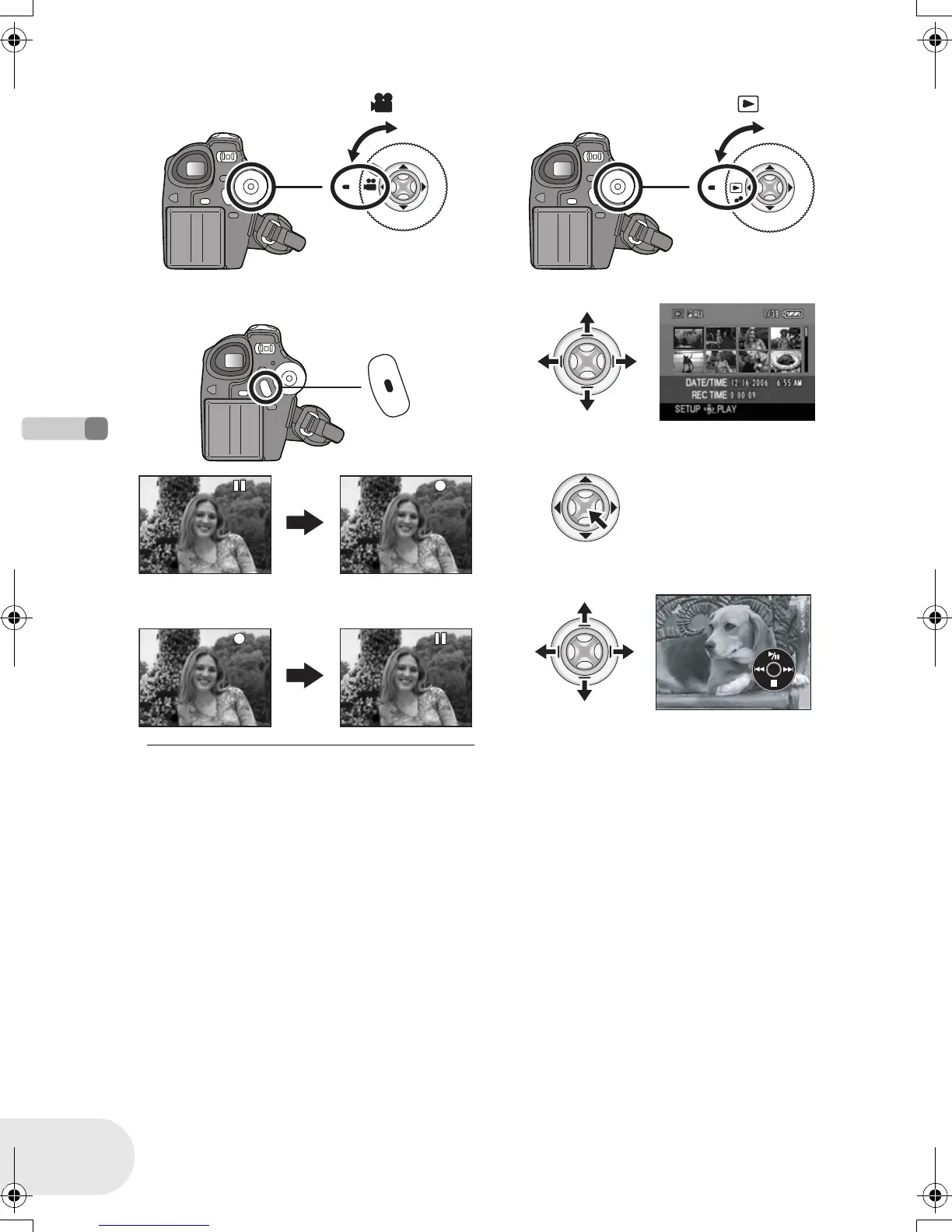
∫ Recording motion pictures
≥ Rotate the mode dial to select .
1 Press the recording start/stop button to
start recording.
2 Press the recording start/stop button
again to pause recording.
∫ Motion picture playback
≥ Rotate the mode dial to select .
1 Select the scene to be played back.
2 Press the joystick.
3 Move the joystick to operate.
1/;: Playback/Pause
: (Move): Skip playback (backward)
: (Move and hold): Review playback
9 (Move): Skip playback (forward)
9 (Move and hold): Cue playback
∫: Stops the playback and shows the
thumbnails.
D105(P)eng.book 12 ページ 2006年1月16日 月曜日 午後4時1分








 To Next Page