27
LSQT1040
Setup
Selecting a mode
Selecting a mode
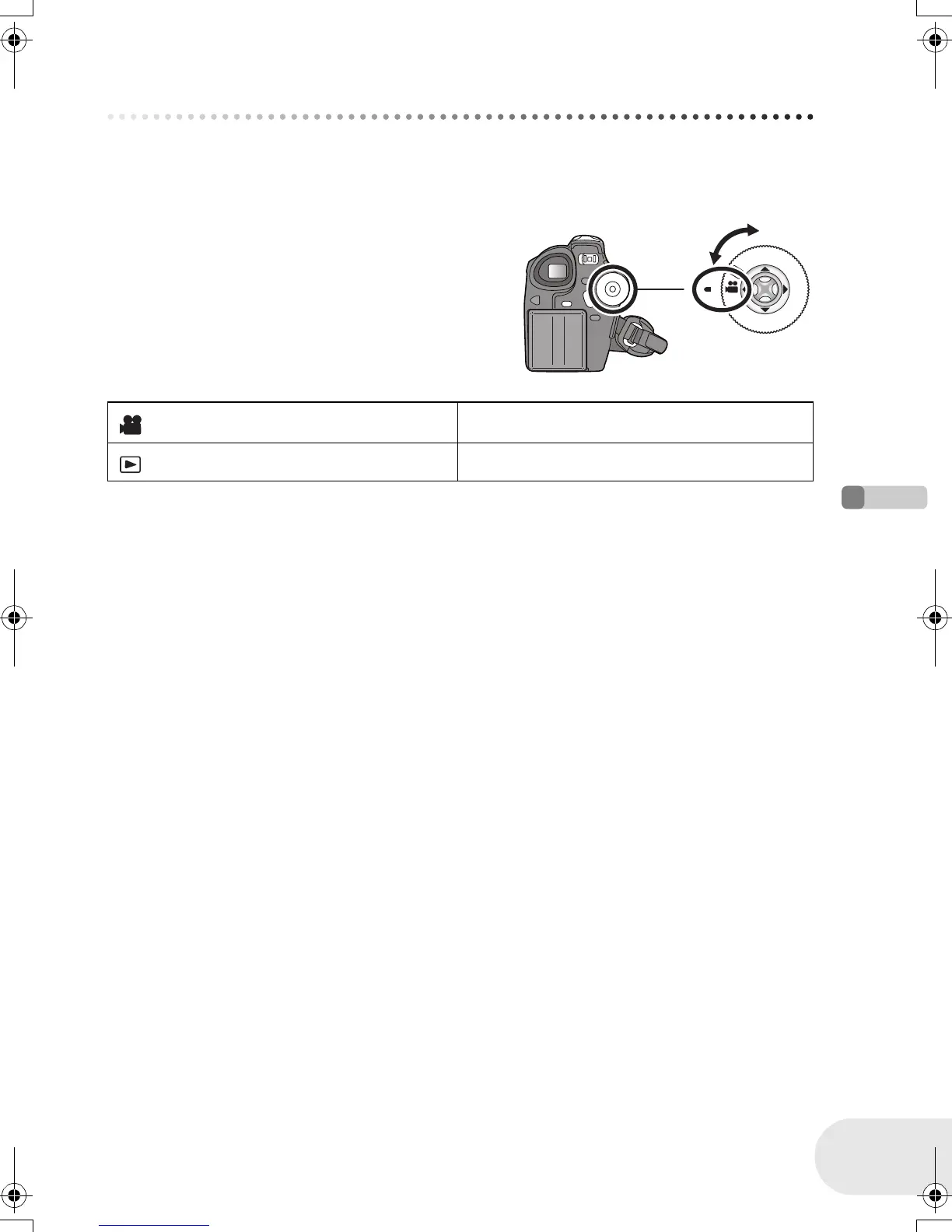
The mode dial is used to switch between recording and playback modes.
Rotate the mode dial slowly but surely.
≥ Do not forcefully turn the dial.
Rotate the mode dial, and set the desired
mode pictograph to the position shown in
the illustration.
Disc recording mode (l 36) Use this to record motion pictures on a disc.
Disc playback mode (l 53) Use this to play back motion pictures on a disc.
D105(P)eng.book 27 ページ 2006年1月16日 月曜日 午後4時1分





 To Next Page