22
LSQT1040
Setup
Power supply
Setup
Power supply
When this unit is purchased, the battery is not charged. Charge the battery before using this unit.
≥ If the DC cable is connected to the AC adaptor, then the battery will not charge. Remove
the DC cable from the AC adaptor.
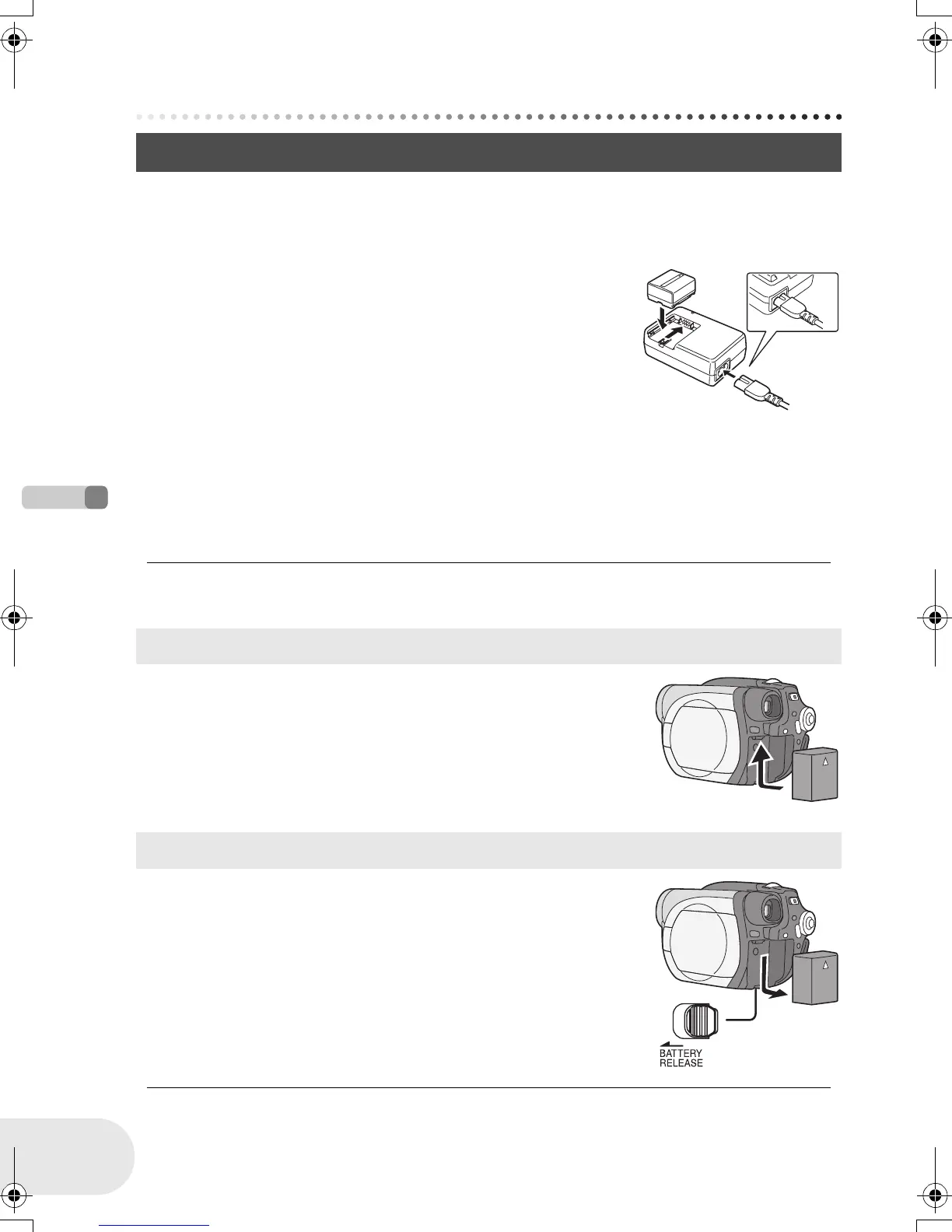
1 Connect the AC cable to the AC adaptor and the
AC outlet.
2 Put the battery on the battery mount by aligning
the mark, and then securely plug it in.
≥ The output plug of the AC cable is not completely connected to the
AC adaptor jack. As shown in A, there is a gap.
∫ Charging lamp
Lights up: Charging
Goes off: Charging completed
Flashing: The battery is over discharged (discharged excessively). In a while, the lamp will light up
and normal charging will start.
When the battery temperature is excessively high or low, the CHARGE lamp flashes and
the charging time will be longer than normal.
≥ Battery charging time (l 23)
≥ We recommend using Panasonic batteries.
≥ If you use other batteries, we cannot guarantee the
quality of this product.
Push the battery against the battery holder and slide
it until it clicks.
While sliding the BATTERY RELEASE lever, slide the
battery to remove it.
≥ Hold the battery with your hand so it does not fall.
≥ Be sure to turn off the power on this unit and check
that the status indicator and the access lamp are
both off before removing the battery.
Charging the battery
A
Fitting the battery
Removing the battery
D105(P)eng.book 22 ページ 2006年1月16日 月曜日 午後4時1分











 To Next Page