31
LSQT1040
Setup
Using the menu screen
Using the menu screen
Refer to “Menu list” (l 78) for information about the menus.
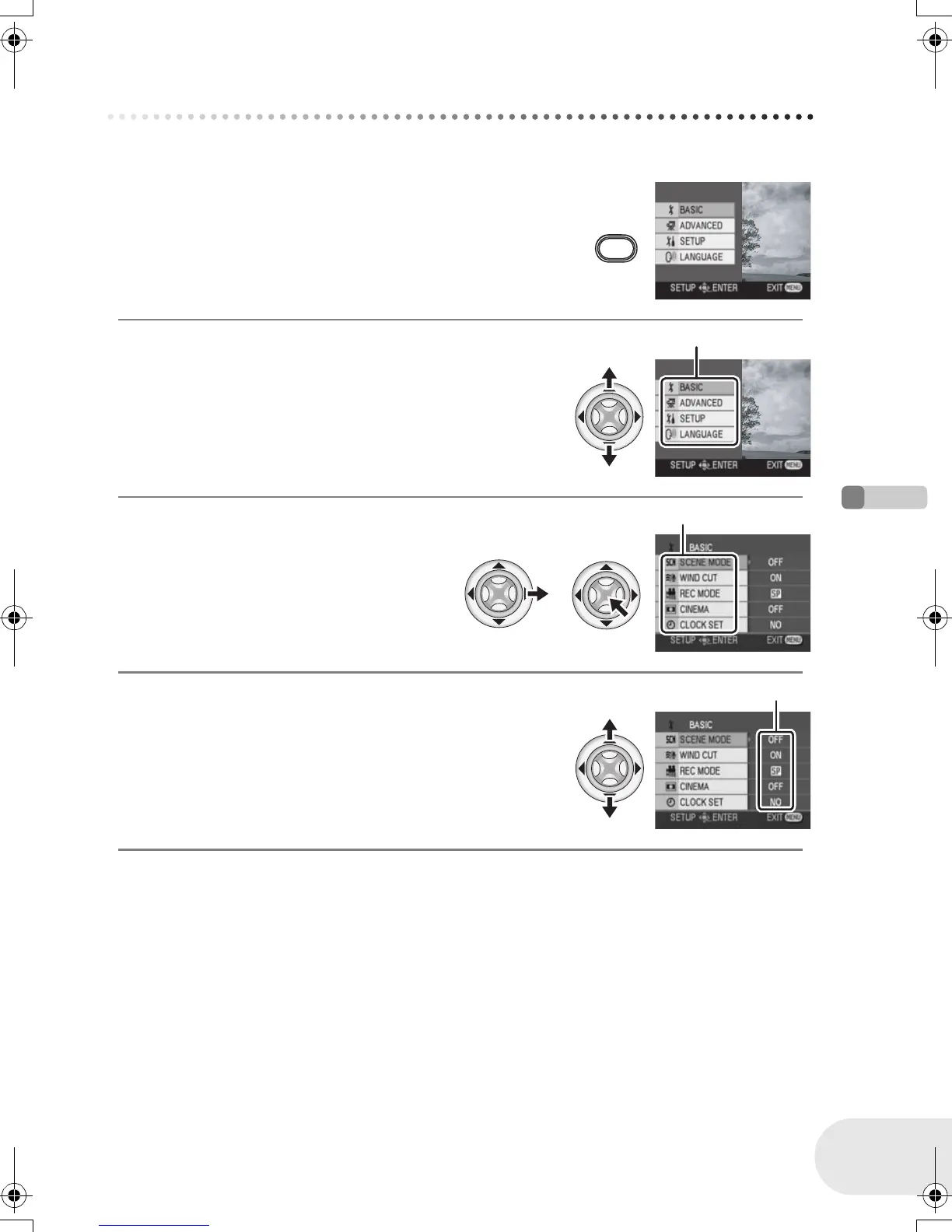
1 While stopped, press the MENU button.
The menu displayed differs depending on the position of the mode
dial.
≥ Do not switch the mode dial when the menu is displayed.
2 Move the joystick up or down in order to
select the desired top menu A.
3 Move the joystick right or press
the joystick.
The submenu B is displayed.
4 Move the joystick up or down in order to
select the submenu item.
C Current settings on menus
MENU
A
B
C
D105(P)eng.book 31 ページ 2006年1月16日 月曜日 午後4時1分












 To Next Page