56
LSQT1040
Editing
Editing scenes
Editing
Editing scenes
(RAM) (-RW‹VR›)
The deleted scenes cannot be restored.
≥ Scenes on DVD-RW (Video format) and DVD-R cannot be deleted.
¬Rotate the mode dial to select .
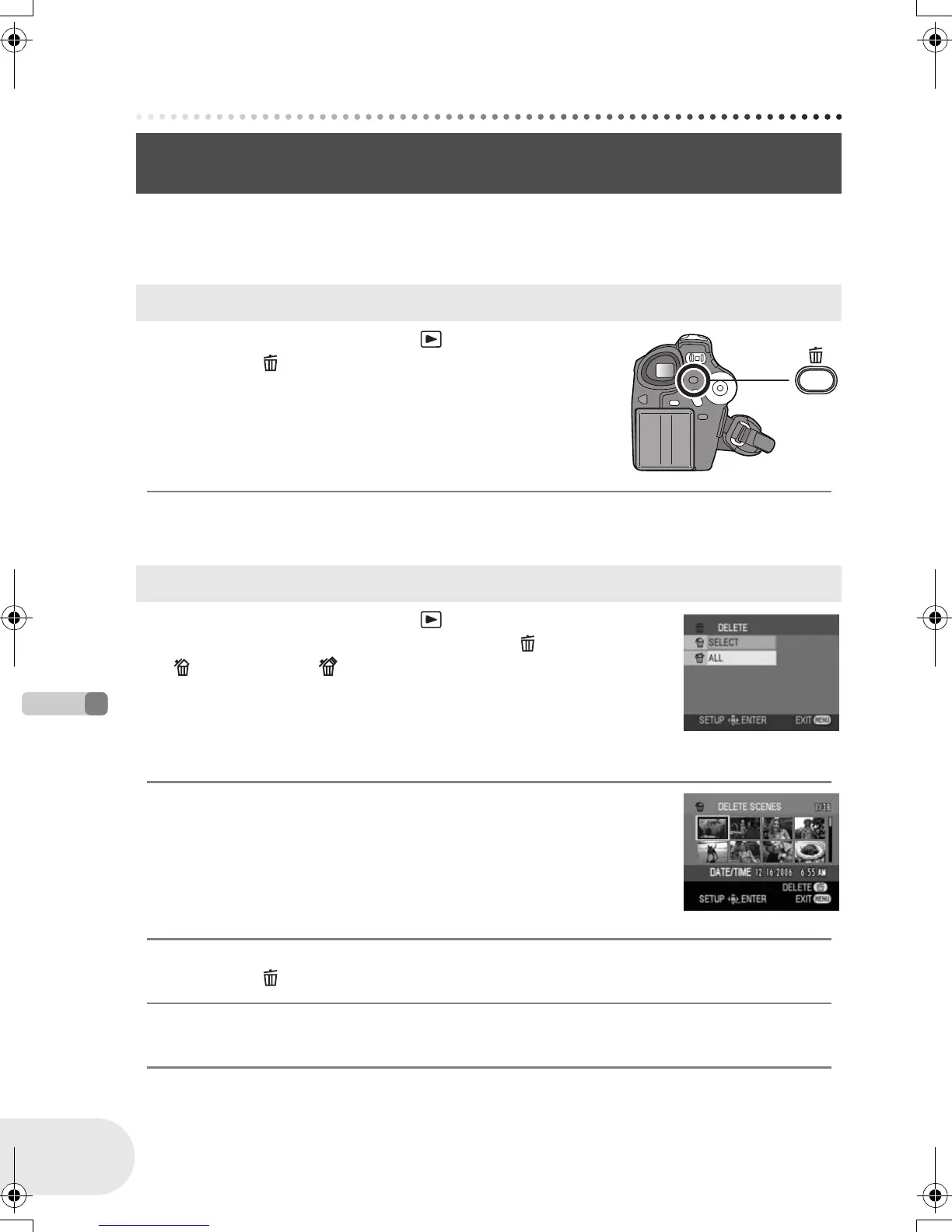
1 Press the button during playback.
2 When the confirmation message appears, select [YES], then press the
joystick.
¬Rotate the mode dial to select .
1 Press the MENU button, then select [ DELETE] #
[ SELECT] or [ ALL] and press the joystick.
≥ When [ALL] is selected, the following scenes will be deleted. Proceed to
step 4.
– When [PLAY MODE] is set to [VIEW ALL]: All the scenes on the disc
– When [PLAY MODE] is set to [BY DATE]: All the scenes selected by date
2 (Only when [SELECT] is selected in step 1)
Select the scene to be deleted, then press the
joystick.
The selected scene is encircled by a yellow frame.
≥ When the joystick is pressed again, the selected scene will be canceled.
≥ Up to 8 scenes displayed on a page can be set in succession.
3 (Only when [SELECT] is selected in step 1)
Press the button.
4 When the confirmation message appears, select [YES], then press the
joystick.
(Only when [SELECT] is selected in step 1)
To continue deleting other scenes
Repeat steps 2-4.
Deleting scenes
This is for deleting scenes recorded on discs.
Deleting scenes one at a time
Deleting multiple scenes from the thumbnail display
D105(P)eng.book 56 ページ 2006年1月16日 月曜日 午後4時1分











 To Next Page