64
LSQT1040
Editing
Using playlists
The scenes in a playlist can be moved.
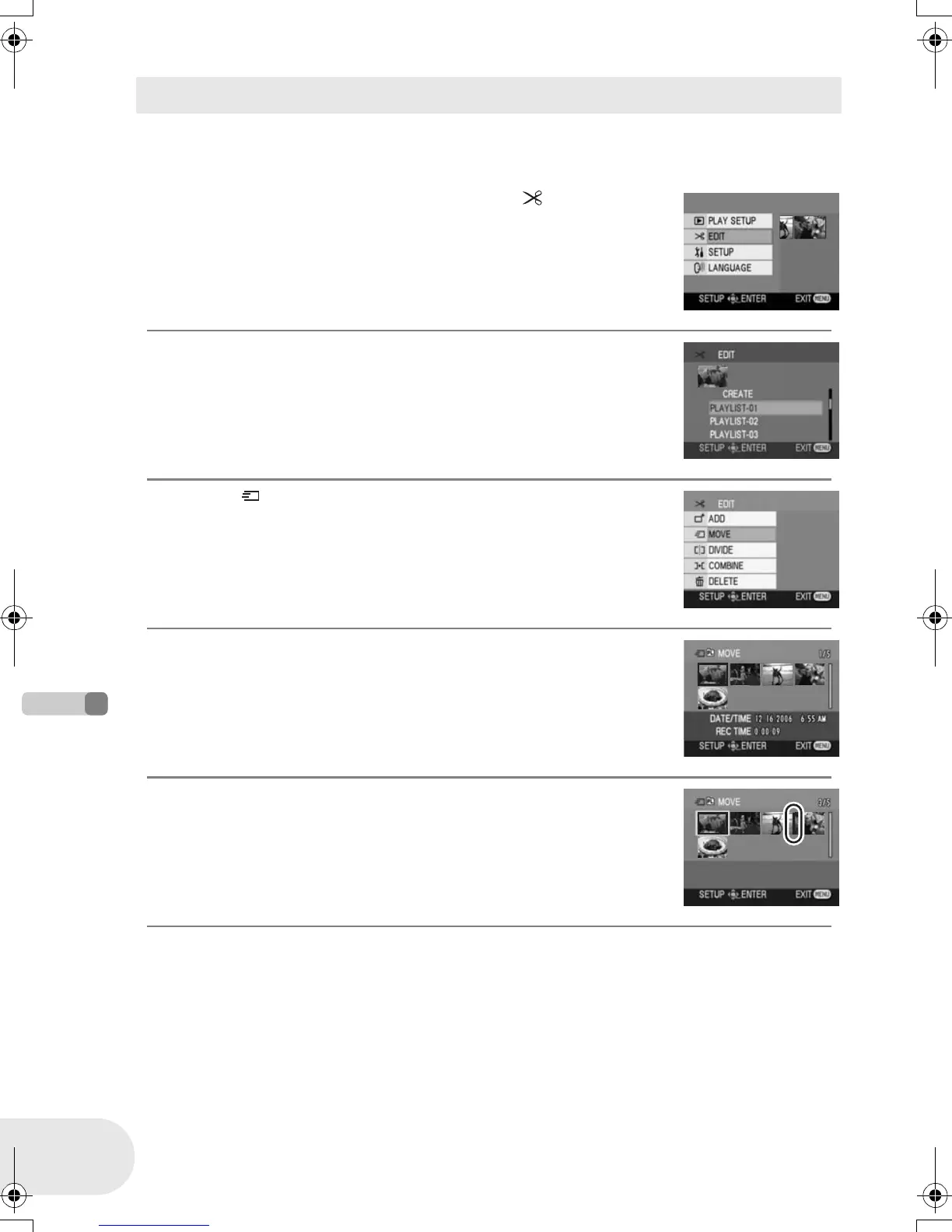
¬Select playlist playback mode. (l 62, steps 1 and 2)
1 Press the MENU button, then select [ EDIT] and
press the joystick.
2 Select the playlist to be edited, then press the
joystick.
3 Select [ MOVE], then press the joystick.
4 Select the scene to be moved, then press the
joystick.
The selected scene is encircled by a yellow frame, and the position to
insert is shown by a red bar.
5 Select the position to insert the scene, then press
the joystick.
To continue moving other scenes in the playlist
Repeat steps 4-5.
To complete editing
Press the MENU button.
Moving scenes
D105(P)eng.book 64 ページ 2006年1月16日 月曜日 午後4時1分











 To Next Page