EasyManua.ls Logo

Panasonic WJ-HD220 - User Manual

Panasonic WJ-HD220
103 pages
Print Icon
To Next Page IconTo Next Page
Loading...
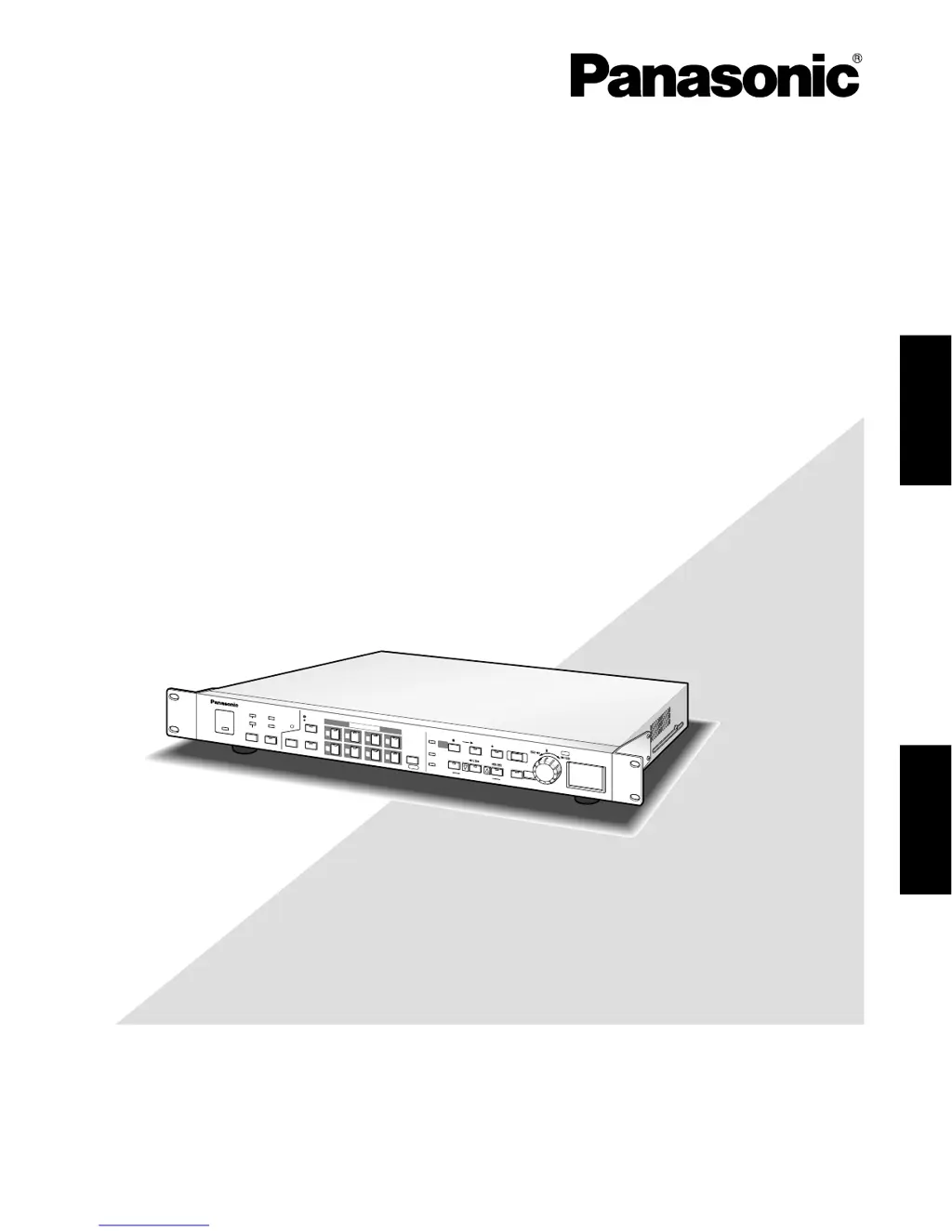
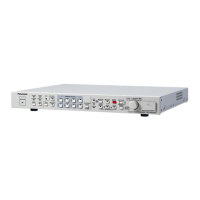
Digital Disk Recorder
Operating Instructions
Model No. WJ-HD220
Before attempting to connect or operate this product,
please read these instructions carefully and save this manual for future use.
4
8
3
7
2
6
1
5
OPERATE
ALARM
SUSPEND
RESET
HDD
FULL
ERROR
OSD
DST
M
U
L
T
IS
C
R
E
E
N
S
E
L
E
C
T
ZOOM
TIMER
REMOTE
LOCK
S
E
Q
U
E
C
E
A
L
A
R
M
S
E
R
C
H
STOP
P
L
A
Y
M
O
D
E
S
E
L
E
C
T
PLAY
T
I
M
E
&
D
A
T
E
S
E
A
R
C
H
REC STOP
S
P
O
T
M
U
L
T
I
C
A
M
E
R
A
S
E
L
E
C
T
A
L
A
R
M
R
E
C
A
L
L
REC
P
U
S
H
P
A
U
S
E
S
E
T
Digital Disk Recorder WJ-HD220
S
E
T
U
P
/
E
S
C
ENGLISHFRANÇAIS

Table of Contents

Other manuals for Panasonic WJ-HD220

Questions and Answers

  • K
    Karen OchoaSep 23, 2025
    Why can't I search alarm image in Panasonic Recording Equipment?
    • S
      Sara GilbertSep 23, 2025
      If you cannot search an alarm image in the list on your Panasonic Recording Equipment, the specified date may be later than the actual alarm, DISK END MODE might be set to CONTINUE, or over 9999 alarm events may have occurred. Enter a date that is a little older than the one you wish to search. Note that old image data are overwritten and cannot be searched, and old records may have been discarded.
  • J
    Jay GuerraAug 23, 2025
    How to reset administrator password on Panasonic Recording Equipment?
    • I
      iberryAug 23, 2025
      If you cannot recall the administrator password for your Panasonic Recording Equipment, reset the recorder to the factory defaults (page 24) and enter a new password.
  • C
    Cassie CostaAug 25, 2025
    How to fix Panasonic DVR when camera picture is not displayed on the monitor?
    • K
      kfriedmanAug 26, 2025
      If the camera picture is not displayed on the monitor of your Panasonic DVR, first ensure that the lens cap has been removed from the camera. Then verify that all necessary devices are powered on. Finally, check the brightness and contrast settings on the monitor and adjust them as needed.
  • B
    bradyadamAug 27, 2025
    What to do if error message 'CH n LOSS' is displayed on Panasonic DVR?
    • B
      Brian DavisAug 27, 2025
      If you see the error message "CH n LOSS (n=1-8)" displayed on your Panasonic DVR monitor, it indicates a disconnection of the camera, camera cable, or VIDEO IN BNC. To resolve this, ensure that the respective camera, cable, or connector is properly connected.
  • A
    Anita CainAug 27, 2025
    Why does my Panasonic DVR show 'THERMAL ERROR'?
    • M
      Michelle WoodAug 27, 2025
      If your Panasonic DVR displays the error message "THERMAL ERROR" on the monitor, it means that ventilation is blocked or the cooling fan has failed. Remove any obstacles blocking ventilation. If the problem persists, consult your dealer for servicing.
  • C
    cherylmeadowsSep 17, 2025
    Why nine-split display does not function on Panasonic Recording Equipment?
    • J
      Jennifer BradleySep 18, 2025
      If the nine-split display does not function on your Panasonic Recording Equipment, QUAD ONLY may be set for MULTI SELECT MODE. Set it to ALL.
  • D
    Dale OliverSep 14, 2025
    How to turn on Panasonic Recording Equipment?
    • C
      Christine JacksonSep 14, 2025
      If the power is not turning on for your Panasonic Recording Equipment, the power cord may not be properly connected. Connect the power cord to the AC outlet.
  • J
    Johnny PerezSep 15, 2025
    What to do if remote operations are not accepted on Panasonic Recording Equipment?
    • E
      Elijah LeeSep 16, 2025
      If remote operations are not accepted and the BUSY indicator is lit on your Panasonic Recording Equipment, it means the front panel buttons on the recorder are being operated, or more than four PCs are accessing the recorder. Wait until the preceding accesses end.
  • A
    Andrew WhitneySep 6, 2025
    What does 'HDD ERROR' mean on my Panasonic DVR?
    • D
      Daniel GoodwinSep 6, 2025
      If you see the error message "HDD ERROR" displayed on the monitor of your Panasonic DVR, it means no disk is available. Refer to HDD MAINTENANCE in Appendix to confirm the HDD status. Consult your dealer when a malfunction is found.
  • S
    scobbSep 3, 2025
    How to enable nine-split display on Panasonic DVR?
    • J
      John MorganSep 3, 2025
      If the nine-split display does not function on your Panasonic DVR, QUAD ONLY may be set for MULTI SELECT MODE. Set it to ALL.

Panasonic WJ-HD220 Specifications

General IconGeneral
BrandPanasonic
ModelWJ-HD220
CategoryDVD Recorder
LanguageEnglish

Related product manuals