
 Need help?
Do you have a question about the Panasonic Diga DMR-EZ28 and is the answer not in the manual?
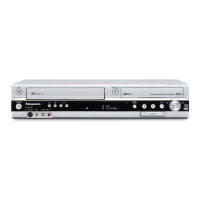
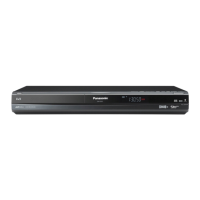
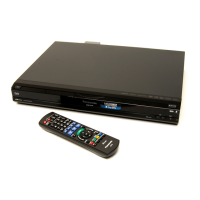
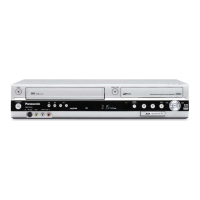
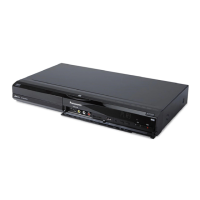
Operating instructions for the Panasonic DVD Recorder, Model No. DMR-EZ28.
Laser safety precautions, including avoiding exposure and referring servicing to qualified personnel.
Safety warnings regarding exposure to moisture, use of recommended accessories, and internal parts.
Ventilation precautions to prevent electric shock or fire hazard due to overheating.
Instructions and diagrams for connecting the unit to a TV, cable box, or satellite receiver.
Diagram and explanation of the remote control buttons and their functions for operating the unit.
Diagram and steps for connecting the unit to a TV via antenna or direct cable without a set-top box.
Diagram and steps for connecting the unit to a TV and a cable box for signal reception.
Diagram and steps for connecting the unit to a TV and a satellite receiver for signal reception.
Instructions for connecting to a TV via HDMI for high-quality digital video and audio.
Procedure to acquire TV settings automatically via VIERA Link when connected via HDMI.
Step-by-step guide to inserting discs and starting playback on the unit.
Accessing the Delete Navigator to manage and delete recorded content from discs.
Table detailing recording modes, estimated disc capacity, and recording times for various disc types.
Explanation of Flexible Recording mode to optimize picture quality based on available disc space.
How to view, modify, or delete scheduled recording programs from the list.
Instructions for connecting and recording from external devices like VCRs using various cables.
Steps for connecting a DV camcorder and recording video and audio onto a disc.
How to access and select recordings from the Direct Navigator or Album View screens for playback.
Accessing main unit functions quickly via the FUNCTIONS window for easy navigation.
Explanation of VIERA Link and HDAVI Control for linked operations between devices via HDMI.
How to operate the unit's functions using the TV's remote control via the FUNCTIONS window.
How to operate the unit using the TV's remote control via the SUB MENU window.
How to access the Recording View to manage and edit recorded content.
Steps to delete recorded content from a disc, with important notes on recovery.
Disc protection feature to prevent accidental erasure of recordings.
Instructions for dividing a recording into multiple parts, with notes on limitations.
How to access the Chapter View to manage and edit chapters for recordings.
Steps to create new chapters within a recording to divide it into segments.
Instructions on how to delete existing chapters from a recording.
How to access the Album/Picture View to manage and edit still pictures.
Steps to delete entire albums or individual still pictures, with important notes.
Instructions for copying still pictures from SD cards or USB memory to the unit's album.
Steps for importing still pictures from external media to the unit, noting that only new pictures are imported.
How to access the DVD and Card Management menus for various disc operations.
How to set write-protection for discs and cards to prevent accidental erasure.
Instructions for formatting discs and memory cards, with important warnings about data loss.
Process of finalizing discs for playback on other equipment, making them read-only.
General procedure to access the Setup Menus for configuring unit settings.
Automatically scans and sets available TV channels based on the connected antenna type.
Manually tuning and assigning channels, including setting channel names and captions.
Instructions for changing the password used for parental rating settings.
Returning setup menus to default values, except for clock, channels, ratings, and language settings.
Setting parental ratings to limit viewing or recording of programs based on content advisories.
Setting the unit's clock automatically or manually, including time zone and daylight saving adjustments.
Settings related to HDMI connectivity, including priority and output aspects.
Instructions for programming the unit's remote to control other devices like TVs and set-top boxes.
Guide to initial settings after connecting the unit, including TV preparation and language selection.
Table detailing disc types, rewritability, finalization, aspect ratio, and copy protection compatibility.
Details on compatible USB memory types, file formats, and usage instructions.
Specifications for MP3 files, including playable media, file format, bit rates, and folder structure.
Specifications for JPEG files, including playable media, file format, pixel dimensions, and folder limits.
Specifications for DivX files, including playable media, file format, support versions, and codec details.
Explanation of error messages displayed on the unit, including their meaning and troubleshooting steps.
Troubleshooting common issues related to remote control operation, unit responsiveness, and startup.
Troubleshooting audio playback issues, including no sound, low volume, or distorted audio.
Troubleshooting common recording issues, including inability to record, copy protection, and scheduling errors.
Instructions for resetting the unit's channel information, clock settings, or ratings level.
Solutions for picture-related playback issues, such as distorted images or incorrect aspect ratios.
Procedure to restore the unit to normal operation if it freezes or becomes unresponsive.
 General
| Type | DVD Recorder |
|---|---|
| Recording Formats | DVD-RAM, DVD-R, DVD-RW, DVD+R, DVD+RW |
| Hard Drive Capacity | 160 GB |
| Video Output | Composite, S-Video, Component |
| Progressive Scan | Yes |
| Audio Recording Format | Dolby Digital |
| USB | No |
| Playback Formats | DVD-Video, DVD-RAM, DVD-R, DVD-RW, DVD+R, DVD+RW, CD, CD-R, CD-RW |
| Tuner Type | Analog |
| Audio Output | Digital Optical |
| Video D/A Converter | 10-bit |
| Video Recording Format | MPEG-2 |

 To Next Page