EasyManua.ls Logo

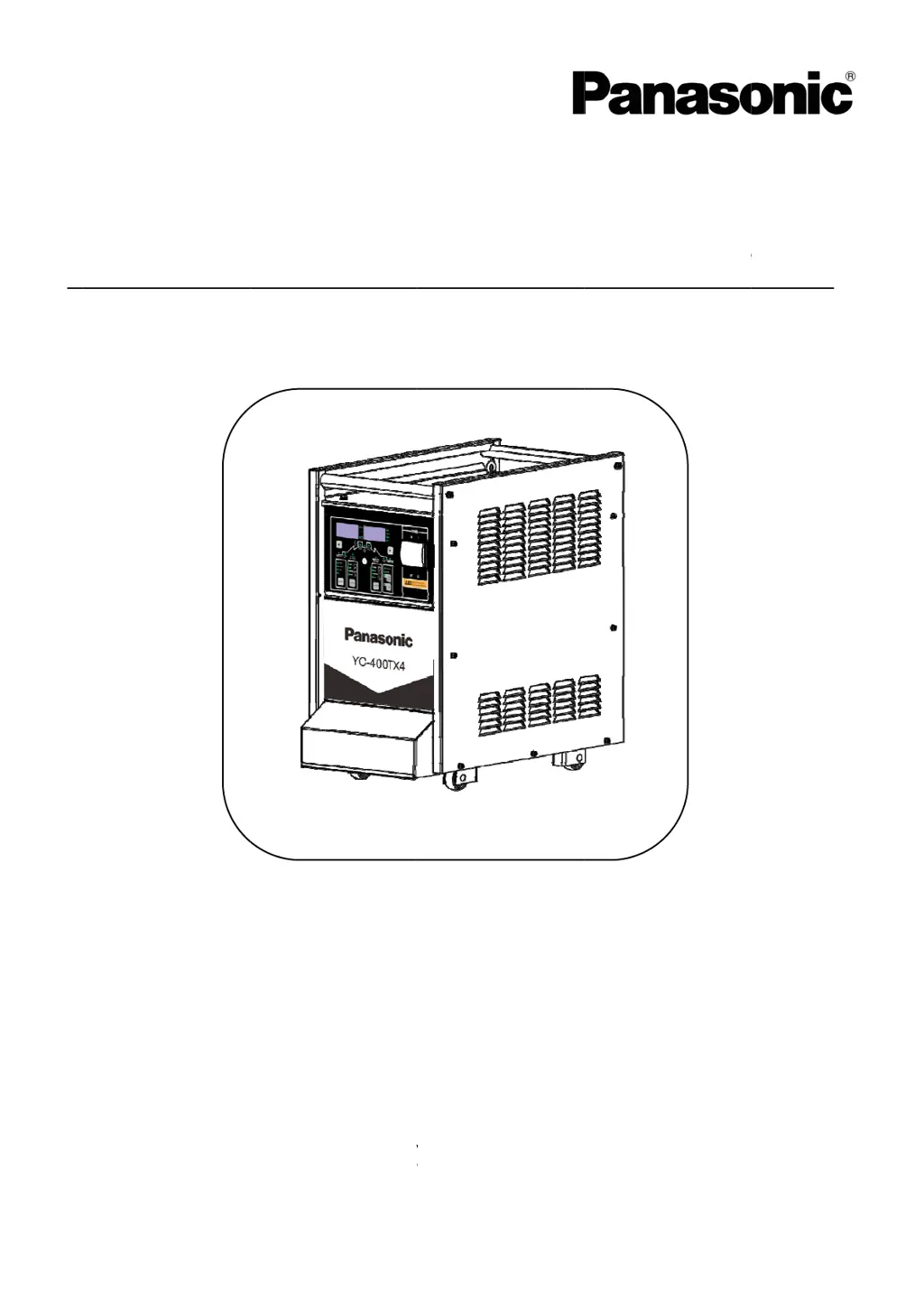
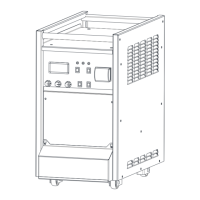
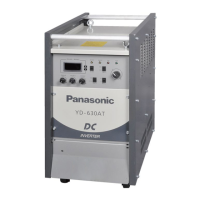
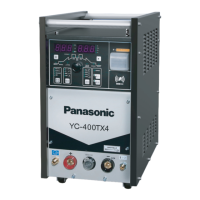
Panasonic YC-400TX4 - User Manual

Panasonic YC-400TX4
40 pages
Print Icon
To Next Page IconTo Next Page
Loading...
fo
r
Di
Thank yo
u
Before op
e
r
future us
e
SPEC. N
P
a
gital I
G
u
for your
p
e
rating thi
s
e
.First of
a
o.YC-4
0
a
naso
n
G
BT co
n
p
urchase o
f
s
product,
a
ll, please
r
0TX4HG
H
n
ic Wel
n
trolle
d
f
Panason
i
please re
a
r
ead “Saf
e
H
YC-400T
X
ding S
y
O
p
d
DCTI
G
i
c welding
a
d the inst
r
e
ty precau
t
X
4HJE
y
stem
s
p
era
t
G
Arc
W
Model
power sou
r
uctions c
a
t
ions” or “
S
s
(Tan
g
t
ing I
n
W
eldin
g
No. :Y
C
rce.
a
refully an
d
S
afety man
g
shan)
n
stru
g
Pow
e
C
-40
0
d
save this
ual”.
Co., L
t
WTC0
1
ctio
n
e
r Sour
c
0
TX
4
manual
t
d.
3TC0PA
A
n
s
c
e
4
A
00

Questions and Answers

Summary

Safety

Warning Symbols for Safe Usage

Explains symbols to prevent hazards and property damage.

General Safety Precautions

Covers precautions for power sources, electric shock, ventilation, fire, and explosion.

Operational Cautions

Details specific cautions for shielding, gas, rotating parts, welding wire, and insulation.

Standard Accessories

Installation and Power Supply Facility

Power Supply and Connecting Cable

Details requirements for power supply, facility capacity, and cables.

Grounding Requirements

Explains the importance of proper grounding for electrical safety.

Required Equipment and Materials

Lists necessary equipment and materials for welding setup.

Installation Site Specifications

Specifies environmental conditions for product installation, including temperature and humidity.

Installation and Transportation Guidelines

Provides instructions for safely handling and moving the welding machine.

Tungsten Electrode and Shielding Gas Selection

Guides on selecting tungsten electrodes and using argon shielding gas for TIG welding.

Filler Wire and Cooling Water

Provides guidance on filler wire selection and cooling water requirements.

Front Panel Overview

Power Switch and Display Boards

Describes the power switch, indicator LEDs, and display boards on the front panel.

Control Buttons and Mode Selection

Explains the function of cycle buttons, welding mode switches, and crater control.

Parameter Adjustment and Status Indicators

Details the encoder knob, option buttons, HF, gas check, network, and water indicators.

Parameter Settings (F.Adj Menu)

Cooling, Arc Start, and Display Configuration

Configures cooling mode (P01), arc start level (P02), and voltage display (P03).

Welding Process Timing and Output Control

Manages arc breaking (P04), duration time (P06), and maximum output limitation (P07).

Advanced Arc Start and Frequency Settings

Fine-tunes arc start current (P12), arc start time (P13), and special frequency settings (P14).

Output Modes and Testing Functions

Configures low non-load output (P18), spot welding slopes (P22), and loop resistance test (P23).

Connection Procedures

TIG;PULSE TIG Connection

Illustrates the connection setup for TIG and PULSE TIG welding.

TIG;PULSE TIG (Water Cooled) Connection

Shows the connection diagram for water-cooled TIG and PULSE TIG welding.

DC STICK WELDING Connection

Illustrates the connection diagram for DC Stick welding.

Grounding Wire Connection

Provides details and cautions for connecting the grounding wire.

Input Cable Connection

Details the procedure and precautions for connecting the input power cable.

Preparation and Protective Equipment

Advises on pre-operation checks and the use of protective equipment.

Pre-operation and Termination Procedures

Outlines pre-operation checks and steps for shutting down after welding.

Operating the Welding Machine

TIG;PULSE TIG Welding Operation

Step-by-step guide for operating the machine in TIG/PULSE TIG modes.

Stick Welding Operation

Outlines the steps for performing stick welding operations.

Optional Accessories

Describes available optional accessories, such as the cooling system.

Duty Cycle and Thermal Protection

YC-400 TX4 Duty Cycle Explained

Details the duty cycle of the YC-400TX4 at different output currents.

Thermal Protection Mechanism

Explains how thermal switches protect the unit from overheating.

Maintenance and Inspection

Daily Checks for Components

Outlines daily inspection routines for the welding machine and cables.

Other Devices Inspection

Covers checks for welding torch, wire feeder, remote controller, and gas hose.

Periodic Checks and Cleaning

Details periodic inspection, cleaning of dust, and maintenance of consumable parts.

Withstand Voltage and Insulation Tests

Explains precautions and procedures for withstand voltage and insulation resistance tests.

Cautions and Warnings

Power Switch Operation Cautions

Advises on safe operation of the power switch, including trip-outs.

Terminal Connection and Radio Interference

Covers proper connection to terminals and mitigation of radio interference.

Warning Lamp and Flow Switch

Explains the warning lamp function and flow switch operation for cooling.

Filter Installation and Maintenance

Guides on installing and maintaining the filter for the water inlet.

Troubleshooting Guide

Understanding Error Indications

Explains how to interpret error codes displayed on the operation panel.

Error Code Details and Remedies

Lists specific error codes (Err 001-030) and their probable causes and remedies.

Common Troubleshooting Scenarios

Addresses common issues like no power, no arc, gas flow problems, and unstable arc.

Technical Specifications

Electrical and Performance Data

Details input/output voltage, current ranges, power factor, and duty cycle.

Physical and Environmental Ratings

Covers dimensions, mass, cooling method, insulation class, and EMC classification.

Parts Identification

Front View Component List

Identifies components visible on the front view of the YC-400TX4.

Right and Left View Component Lists

Identifies components visible on the right and left views of the YC-400TX4.

Detailed Parts List with Numbers

Provides a comprehensive list of parts with part numbers and quantities.

Outline Drawings and Dimensions

Machine Dimensions and Views

Shows the overall dimensions and different views of the welding machine.

Circuit Diagrams

Overall Circuit Diagram

Presents the complete circuit diagram for the welding machine.

Summary

Safety

Warning Symbols for Safe Usage

Explains symbols to prevent hazards and property damage.

General Safety Precautions

Covers precautions for power sources, electric shock, ventilation, fire, and explosion.

Operational Cautions

Details specific cautions for shielding, gas, rotating parts, welding wire, and insulation.

Standard Accessories

Installation and Power Supply Facility

Power Supply and Connecting Cable

Details requirements for power supply, facility capacity, and cables.

Grounding Requirements

Explains the importance of proper grounding for electrical safety.

Required Equipment and Materials

Lists necessary equipment and materials for welding setup.

Installation Site Specifications

Specifies environmental conditions for product installation, including temperature and humidity.

Installation and Transportation Guidelines

Provides instructions for safely handling and moving the welding machine.

Tungsten Electrode and Shielding Gas Selection

Guides on selecting tungsten electrodes and using argon shielding gas for TIG welding.

Filler Wire and Cooling Water

Provides guidance on filler wire selection and cooling water requirements.

Front Panel Overview

Power Switch and Display Boards

Describes the power switch, indicator LEDs, and display boards on the front panel.

Control Buttons and Mode Selection

Explains the function of cycle buttons, welding mode switches, and crater control.

Parameter Adjustment and Status Indicators

Details the encoder knob, option buttons, HF, gas check, network, and water indicators.

Parameter Settings (F.Adj Menu)

Cooling, Arc Start, and Display Configuration

Configures cooling mode (P01), arc start level (P02), and voltage display (P03).

Welding Process Timing and Output Control

Manages arc breaking (P04), duration time (P06), and maximum output limitation (P07).

Advanced Arc Start and Frequency Settings

Fine-tunes arc start current (P12), arc start time (P13), and special frequency settings (P14).

Output Modes and Testing Functions

Configures low non-load output (P18), spot welding slopes (P22), and loop resistance test (P23).

Connection Procedures

TIG;PULSE TIG Connection

Illustrates the connection setup for TIG and PULSE TIG welding.

TIG;PULSE TIG (Water Cooled) Connection

Shows the connection diagram for water-cooled TIG and PULSE TIG welding.

DC STICK WELDING Connection

Illustrates the connection diagram for DC Stick welding.

Grounding Wire Connection

Provides details and cautions for connecting the grounding wire.

Input Cable Connection

Details the procedure and precautions for connecting the input power cable.

Preparation and Protective Equipment

Advises on pre-operation checks and the use of protective equipment.

Pre-operation and Termination Procedures

Outlines pre-operation checks and steps for shutting down after welding.

Operating the Welding Machine

TIG;PULSE TIG Welding Operation

Step-by-step guide for operating the machine in TIG/PULSE TIG modes.

Stick Welding Operation

Outlines the steps for performing stick welding operations.

Optional Accessories

Describes available optional accessories, such as the cooling system.

Duty Cycle and Thermal Protection

YC-400 TX4 Duty Cycle Explained

Details the duty cycle of the YC-400TX4 at different output currents.

Thermal Protection Mechanism

Explains how thermal switches protect the unit from overheating.

Maintenance and Inspection

Daily Checks for Components

Outlines daily inspection routines for the welding machine and cables.

Other Devices Inspection

Covers checks for welding torch, wire feeder, remote controller, and gas hose.

Periodic Checks and Cleaning

Details periodic inspection, cleaning of dust, and maintenance of consumable parts.

Withstand Voltage and Insulation Tests

Explains precautions and procedures for withstand voltage and insulation resistance tests.

Cautions and Warnings

Power Switch Operation Cautions

Advises on safe operation of the power switch, including trip-outs.

Terminal Connection and Radio Interference

Covers proper connection to terminals and mitigation of radio interference.

Warning Lamp and Flow Switch

Explains the warning lamp function and flow switch operation for cooling.

Filter Installation and Maintenance

Guides on installing and maintaining the filter for the water inlet.

Troubleshooting Guide

Understanding Error Indications

Explains how to interpret error codes displayed on the operation panel.

Error Code Details and Remedies

Lists specific error codes (Err 001-030) and their probable causes and remedies.

Common Troubleshooting Scenarios

Addresses common issues like no power, no arc, gas flow problems, and unstable arc.

Technical Specifications

Electrical and Performance Data

Details input/output voltage, current ranges, power factor, and duty cycle.

Physical and Environmental Ratings

Covers dimensions, mass, cooling method, insulation class, and EMC classification.

Parts Identification

Front View Component List

Identifies components visible on the front view of the YC-400TX4.

Right and Left View Component Lists

Identifies components visible on the right and left views of the YC-400TX4.

Detailed Parts List with Numbers

Provides a comprehensive list of parts with part numbers and quantities.

Outline Drawings and Dimensions

Machine Dimensions and Views

Shows the overall dimensions and different views of the welding machine.

Circuit Diagrams

Overall Circuit Diagram

Presents the complete circuit diagram for the welding machine.

Panasonic YC-400TX4 Specifications

General IconGeneral
Efficiency85%
Power Factor0.93
Rated Output Voltage36V
Duty Cycle60%
Welding MethodMIG/MAG

Related product manuals