EasyManua.ls Logo

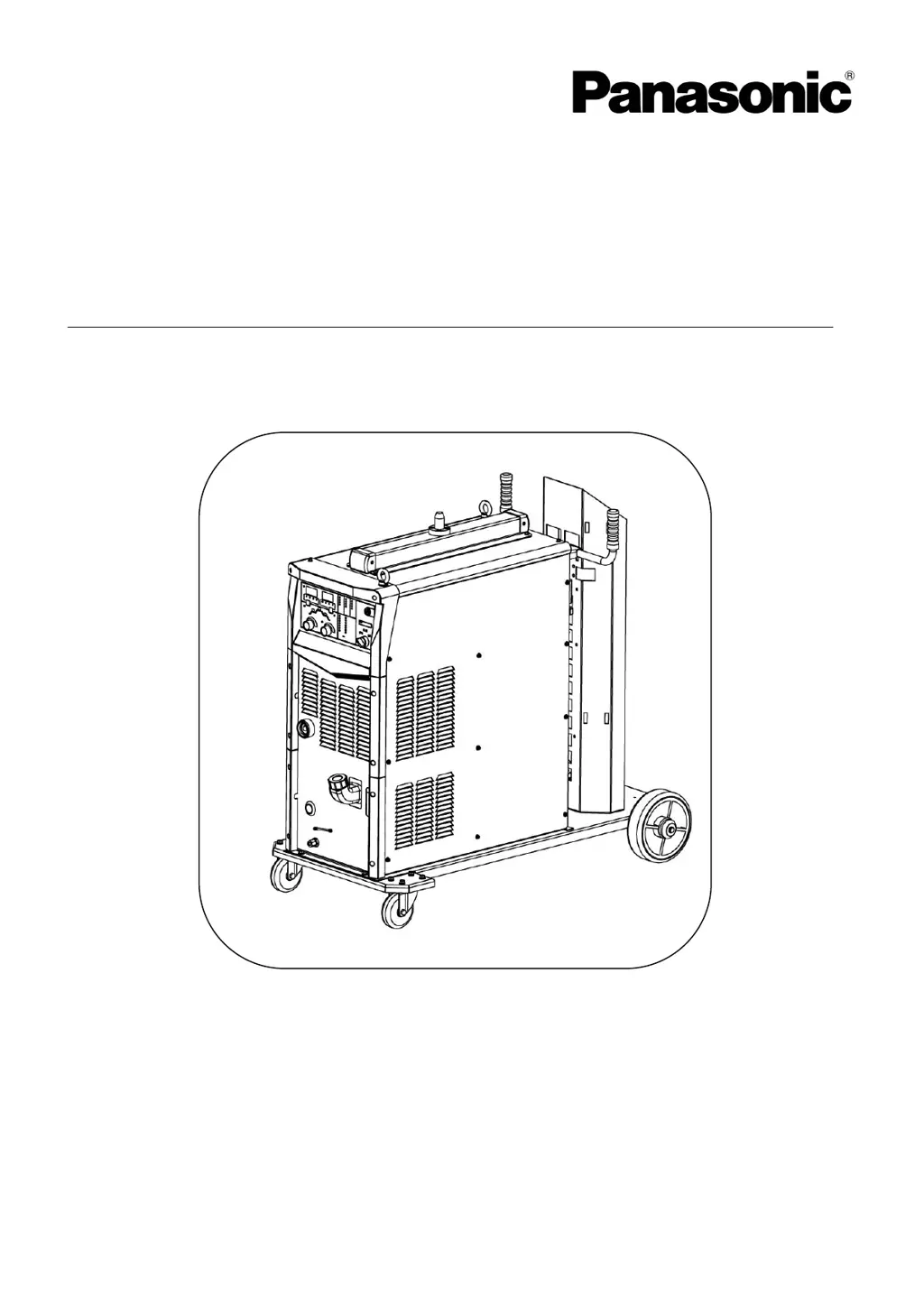
Panasonic YD-350FD2 - User Manual

Panasonic YD-350FD2
48 pages
Print Icon
To Next Page IconTo Next Page
Loading...
Operating Instructions
Digital IGBT controlled
MIG/MAG Arc Welding Power Source
Model No. :
YD-350/500FD2
Thank you for your purchase of Panasonic welding power source.
Before operating this product, please read the instructions carefully and save this manual
for future use.First of all, please read “Safety precautions” or “Safety manual”.
SPEC. No.YD-350FD2HGY, YD-500FD2HGY.
Panasonic Welding Systems (Tangshan) Co., Ltd.
WTD044TE0PAA00

Questions and Answers

  • C
    Christopher GrossAug 19, 2025
    Why does my Panasonic YD-350FD2 show a temperature rise error?
    • J
      Jennifer HolderAug 19, 2025
      If you get a temperature rise error on your Panasonic Welding System, it could be due to a rise in temperature inside the welding power source, over duty cycle or airflow blockage at ventilation and cooling fan windows. Do NOT turn OFF the machine before the temperature in the Product decreases. Keep the input power in no load state and wait for a while. Check and remove causes of over-heat. If the problem persists, clean the cooling fan.
  • S
    Samantha CollinsAug 21, 2025
    What to do if Panasonic YD-350FD2 shows secondary over-current error?
    • H
      Haley MillerAug 21, 2025
      If you are getting a secondary over-current error on your Panasonic Welding System, it is likely due to a short-circuit in the secondary circuit. Turn the welding gun switch OFF and remove the cause of the over current.
  • X
    xgonzalezAug 23, 2025
    What causes a primary over-voltage error on a Panasonic YD-350FD2?
    • G
      gandersonAug 23, 2025
      If your Panasonic Welding System displays a primary over-voltage error, it means the input voltage is too high (exceeds AC 437V). After input voltage returns within the allowable range, then turn power switch back ON again.
  • A
    Amanda JohnsonAug 26, 2025
    Why am I getting a primary under-voltage error on my Panasonic Welding System?
    • D
      Dalton PrattAug 26, 2025
      A primary under-voltage error on your Panasonic Welding System indicates that the input voltage is too low (lower than AC 304V) or there is a phase failure in the input power source. After input voltage returns within the allowable range, then turn power switch back ON again.
  • J
    Jeremy FloydAug 27, 2025
    How to fix wire feeder over-current error on Panasonic Welding System?
    • V
      Vanessa JohnsonAug 27, 2025
      A wire feeder over-current error on your Panasonic Welding System typically means the wire feeding route is blocked, causing an overload of the motor. Clean the wire feeding route (contact tip, wire feeding liner, and wire feeding roller etc.).
  • H
    hallmelissaAug 29, 2025
    What causes the emergency stop error on Panasonic YD-350FD2 Welding System?
    • A
      Amy DodsonAug 30, 2025
      The emergency stop error on your Panasonic Welding System is triggered by the connection of external equipment emergency stop on the output terminal block. Turn the power switch OFF, refer to the list below and remove the cause, and then turn the power switch ON again.
  • N
    Nathan GarzaSep 1, 2025
    How to troubleshoot Arc Start error on Panasonic YD-350FD2 Welding System?
    • D
      Dean MartinezSep 1, 2025
      An Arc Start error on your Panasonic Welding System means that neither an arc is generated nor no-load voltage is detected when the torch switch is turned on. Switch off power source switch, remove the cause of the arc ignition error.
  • C
    chungbrandonSep 3, 2025
    What does current detection error mean on Panasonic Welding System?
    • S
      Stephanie GonzalezSep 3, 2025
      A current detection error on your Panasonic Welding System means output current or voltage is detected when the power switch is turned on. Turn the power switch OFF and then check the followings to remove the cause(s). This product is defective. Check if the current or voltage is applied to the secondary side of this product from an external device.
  • C
    christinebakerSep 5, 2025
    What to do for RAM error on Panasonic YD-350FD2 Welding System?
    • M
      mestradaSep 5, 2025
      If your Panasonic Welding System shows a RAM error, it indicates an abnormal RAM. Restart the power source and confirm the data of F. Adj menu. If data disappears, please set again.
  • A
    Aaron MurphySep 7, 2025
    Why does my Panasonic YD-350FD2 show welding gun switch error?
    • N
      Nicholas HaynesSep 7, 2025
      A welding gun switch error on your Panasonic Welding System indicates that the torch switch was turned on before turning on the power switch. Turn the welding gun switch or inching wire feeding button OFF.

Summary

Operating Instructions Overview

Model Identification

Identifies the welding power source model number and its variants.

Product Features

Key Operational Features

Highlights digital display, encoder control, parameter storage, and enhanced mobility.

Welding Method Capabilities

Applicable Welding Methods and Parameters

Details welding methods, materials, shielding gas, wire diameter, and other parameters.

Safety Guidelines

Understanding Warning Symbols

Explains hazard classification symbols and their meanings to prevent accidents.

General Safety Precautions

Provides essential safety guidelines for operating the welding power source.

Specific Safety Measures

Covers safety for shielding, gas cylinders, rotating parts, wire handling, and insulation.

Rated Technical Specifications

Detailed Specifications Table

Lists comprehensive technical specifications for YD-350FD2HGY and YD-500FD2HGY models.

Duty Cycle and Thermal Protection

Explains duty cycle limits and the thermal protection system for reliable operation.

Machine Physical Dimensions

Provides the physical dimensions (W, H, L) of the welding power source.

Installation and Power Supply

Installation Site Requirements

Outlines environmental and spatial requirements for installing the machine.

Transportation and Handling

Details safe methods for transporting and handling the welding power source.

Power Supply and Cabling Needs

Specifies necessary power supply capacity, protection, and cabling.

Configuration Details

Required Welding Equipment

Lists essential equipment needed for welding operations with the power source.

Connecting Cables and Accessories

Explains the use and precautions for connecting cables, including extensions.

Cooling System Setup and Operation

Details how to connect and operate the liquid cooling system for the welding machine.

Coolant Management and Specifications

Provides guidance on coolant types, usage, and regular maintenance.

Names and Functions Overview

Power Switch and Panel Layout

Explains the power switch operation and identifies rear panel components.

Front Panel Controls and Displays

Details the functions of buttons, dials, and displays on the front control panel.

Connection Procedures

Output and Grounding Connections

Guides on connecting output cables and the grounding wire for safety.

Input Power Cable Connection

Details the steps for connecting the main input power cable to the unit.

Preparation and Termination

Pre-Operation Checks and Safety

Outlines checks and safety measures before starting welding operations.

Post-Welding Shutdown Procedures

Describes steps to safely shut down the machine after welding is completed.

Settings and Adjustments

Fine Adjustment Parameters (F. ADJ)

Details fine adjustment parameters for welding characteristics like slow-down speed and burn-back.

Parameter Management (Call;Record)

Explains how to save and recall customized welding parameter settings.

System Resets and Preparation

Guides on restoring settings, performing pre-welding checks, and gas check.

Operation Modes

Standard Welding Operations

Covers no crater, crater, initial & crater, and arc spot welding procedures.

Crater Repeat Welding

Guides on how to repeatedly perform crater welding for specific applications.

Maintenance and Inspection

Routine Inspection Procedures

Lists daily checks for the welding machine, cables, and other devices.

Periodic Maintenance and Testing

Outlines periodic checks, cleaning, and electrical safety testing guidelines.

Troubleshooting Guide

Error Codes and Indications

Explains how errors are displayed and lists common error codes and their remedies.

General Welding Error Diagnosis

Provides a table to diagnose welding errors without specific error codes.

Parts and Diagrams

FD2 Model Parts Identification

Provides visual diagrams and lists of parts for the FD2 model.

FD2 Component Breakdown and Details

Lists detailed part numbers, quantities, and remarks for FD2 model components.

Circuit Diagrams

YD-350 FD2 HGY Electrical Schematic

Presents the detailed electrical circuit diagram for the YD-350FD2HGY model.

YD-500 FD2 HGY Electrical Schematic

Presents the detailed electrical circuit diagram for the YD-500FD2HGY model.

Appendix: Welding Reference Data

MIG Pulse Off Welding Conditions

Provides reference data for MIG welding conditions without pulse.

MIG Pulse On Welding Conditions

Provides reference data for MIG welding conditions with pulse.

Panasonic YD-350FD2 Specifications

General IconGeneral
BrandPanasonic
ModelYD-350FD2
CategoryWelding System
LanguageEnglish

Related product manuals