EasyManua.ls Logo

Panasonic YD-500FD2 - User Manual

Panasonic YD-500FD2
48 pages
Print Icon
To Next Page IconTo Next Page
Loading...
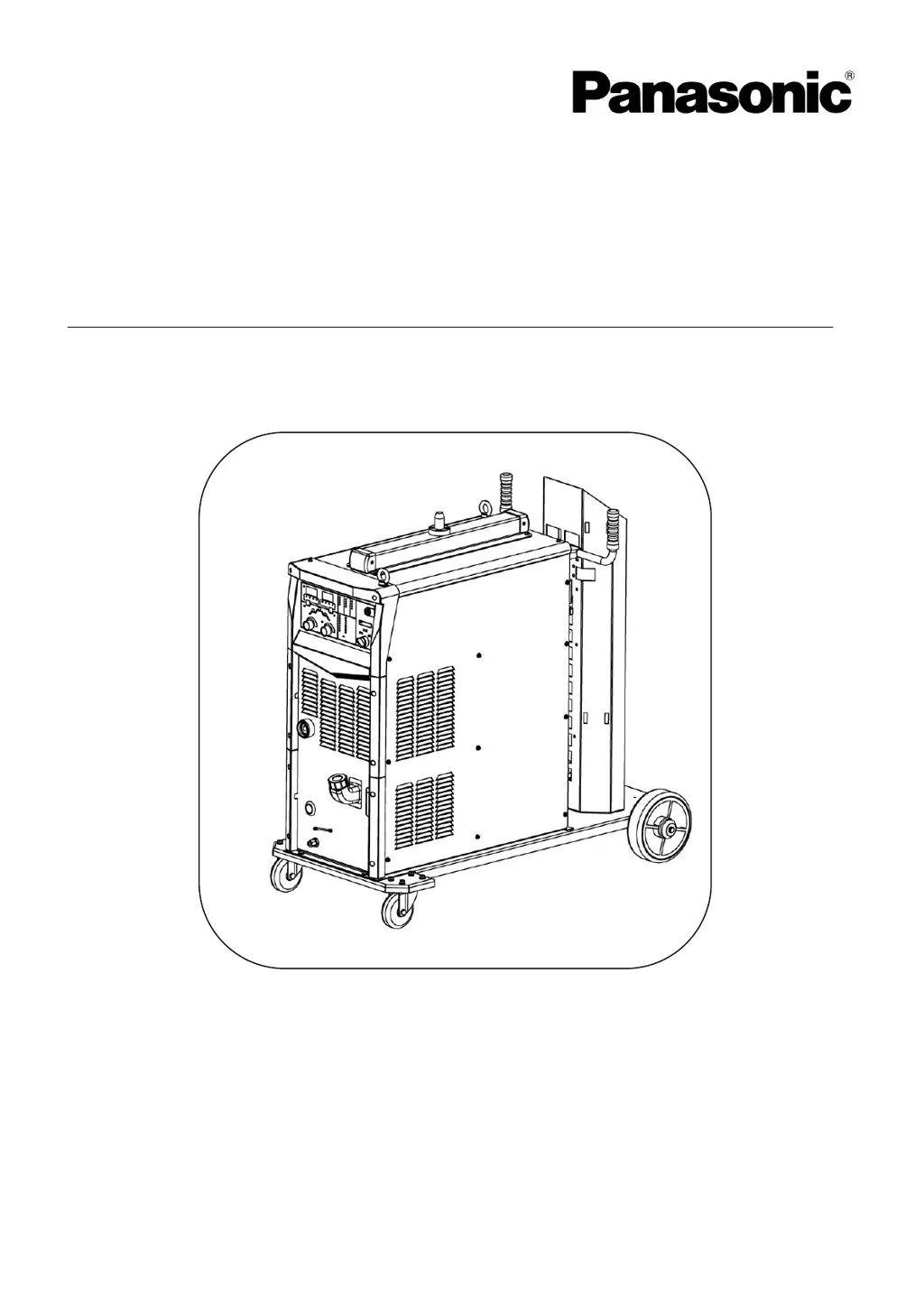
Operating Instructions
Digital IGBT controlled
MIG/MAG Arc Welding Power Source
Model No. :
YD-350/500FD2
Thank you for your purchase of Panasonic welding power source.
Before operating this product, please read the instructions carefully and save this manual
for future use.First of all, please read “Safety precautions” or “Safety manual”.
SPEC. No.YD-350FD2HGY, YD-500FD2HGY.
Panasonic Welding Systems (Tangshan) Co., Ltd.
WTD044TE0PAA00

Questions and Answers

  • J
    Joseph PenaAug 21, 2025
    What to do if Panasonic Welding System shows secondary over-current error?
    • F
      fergusonmaryAug 21, 2025
      If you are getting a secondary over-current error on your Panasonic Welding System, it is likely due to a short-circuit in the secondary circuit. Turn the welding gun switch OFF and remove the cause of the over current.
  • N
    nathan73Aug 23, 2025
    What causes a primary over-voltage error on a Panasonic YD-500FD2?
    • C
      Christopher ThompsonAug 23, 2025
      If your Panasonic Welding System displays a primary over-voltage error, it means the input voltage is too high (exceeds AC 437V). After input voltage returns within the allowable range, then turn power switch back ON again.
  • C
    christopher84Aug 26, 2025
    Why am I getting a primary under-voltage error on my Panasonic Welding System?
    • T
      taramercadoAug 26, 2025
      A primary under-voltage error on your Panasonic Welding System indicates that the input voltage is too low (lower than AC 304V) or there is a phase failure in the input power source. After input voltage returns within the allowable range, then turn power switch back ON again.
  • S
    Steven RobinsonAug 27, 2025
    How to fix wire feeder over-current error on Panasonic YD-500FD2 Welding System?
    • T
      Tonya KnightAug 27, 2025
      A wire feeder over-current error on your Panasonic Welding System typically means the wire feeding route is blocked, causing an overload of the motor. Clean the wire feeding route (contact tip, wire feeding liner, and wire feeding roller etc.).
  • K
    Kimberly Carrillo DDSAug 30, 2025
    What causes the emergency stop error on Panasonic YD-500FD2 Welding System?
    • T
      Thomas JacksonAug 30, 2025
      The emergency stop error on your Panasonic Welding System is triggered by the connection of external equipment emergency stop on the output terminal block. Turn the power switch OFF, refer to the list below and remove the cause, and then turn the power switch ON again.
  • E
    Emily BennettSep 1, 2025
    How to troubleshoot Arc Start error on Panasonic Welding System?
    • P
      Paul OlsenSep 1, 2025
      An Arc Start error on your Panasonic Welding System means that neither an arc is generated nor no-load voltage is detected when the torch switch is turned on. Switch off power source switch, remove the cause of the arc ignition error.
  • R
    Rachel HawkinsSep 3, 2025
    What does current detection error mean on Panasonic YD-500FD2?
    • S
      samuel47Sep 3, 2025
      A current detection error on your Panasonic Welding System means output current or voltage is detected when the power switch is turned on. Turn the power switch OFF and then check the followings to remove the cause(s). This product is defective. Check if the current or voltage is applied to the secondary side of this product from an external device.
  • H
    hwoodsSep 5, 2025
    What to do for RAM error on Panasonic YD-500FD2 Welding System?
    • A
      Angela SolisSep 5, 2025
      If your Panasonic Welding System shows a RAM error, it indicates an abnormal RAM. Restart the power source and confirm the data of F. Adj menu. If data disappears, please set again.
  • N
    nspencerSep 7, 2025
    Why does my Panasonic YD-500FD2 show welding gun switch error?
    • C
      cmorseSep 7, 2025
      A welding gun switch error on your Panasonic Welding System indicates that the torch switch was turned on before turning on the power switch. Turn the welding gun switch or inching wire feeding button OFF.
  • T
    Tiffany CrossSep 9, 2025
    What to do if Panasonic Welding System has wire adhesion error?
    • R
      Raymond ClarkSep 9, 2025
      If your Panasonic Welding System shows a wire adhesion error, it means that when the Product works with special purpose machine or robot, wire adhesion at the end of welding. Switch off power source switch and cut the welding wire.

Summary

1 SAFETY

1.1 Warning symbols for safe usage

Explains hazardous conditions and damages classified into three levels and symbols to observe.

1.2 Safety precautions

2 Rated Specifications

2.1 Specifications table

Presents detailed technical specifications for the YD-350FD2 and YD-500FD2 models.

2.2 Rated duty cycle

Illustrates the duty cycle percentages for YD-350FD2 and YD-500FD2 models at different currents.

3 Installation and Power supply facility

3.1 Installation site

Specifies environmental conditions and location requirements for safe product installation.

3.2 Installation transportation

3.3 Power supply equipment

4 Configuration

4.2 Connecting cable

4.3 connections& operations of the cooling system

5 Names and functions

5.3 Front panel

6 Connection

6.1 The connection of output cable

Explains how to connect the base metal and torch output cables to the welding machine.

6.2 The connection of the grounding wire

6.3 The connection of input cable

7 Preparation and termination processings

8 Settings

8.1 FUNCTION settings

Allows fine adjustment of various welding parameters.

8.1.1 F. ADJ

Details fine adjustment settings for parameters like slow down, pre-flow, and burn-back.

9 Operation

10 Maintenance and inspection

10.1 Daily check

Specifies daily checks for the welding machine, cables, and other devices.

11 Troubleshooting

11.1 Error indication

Explains how errors are displayed on the panel and provides a table of error codes and remedies.

11.2 Troubleshooting table

Lists common welding errors without error codes and their probable causes and checks.

Panasonic YD-500FD2 Specifications

General IconGeneral
ModelYD-500FD2
CategoryWelding System
Input Power Supply50/60 Hz
Rated Output Current500A
Rated Output Voltage39V
Welding MethodMIG/MAG
Duty Cycle60%
Duty Cycle at 500A60%
Output Current Range50A-500A

Related product manuals