Settings
24
8.1.2 “CALL” and “RECORD”
Reminder when delivery, Record & Call functions are set as disabled status.
●“Call” is a function to use stored welding conditions and “Record” is to store the well-tuned welding conditions.
Record/Call operation is applicable to the set values of current ・ voltage, spot welding time, arc characteristics,
penetration control, welding control, pulse ON/OFF, material, wire diameter, gas and F. Adj.
■“ Call ” operation
Reminder
During the selection of Call, welding condition can NOT be changed (gas check and manual wire
feeding function work.)
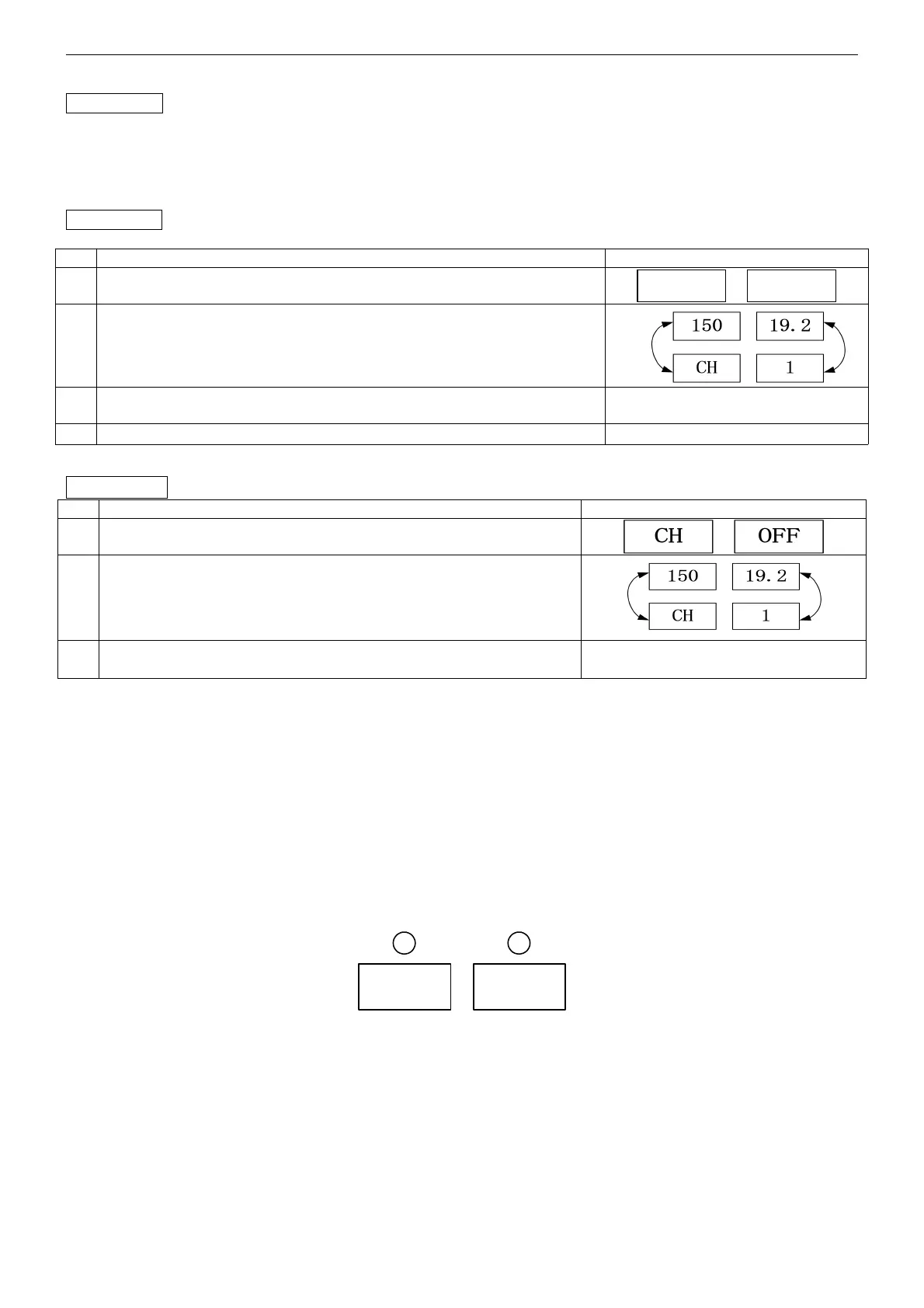
Select Call in ○
12
( as shown in the picture on the right )
Select channel (CH1-CH100) to be called in
○
7
(It alternately shows “CH” and current set value in
○
2
, channel and
voltage set value in
○
5
)
At present, ( welding condition is already being called) welding can
start.
After operation finishes, select
○
12
and return to “ welding ” mode
■“ Record ” operation
Reminder During Record operation, welding can’t start. (Gas check works.).
Select Record in
○
12
( as shown in the picture on the right )
Select the channel (CH1-CH100) to be used in ○
7
.
(It alternately shows “CH” and current set value in
○
2
,
channel
and voltage set value in
○
5
)
After operation finishes, select ○
12
and return to “ welding ” mode.
Till now data recording finishes.
Note: During Call operation,
○
13
○
14
○
15
○
16
○
17
operation does not function.
8.2 The welding machine factory defaults reset
● If 7-segment LED cannot display correctly after turning ON the power source, the damage of internal data may
happen. Please follow the steps here to restore machine to factory settings.
●
The operation sequence
1. Disconnect power source ;
2. After connecting the power source, at the moment when the software version is shown, hold 【 lock 】 and
【 welding control 】 button at the same time for 2 seconds. After welding machine finishes the display of the
software version, the display shown on the below picture happens. Thus the default setting is done successfully.
Please disconnect power source;
Note:
Only when the display shown on the above picture on the welding machine, the power source can be switched off,
otherwise wrong operation would lead to the failure of the operation. And the second step should be done again.
3. After turning the power source again, welding machine restores to factory settings;
4. Because the recorded data is reset to factory settings, please set according to your requirement.
Note:
During welding, there are certain errors of current and voltage between the value shown on LED and preset value.
It’s not a machine problem. During actual welding, the factors such as gas, wire diameter, welding technique and
extension length etc. can generate the above-mentioned errors.



 To Next Page