Troubleshooting
35
11 Troubleshooting
Touching the current-carrying parts may cause a fatal electric shock or
burn injury.
To prevent a physical accident, such as an electric shock, burn injury, etc., make sure to
observe the followings.
●
To ensure safety, troubleshooting work shall be done by qualified personnel.
●
Make sure to turn off the power and other switches of all devices* for safety reasons
before taking any actions for correcting an error.
*: Includes this product, the distribution box and other related devices (jigs, robots, etc.).
●
In case of performing the inside inspection, make sure to work at least five minutes after
the power is turned off (for capacitor discharge).
11.1 Error indication
■
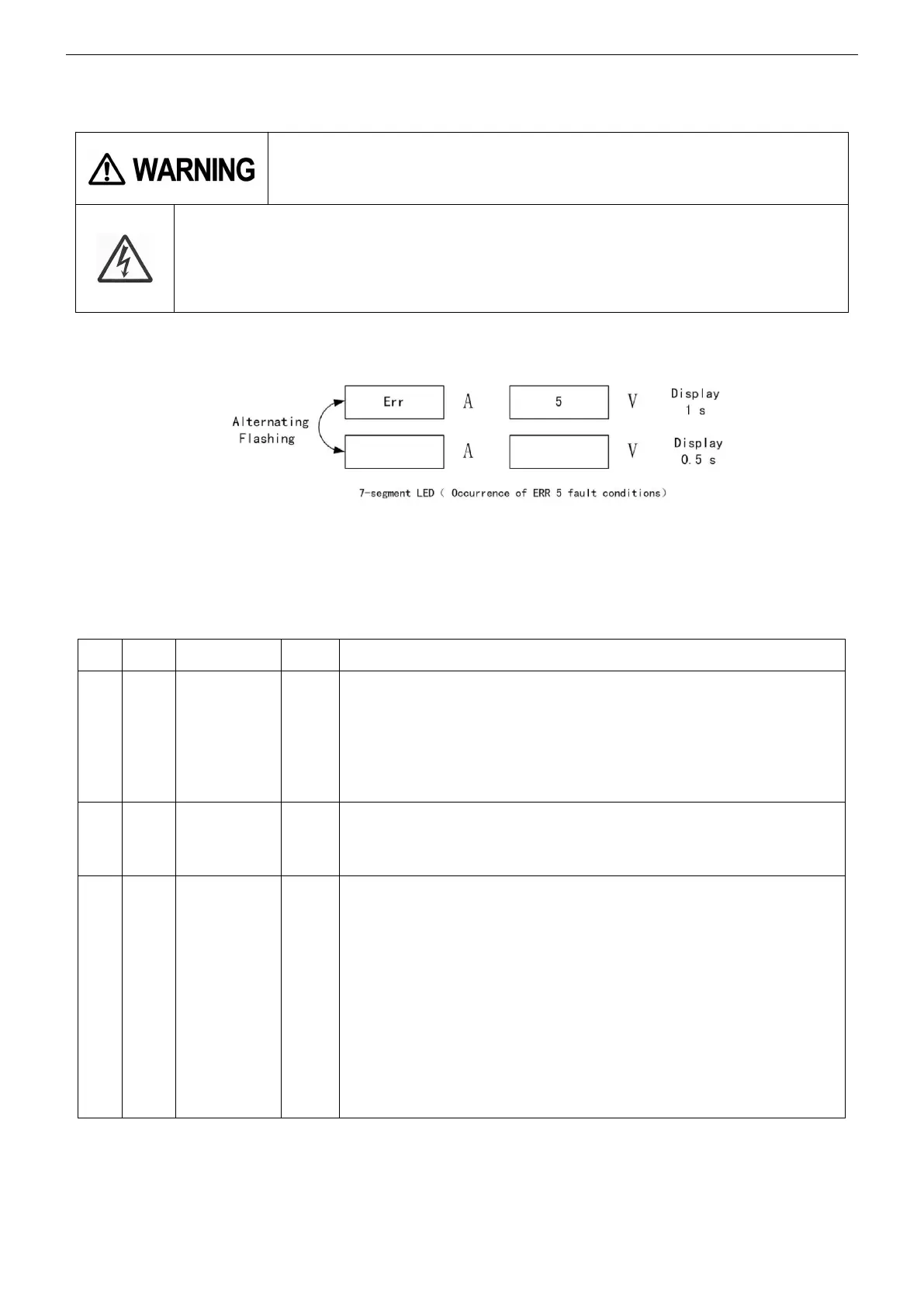
When a self-diagnosable error occurs, “Err” (for error) and error code can be displayed on the
operation panel.
■
See the following table for details of the error codes.
(Note) About “Group” in the table
●
Group “A”: It is not necessary to turn power switch OFF. (The displays are automatically turned
off when the cause is
removed.)
●
Group “B”: It is necessary to turn power switch OFF and back ON again. (The displays can NOT
be automatically turned off
until the power switch is turned OFF even when the cause is removed.)
■
after connecting the power source, 7-segment display cannot be shown normally.
Probable causes and remedy
The connection of external equipment emergency stop on
the output terminal
block.
Turn power switch OFF, refer to the list below and
remove the cause and then
turn power switch ON again.
malfunction from external equipment emergency stop.
malfunction from switch power source PCB in this equipment.
secondary over-
current
error
Over-current due to short-circuit in the secondary circuit
or so on.
Turn welding gun switch OFF and remove the cause of
the over current.
Rise in temperature inside this welding power source.
Please do NOT turn OFF
the machine before the temperature in the Product decreases.
<Remedy>
Keep the input power in no load state and wait for a
while. The error code
indication automatically turned off
when the power source is cooled down.
Check and remove causes of over-heat.
Over duty cycle,
Air flow blocking at ventilation and cooling fan
windows
If the problem cannot be solved by the above-mentioned
activities, please clean the cooling fan.



 To Next Page