23
U S E R M A N UA L
1. Call the system number and wait for the answer.
с Dial 666* to block an engine or 999* to unlock it (after dialing 999* you should enter the “Secret
PIN code” that is located on the owner’s card).
!
ALL OTHER COMMANDS CAN BE ENTERED IN THE SAME MANNER.
Changing settings via a phone
Disarm the system, call the system number, wait for the answer, switch on the ignition for 1-3
seconds (but no more than 5 seconds), then switch it off. The system will enter the settings mode.
An example of changing the owner’s system number:
1. Enter the setting menu via a phone according to the instruction above;
2. Dial DTMF command 1*(phone number settings) and 1*(owner’s system number);
3. Enter new owner’s number in the format *XXXXXXXXXXX # (the system recognizes ‘*’ as ‘+’);
4. To confirm, dial 1*.
!
THERE ARE 2 WAYS TO CHANGE MAIN OWNER’S PHONE NUMBER
1. VIA A PHONE, USING DTMF COMMANDS SETTINGS MODE.
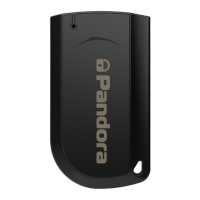
2. USING RADIO TAGS: TURN ON THE IGNITION WHEN THE SYSTEM IS DISARMED AND CALL THE SYSTEM PHONE NUMBER. WAIT FOR
the answer, dial the “guest pin-Code” (default value is 1-2-3-4) if you are Calling not from the main owner’s
NUMBER, THEN PRESS AND HOLD THE BUTTON ON THE RADIO TAG FOR 2 SECONDS (UNTIL THE SECOND FLASH OF THE SEND
INDICATOR). RELEASE THE BUTTON, THE SYSTEM WILL RECOGNIZE THE INCOMING PHONE NUMBER AS THE “MAIN OWNER’S PHONE
NUMBER.


 To Next Page