16
Getting Started
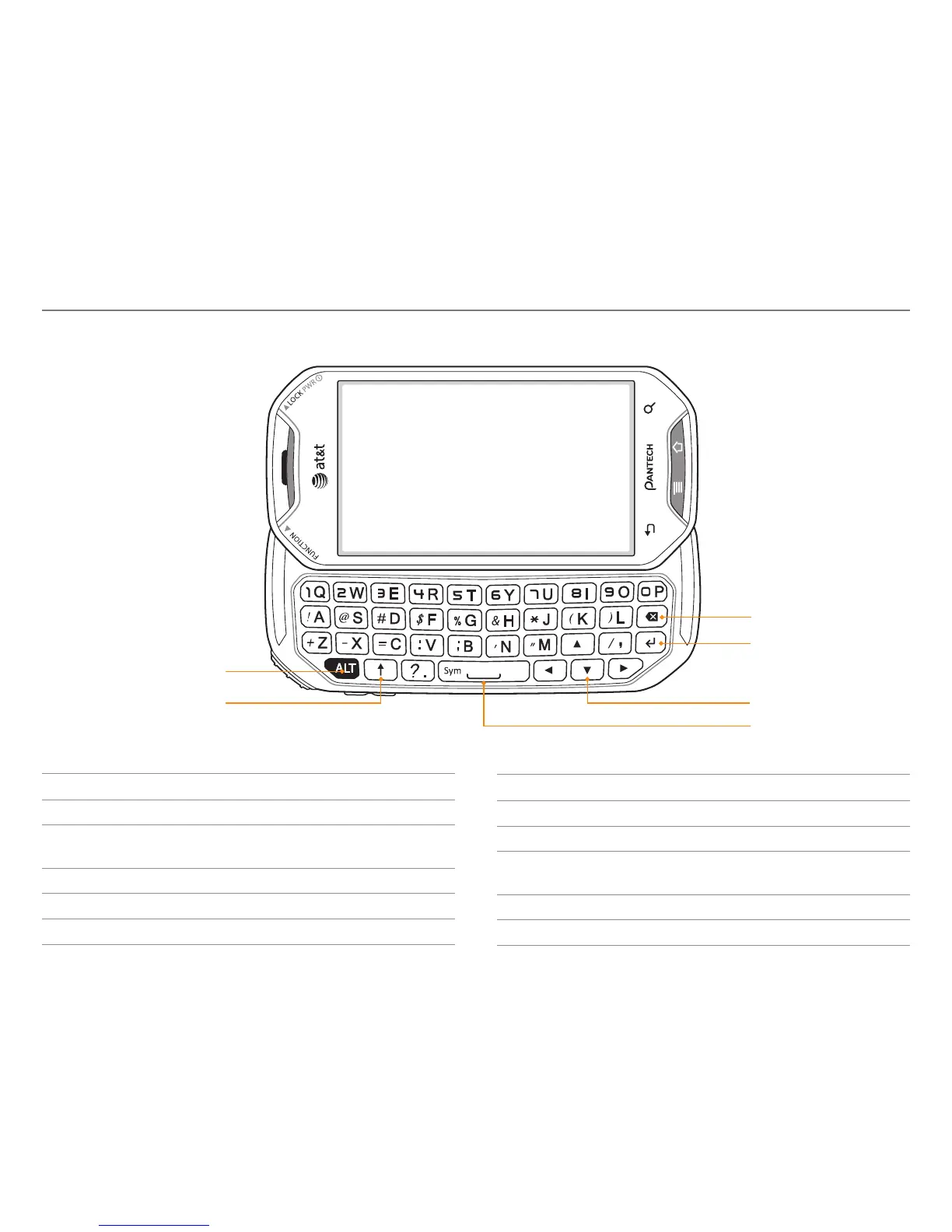
QWERTY keypad
Delete key
Enter key
Navigation key
Space/symbol key
ALT key
CAPS key
Hard keys from QWERTY keypad
Key Function
A - Z Enters the corresponding letter
h + A
Enters the secondary character (numbers,
symbols) on the left of each key
h + h + A Continuously enters secondary characters
h + g Enters symbols other than those in the keypad
e + A Enters the capital letter for the key
Key Function
e + e + A Continuously enters capital letters
g Enters a space
a
c*b*d
Moves the cursor; moves to the next field
i Moves to the next line of text
f Deletes the character to the left of the cursor



 To Next Page