30 31
Getting Started
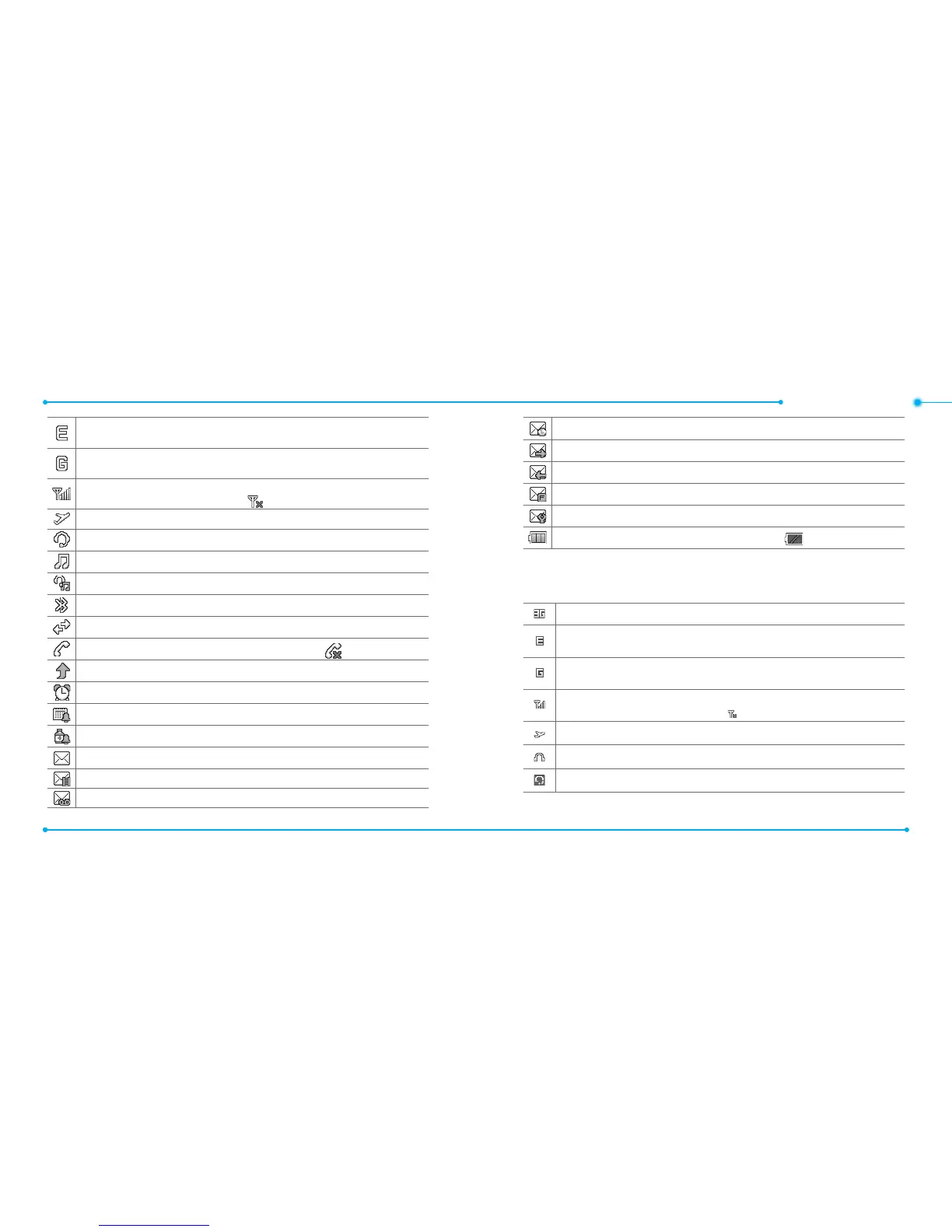
An EDGE signal is available. It is displayed when there is an active EDGE
session
.
A GPRS signal is available. It is displayed when there is an active GPRS
session
.
Signal strength. The greater the number of bars, the stronger the signal.
When network is in searching mode is displayed.
Flight Mode is active.
Bluetooth hands-free headset is connected.
Bluetooth A2DP headset is connected.
Bluetooth hands-free + A2DP headset is connected.
Bluetooth is active
.
Data transfer via Bluetooth.
A call is being made. When you are in no service area is displayed.
Call forwarding
1
is active.
An alarm is set
.
Schedule Alarm is set
.
Pill Reminder is set
.
Received one or more text messages.
Received one or more multimedia messages
.
Received one or more voice messages
.
Received one or more WAP push messages.
A message is being sent
.
A message is being received
.
A message is full
.
Received one or more conguration messages
.
Battery strength. When the battery charge is low, is displayed
.
1
Network dependent
Essential display indications
A 3G signal is available. It displayed when there is an active 3G session.
1
An EDGE signal is available. It is displayed when there is an active EDGE
session
.
A GPRS signal is available. It is displayed when there is an active GPRS
session
.
Signal strength. The greater the number of bars, the stronger the signal.
When network is in searching mode is displayed.
Flight Mode is active.
Headset is connected.
Bluetooth hands-free headset is connected.



 To Next Page