8 9
Quick & Easy
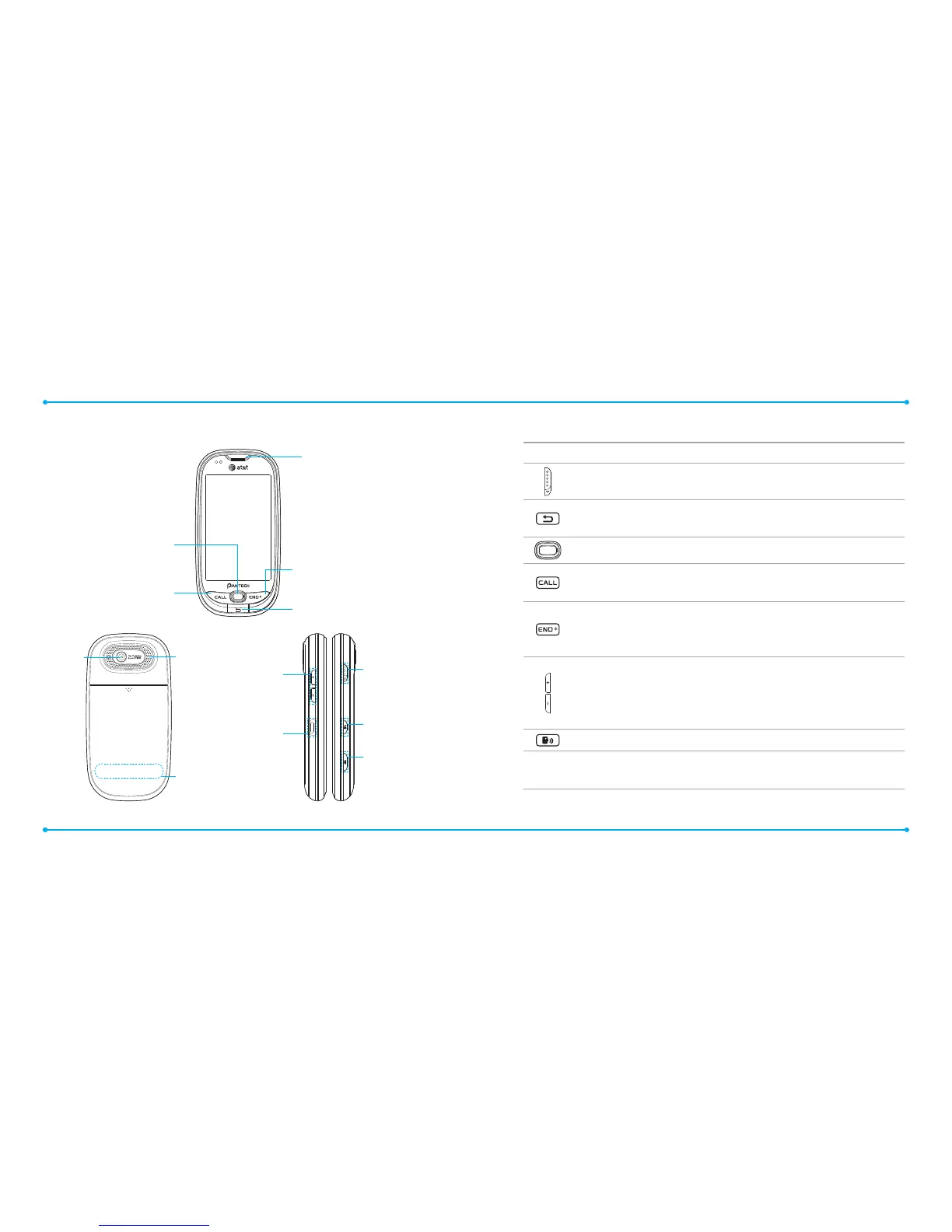
Keys Functions
Slide down to lock. Slide down and hold to unlock.
Delete characters from the display, or return to previous
menu.
Access Quick Contacts.
Place a call after dialed. Access Recent Calls or dial the last
number if pressed and held.
Complete the current call. Turn on/o the phone if pressed
and held.
Cancel user input and return to main screen.
Adjust the earpiece volume while making a call.
Control the Ringtone volume, vibrate mode and silent all
mode in standby.
Mute the ringtone of an incoming call.
Access the Say a Command feature.
Turn camera on.
Take picture when camera is on.
Phone overview
Touch mode view
Earpiece
End key
End calls, exit menus.
Speaker
Internal antenna
area
Back / Clear key
Return to previous screen.
Quick Contact Key
Access contact list.
Call key
Press to make
and answer calls.
Camera
Sliding Screen
Lock/Unlock
key
Say A command
key
Camera key
Volume Up/Down key
Adjusts volume.
Press and hold the Up key
for Multitasking.
Charger/Headset port
Note: Holding the device by the internal antenna area might aect the quality of all calls.



 To Next Page