92 93
Easy Mode - Connectivity
03
04
05
06
01
02
03
04
05
06
07
01
02
Bluetooth
Bluetooth technology enables free wireless connections between
electronic devices within a maximum range of 33 feet (10 meters).
Bluetooth connections can be used to send images, text, business cards,
calendar events and notes or to connect to computers using Bluetooth
technology.
Your mobile phone supports:
• Connect to PC to access internet.
• Connect to Hands-Free.
• Connect to electronic devices.
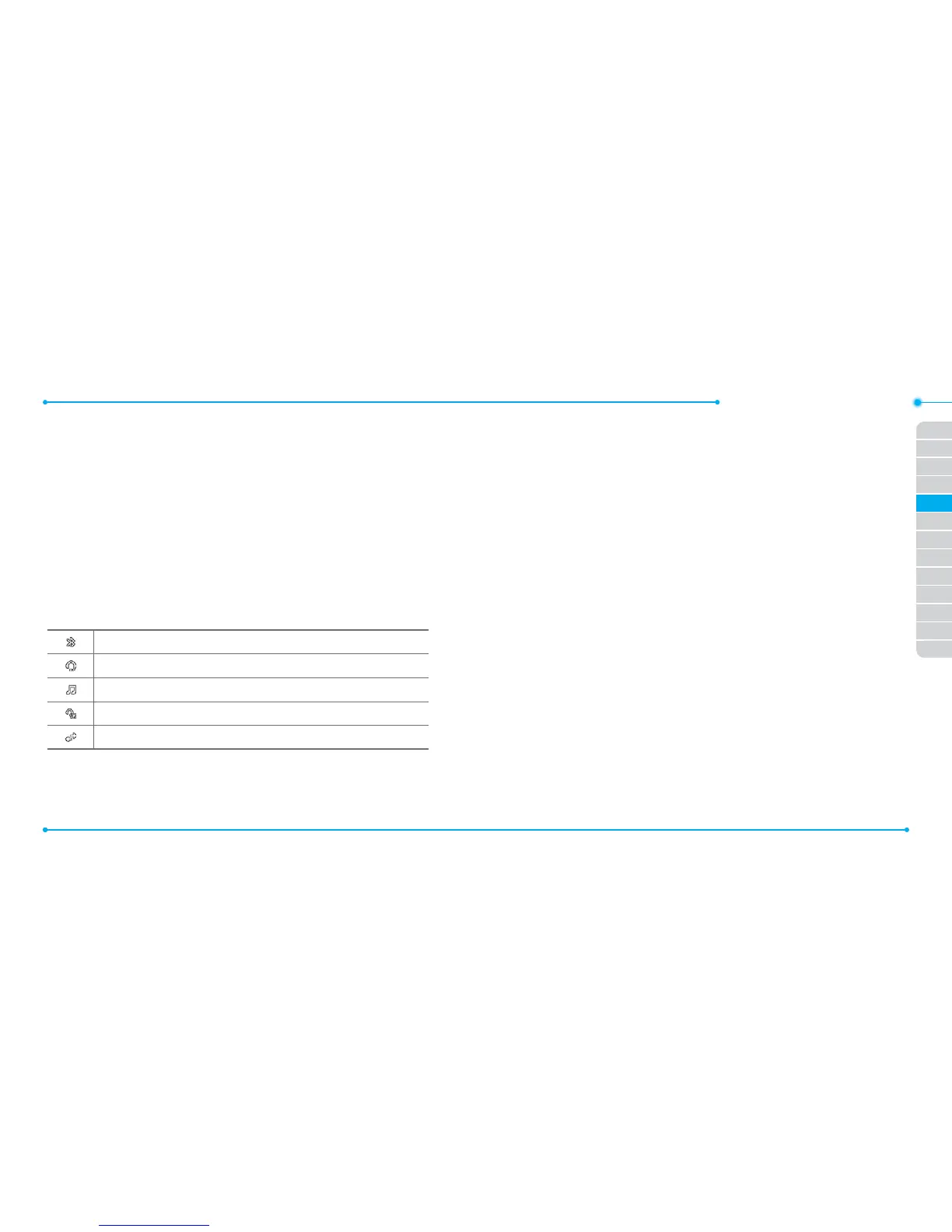
Icons for Bluetooth
Bluetooth is active.
Bluetooth hands-free headset is connected.
Bluetooth A2DP headset is connected.
Bluetooth hands-free + A2DP headset is connected.
Data transfer via Bluetooth.
Note: Advance Audio Distribution Prole (A2DP) is a Bluetooth prole (mode)
which is designed to transfer a uni-directional 2-channel stereo audio stream
to a headset or car audio.
Activating Bluetooth
1. Tap Menu > Settings > Bluetooth.
2. Either “Touch center image for activation” or tap Settings > Drag
the Activation bar to On.
3. Tap Save.
Adding a device
1. Tap Menu > Settings > Bluetooth > Search.
2. The available devices will display.
3. Tap to select the desired device.
4. Tap Pair to pair the device.
5. Enter password > OK.
6. Tap View Detail to view the details of the device.
Note: The other device must be in pairing mode.
Sending an object
1. Select the le from Menu > Camera > My Pictures or My Videos.
2. Tap Options > via Bluetooth.
3. Tap to select already paired device.
Note: If the other Bluetooth device requests pairing, the object is sent after
pairing is completed. Locked object or ones containing original rights may
not be forwarded.



 To Next Page