126 127
Advanced Mode - Multimedia
03
04
05
06
01
02
03
04
05
06
07
01
02
To Tap
Send using Bluetooth
> Send > via Bluetooth
Set as online locker
> to Online Locker
Set as wallpaper
> Wallpaper
Set as address book
> Caller ID
Rename
Face Recognition
Delete
View the information Properties
View the GPS information GPS Info
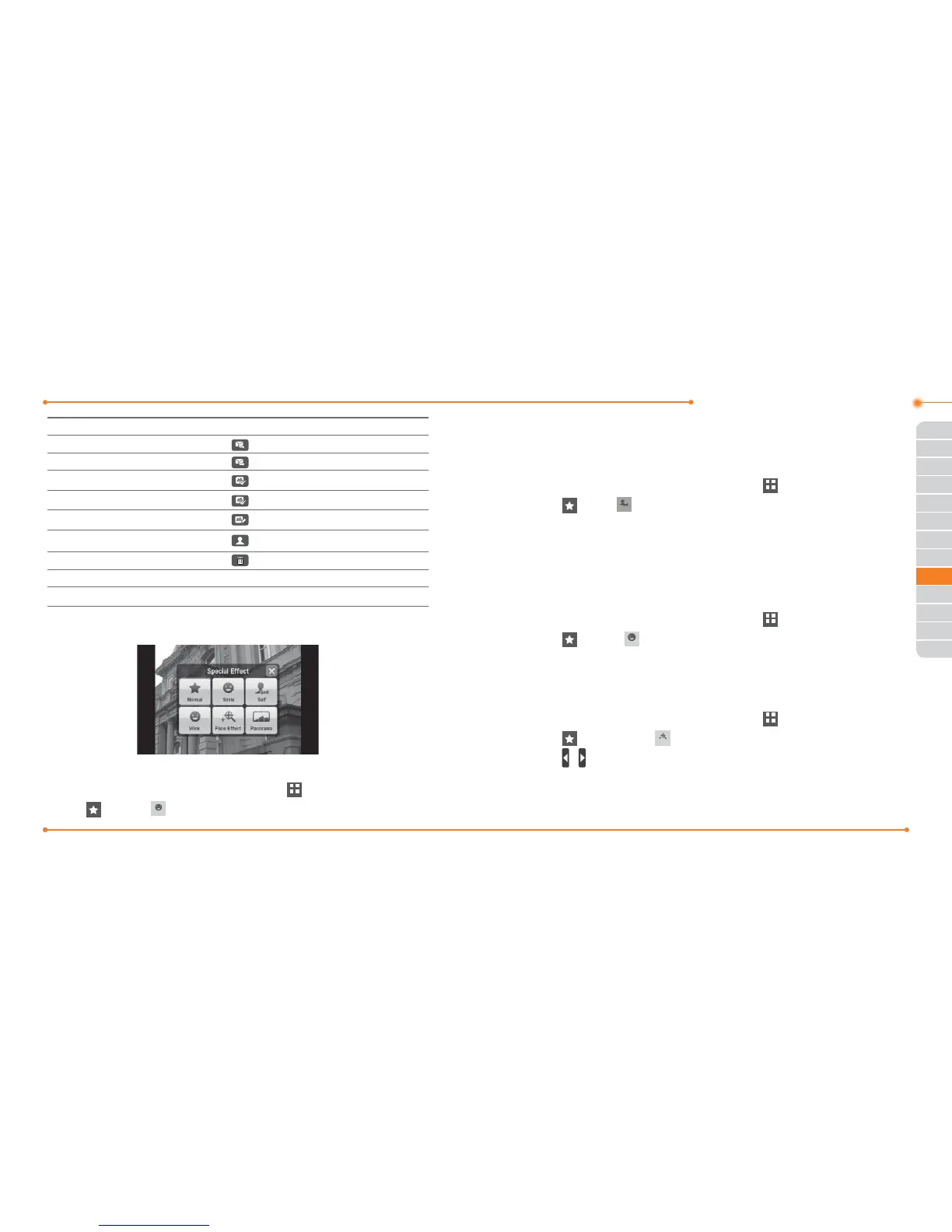
Using special eects
Smile eect
1. Press
in standby mode or tap Menu
Menu
> Camera.
2. Tap
> Smile
6PLOH
.
3. Tap
\
and focus on person’s face. When the person smiles, it will
capture the person automatically.
Self eect
1. Press
in standby mode or tap Menu
Menu
> Camera.
2. Tap
> Self
6HOI
.
3. Focus on myself and press
to capture.
Note: You will hear the beep sound when you try to focus on person. The
beep sound will depend on number of people. If focus on one person, it will
beep one time and if there are two people, it will beep twice and so on.
Wink eect
1. Press
in standby mode or tap Menu
Menu
> Camera.
2. Tap
> Wink
:LQN
.
3. Tap
\
and focus on person’s face. When the person winks it will
capture the person automatically after 3 seconds.
Face eect
1. Press
in standby mode or tap Menu
Menu
> Camera.
2. Tap
> Face Eect
)DFH(IIHFW
.
3. Tap
/ to select the eect > Save.
4. Focus on the object or person and tap
\
.
Note: The Face eect will only support on size 320x240 and 640x480.



 To Next Page