18
Getting Started
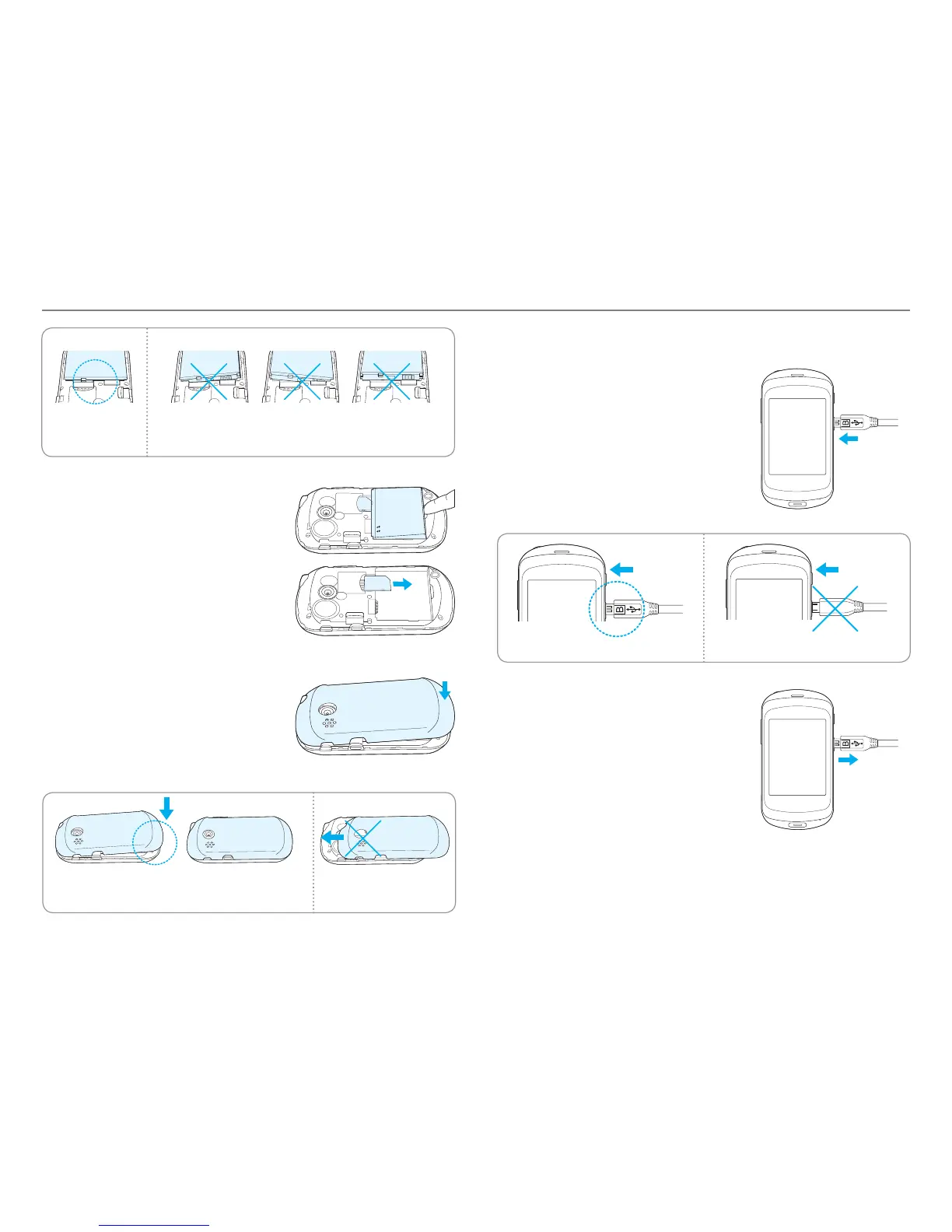
Correct Incorrect
4. To remove the battery, lift the
bott
om of the battery up and
remove.
To remove the SIM card, slide the
SIM card in the direction of the
arrow as shown.
5. To place the battery cover back
onto the unit, slide the one end
of the cover into the groove, and
then push it down.
Correct Incorrect
Charging your battery
1. Connect with the charger adapter
on the top right side. Make sure
you align the connector as shown
in the image. If not, it will damage
the charging connector on the
phone and will not charge.
Correct Incorrect
2. Disconnect the charger from the
de
vice when charging the battery
is complete.



 To Next Page