23
Getting Started
Multitask functions
To use the multitask function, press and hold the key. You can
choose from one of the following functions:
x Call: Makes a voice call while using the handset for other
tasks. If Music Player is active, it is muted during the call.
x Messaging: Sends a text or multimedia message while
using the handset for other tasks.
x Web: Launches the browser while using the handset for
other tasks.
x Music Player: Launches the Music Player while using the
handset for other tasks. If an incoming call is received or
you make a call, the Music Player is muted.
x App Manager: Accesses Games and Applications while
using the handset for other tasks.
Memory card
You can use a microSD card as a memory card. It gives you
more space to save pictures, videos, music and more.
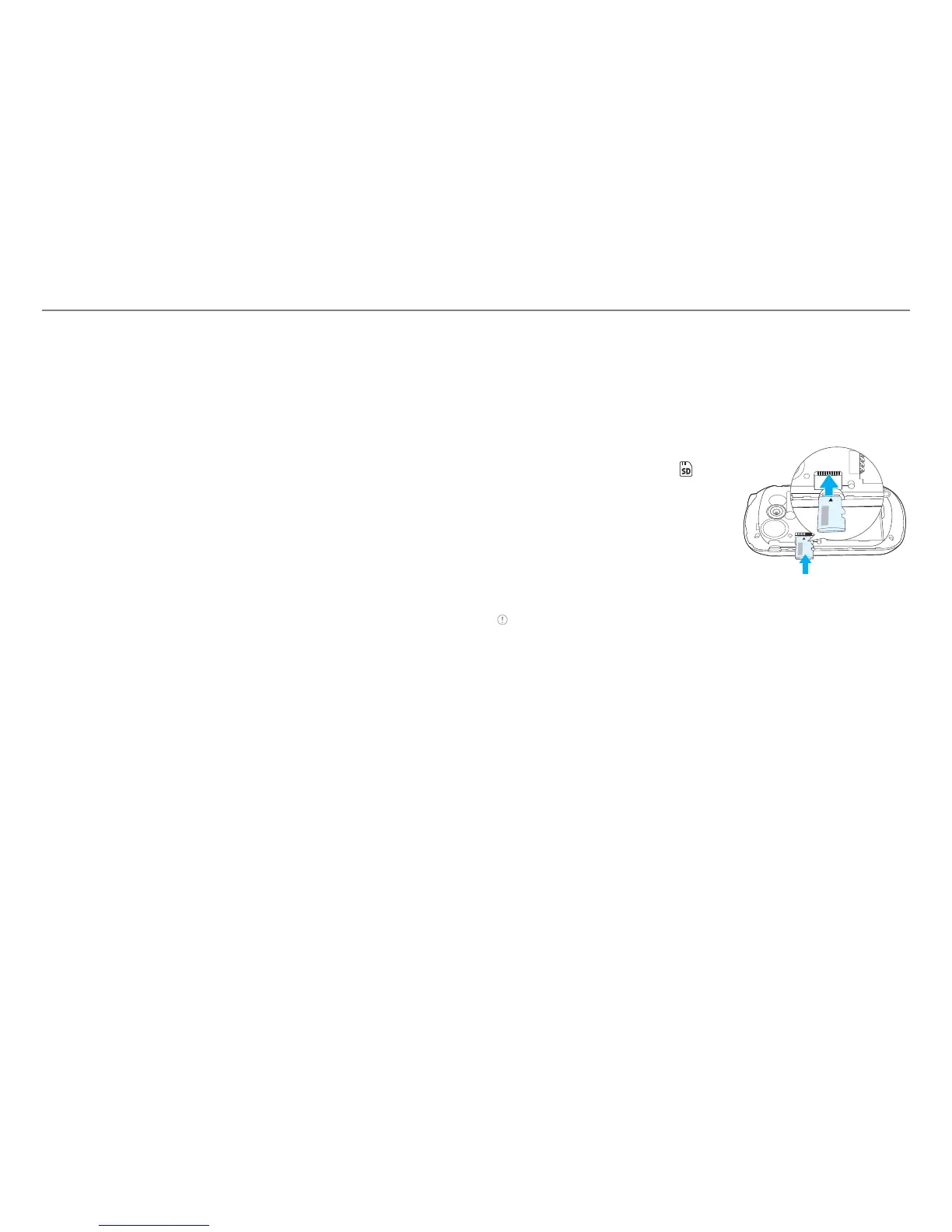
Inserting and removing a memory card
1. Open the battery cover .
2. Insert the memory card.
will be
displayed on the screen when a
memory card is inserted.
3. To remove the memory card,
slide the memory card out in the
opposite direction of the arrow.
Note upported up to 32 GB.



 To Next Page