5: BASIC Stamp Command Reference – OWIN
BASIC Stamp Programming Manual 2.0c • www.parallaxinc.com • Page 199
FirstBit VAR BIT
SecondBit VAR BIT
OWIN 0, 6, [FirstBit, SecondBit]
In the code above, we chose the value "6" for Mode. This sets Bit transfer
and Back-End Reset modes. Also, we could have chosen to make the
FirstBit and SecondBit variables each a byte in size, but they still would
only have received one bit each in the OWIN command (due to the Mode
we chose).
The OWIN command's InputData argument is similar to the SERIN
command's InputData argument. This means data can be received as
ASCII character values, decimal, hexadecimal and binary translations and
string data as in the examples below. (Assume a 1-wire device is used and
that it transmits the string, "Value: 3A:101" every time it receives a Front-
End Reset pulse).
Value VAR BYTE(13)
OWIN 0, 1, [Value] 'receive the ASCII value for "V"
OWIN 0, 1, [DEC Value] 'receive the number 3.
OWIN 0, 1, [HEX Value] 'receive the number $3A.
OWIN 0, 1, [BIN Value] 'receive the number %101.
OWIN 0, 1, [STR Value\13] 'receive the string "Value: 3A:101"
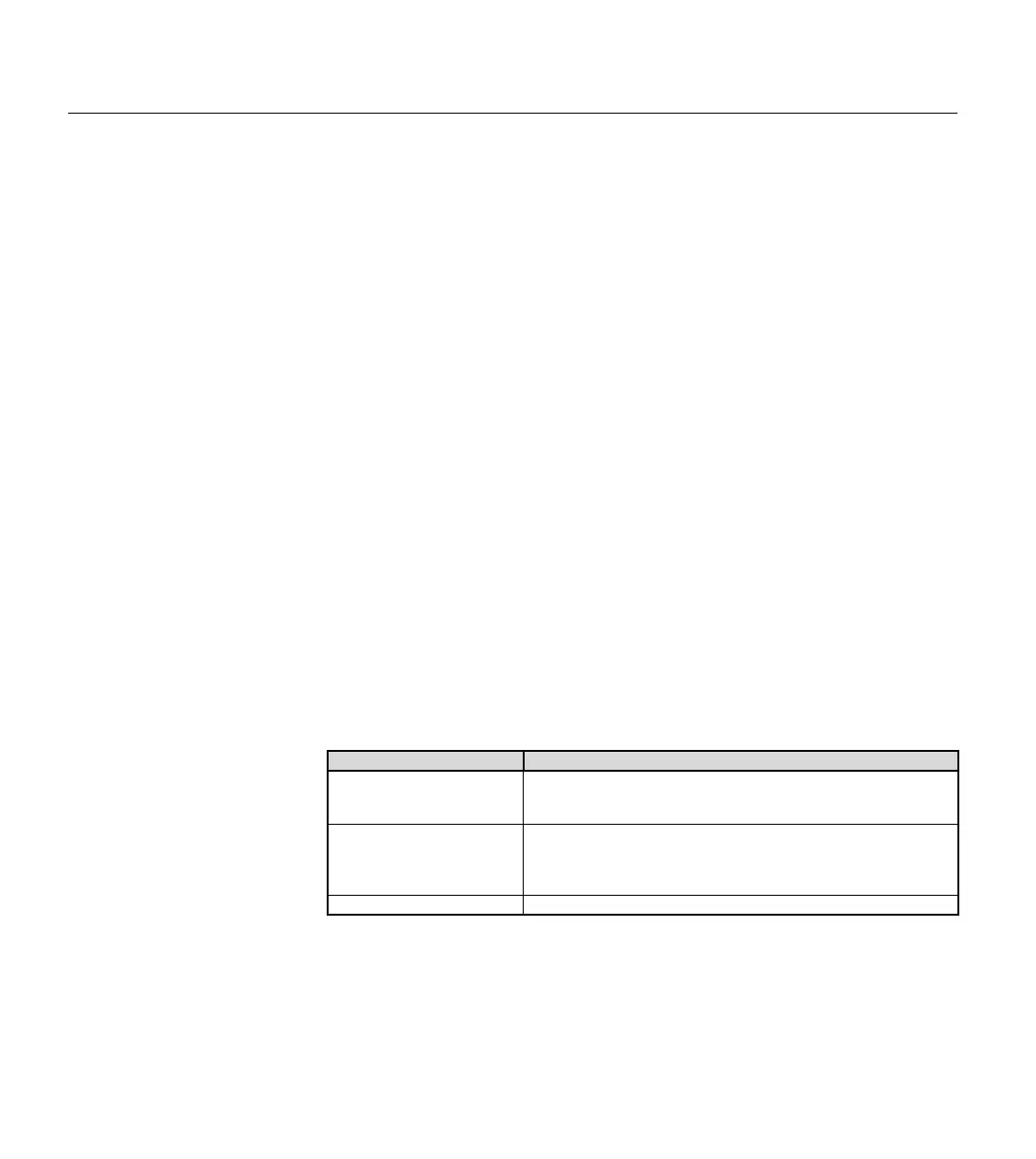
Tables 5.45 and 5.46 list all the available special formatters and conversion
formatters available to the OWIN command. See the SERIN command for
additional information and examples of their use.
Special Formatter Action
STR ByteArray \L {\E}
Input a character string of length L into an array. If specified, an
end character E causes the string input to end bef
ore reaching
length L. Remaining bytes are filled with 0s (zeros).
WAITSTR ByteArray {\L}
Wait for a sequence of bytes matching a string stored in an array
variable, optionally limited to L characters. If the optional L
argument is left
off, the end of the array-string must be marked
by a byte containing a zero (0).
SKIP Length
Length bytes of characters.
RECEIVING FORMATTED DATA.
Table 5.45: OWIN Special



 To Next Page