5: BASIC Stamp Command Reference – RANDOM
BASIC Stamp Programming Manual 2.0c • www.parallaxinc.com • Page 253
Demo Program (RANDOM.bas)
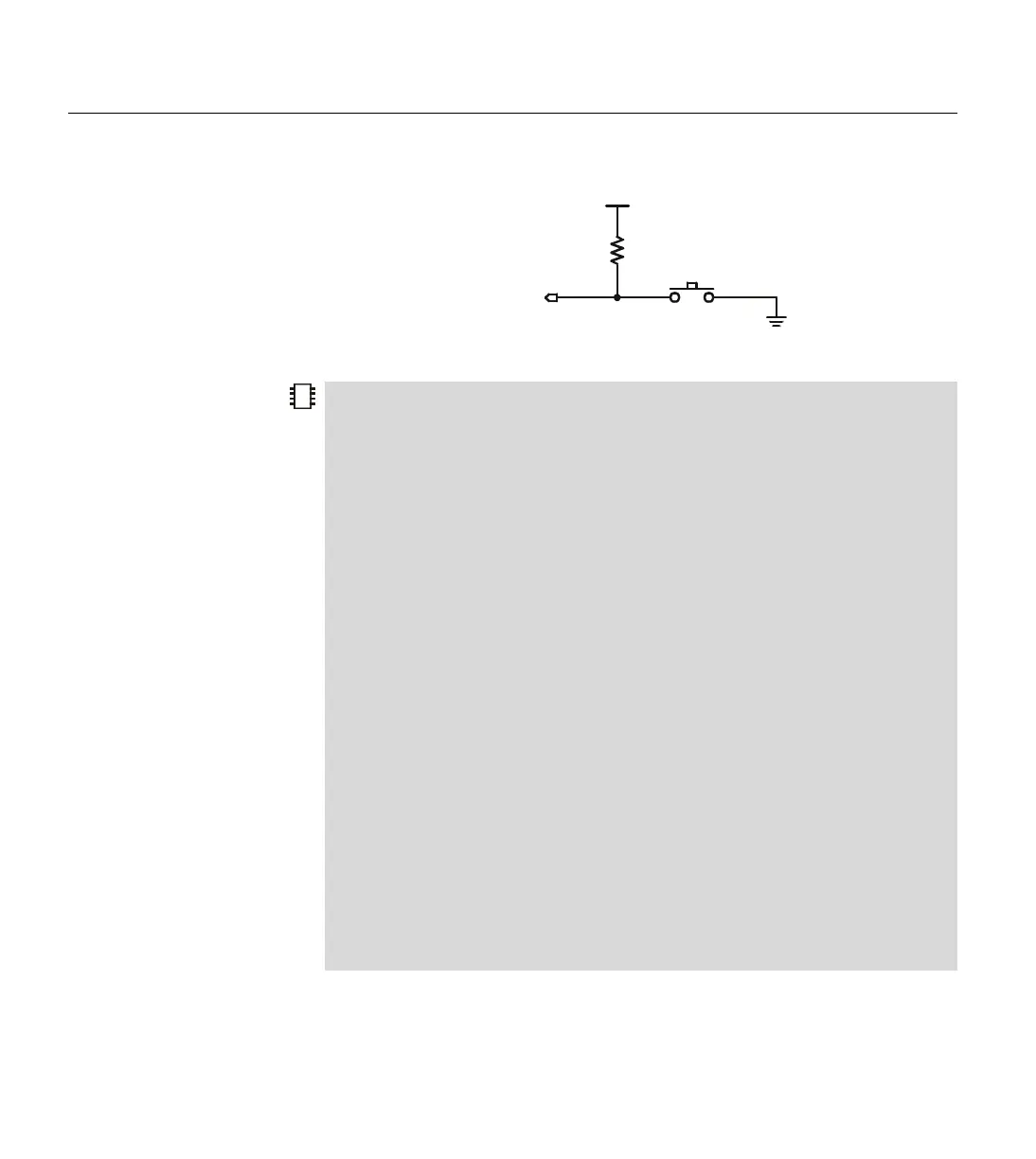
' Connect a button to I/O pin 7 as shown in the figure in the RANDOM command description
' (in the manual) and run this program. This program uses RANDOM to simulate a coin toss.
' After 100 trials, it reports the total number of heads and tails thrown.
'{$STAMP BS1} 'STAMP directive (specifies a BS1)
SYMBOL Flip = W0 ' The random number.
SYMBOL Coin = BIT0 ' A single bit of the random number.
SYMBOL Trials = B2 ' Number of flips.
SYMBOL Heads = B3 ' Number of throws that came up heads.
SYMBOL Tails = B4 ' Number of throws that came up tails.
SYMBOL Btn = B5 ' Workspace for Button instruction.
Start:
DEBUG CLS, "Press button to start"
FOR Trials = 1 TO 100 ' 100 tosses of the coin.
Hold:
RANDOM Flip ' While waiting for button, randomize.
BUTTON 7, 0, 250, 100, Btn, 0, Hold ' Wait for button.
BRANCH Coin,(Head,Tail) ' If 0 then head; if 1 then tail.
Head:
DEBUG CR, "HEADS" ' Show heads.
Heads = Heads + 1 ' Increment heads counter.
GOTO TheNext ' Next flip.
Tail:
DEBUG CR, "TAILS" ' Show tails.
Tails = Tails + 1 ' Increment tails counter.
TheNext: ' Next flip.
NEXT
' When done, show the total number of heads and tails.
DEBUG CR, CR, "Heads: ", # Heads, " Tails: ", #Tails
PB Switch
10 k
Ω
P7
Figure 5.28: RANDOM Button
Circuit.



 To Next Page