TOGGLE - BASIC Stamp Command Reference
Page 328 • BASIC Stamp Programming Manual 2.0b • www.parallaxinc.com
Demo Program (TOGGLE.bas)
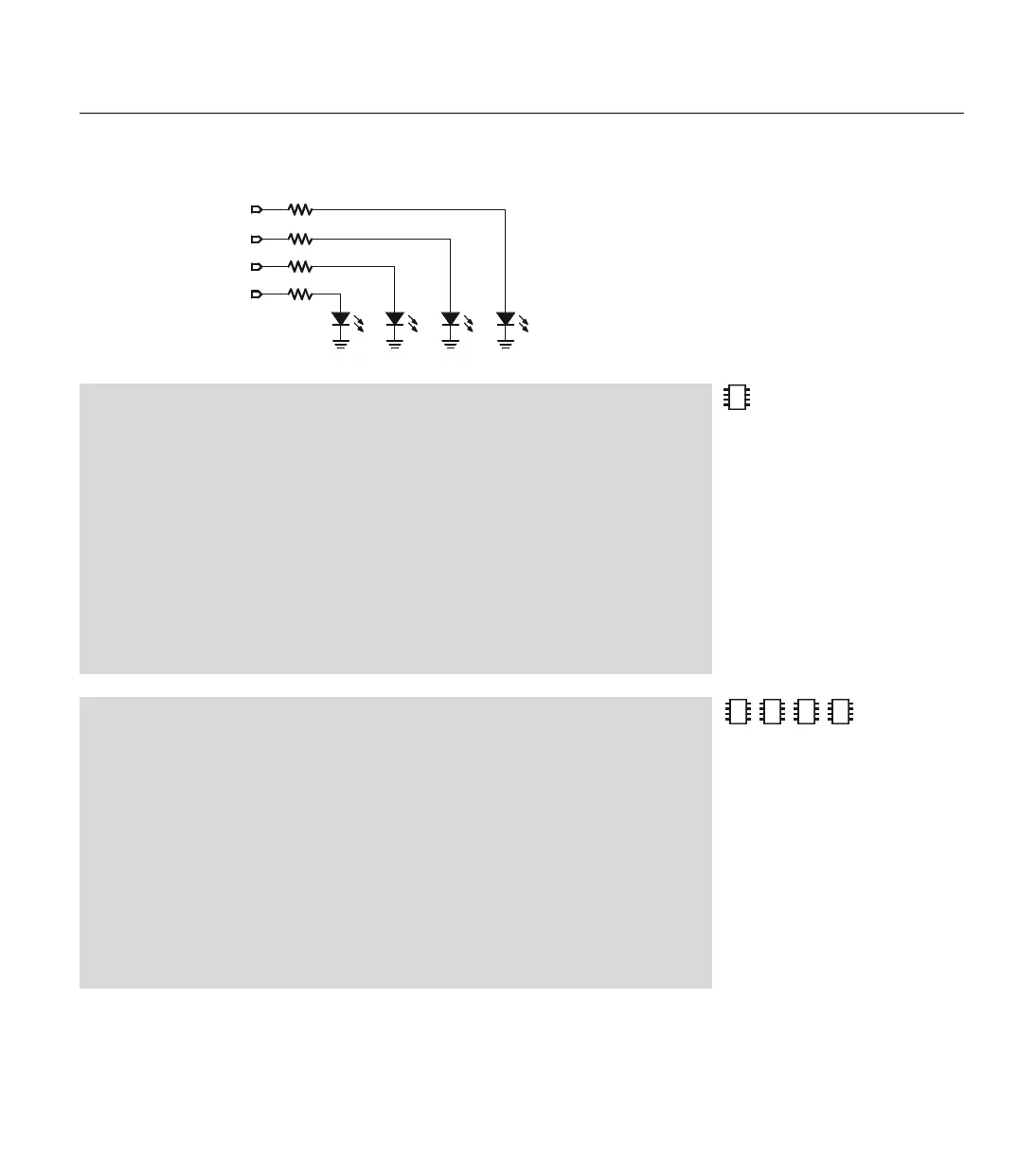
' Connect LEDs to pins 0 through 3 as shown in the TOGGLE command description in the
' manual and run this program. The TOGGLE command will treat you to a light show. You
' may also run the demo without LEDs. The debug window will show you the states of pins 0
' through 3.
'{$STAMP BS1} 'STAMP directive (specifies a BS1)
SYMBOL ThePin = B0 ' Variable to count 0-3.
Again:
FOR ThePin = 0 TO 3 ' Pins 0 to 3 driving LEDs.
TOGGLE ThePin ' Toggle each pin.
DEBUG CLS, #PINS ' No LEDs? Watch debug screen.
PAUSE 200 ' Brief delay.
NEXT ' Next pin
GOTO Again ' Repeat endlessly.
Demo Program (TOGGLE.bs2)
' Connect LEDs to pins 0 through 3 as shown in the TOGGLE command description in the
' manual and run this program. The TOGGLE command will treat you to a light show. You
' may also run the demo without LEDs. The debug window will show you the states of pins 0
' through 3.
'{$STAMP BS2} 'STAMP directive (specifies a BS2)
ThePin VAR NIB ' Variable to count 0-3.
Again:
FOR ThePin = 0 TO 3 ' Pins 0 to 3 driving LEDs.
TOGGLE ThePin ' Toggle each pin.
DEBUG CLS, BIN4 INA ' No LEDs? Watch debug screen.
PAUSE 200 ' Brief delay.
NEXT ' Next pin
GOTO Again ' Repeat endlessly.
2
2
2
NOTE: This is written for the BS2
but can be used for the BS2e,
BS2sx and BS2p also. Locate the
proper source code file or modify
the STAMP directive before
downloading to the BS2e, BS2sx or
BS2p.
P0
LED
P1
220
Ω
P2
220
Ω
P3
220
Ω
LED
LED
LED
Figure 5.43: Example LED circuit
for TOGGLE demo programs.



 To Next Page