InspectRx200 Operator Guide | 1 - InspectRx200 Operator Guide | 11
this error is the batch is not finished packaging. If this is the case, the order can be manually sent
to the InspectRx, using the ATP Export Tool. Other possibilities include network issues or poor
barcode print quality. Note: The order file will be automatically sent to the InspectRx after the order
is completely dispensed from the ATP. If you need to start processing the order before dispensing is
completed (for a large, multi-spool order, for example) you can manually send the order file to the
InspectRx using the ATP Export Tool.
Production Batch
Once the Batch ID (barcode) is successfully recognized, the bags will automatically move through
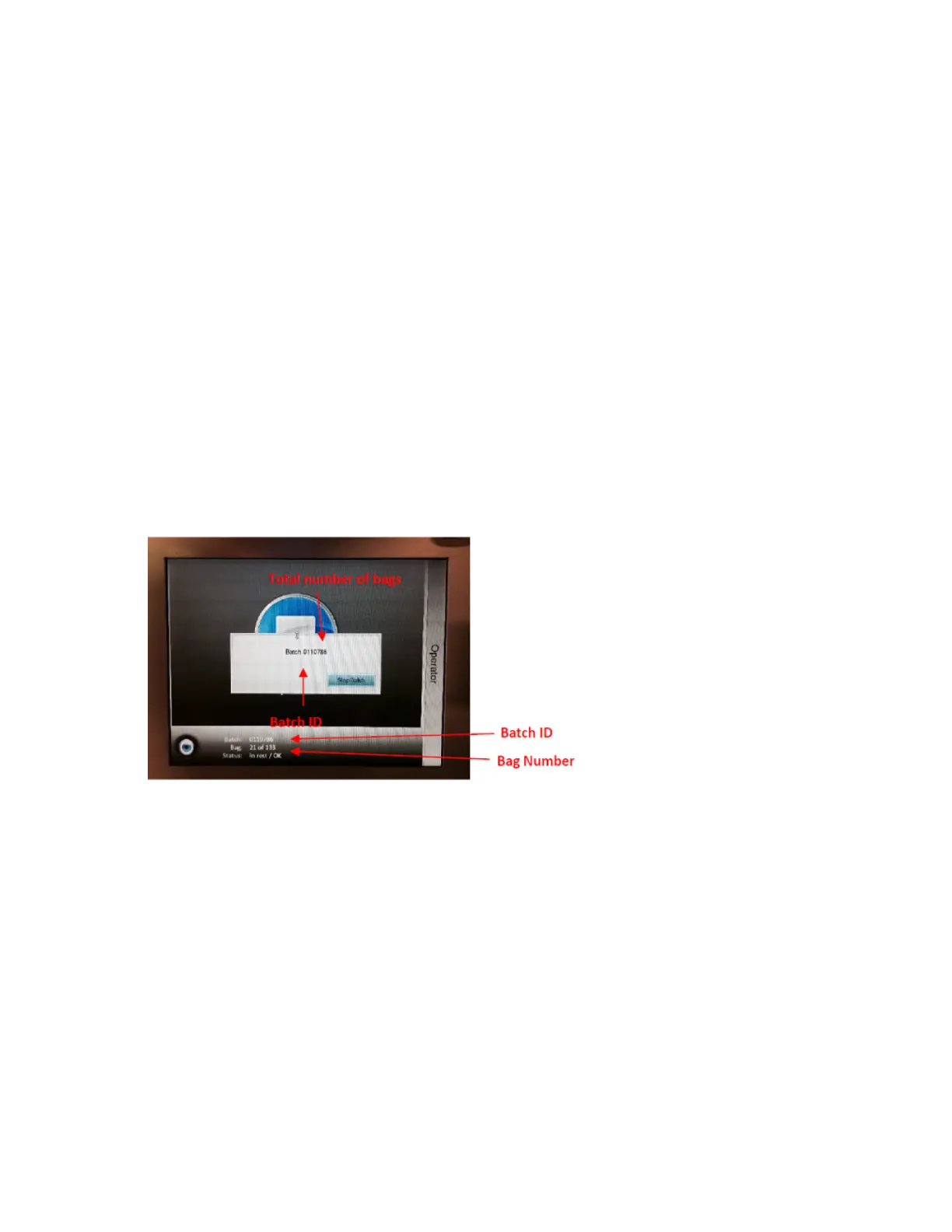
the machine. The operator touch-screen will display the first bag and its batch ID. The batch will now
be processed by the InspectRx. This may take up to several minutes, depending on the size of the
batch.
Three images of each bag are taken; a high quality color image and near-infared image of the
medication side and a black and white image of the label side. The total number of bags in the batch
displays and counts down as each bag moves through the machine.
1.
When the machine has finished analysing the batch, the following widow will appear.
2. Selecting the Stop Batch button or wait for the window to disappear automatically.
3. The batch has now been processed and is ready to be checked for errors with the Viewer
application.
View a Batch
During processing, press the Camera view button to display a live feed of the top and bottom
cameras. This feature can be used to check if the cameras have been aligned correctly. This feature
works with Level Two or Three access.



 To Next Page