InspectRx200 Operator Guide | 2 - InspectRx Preventative Maintenance Guide | 46
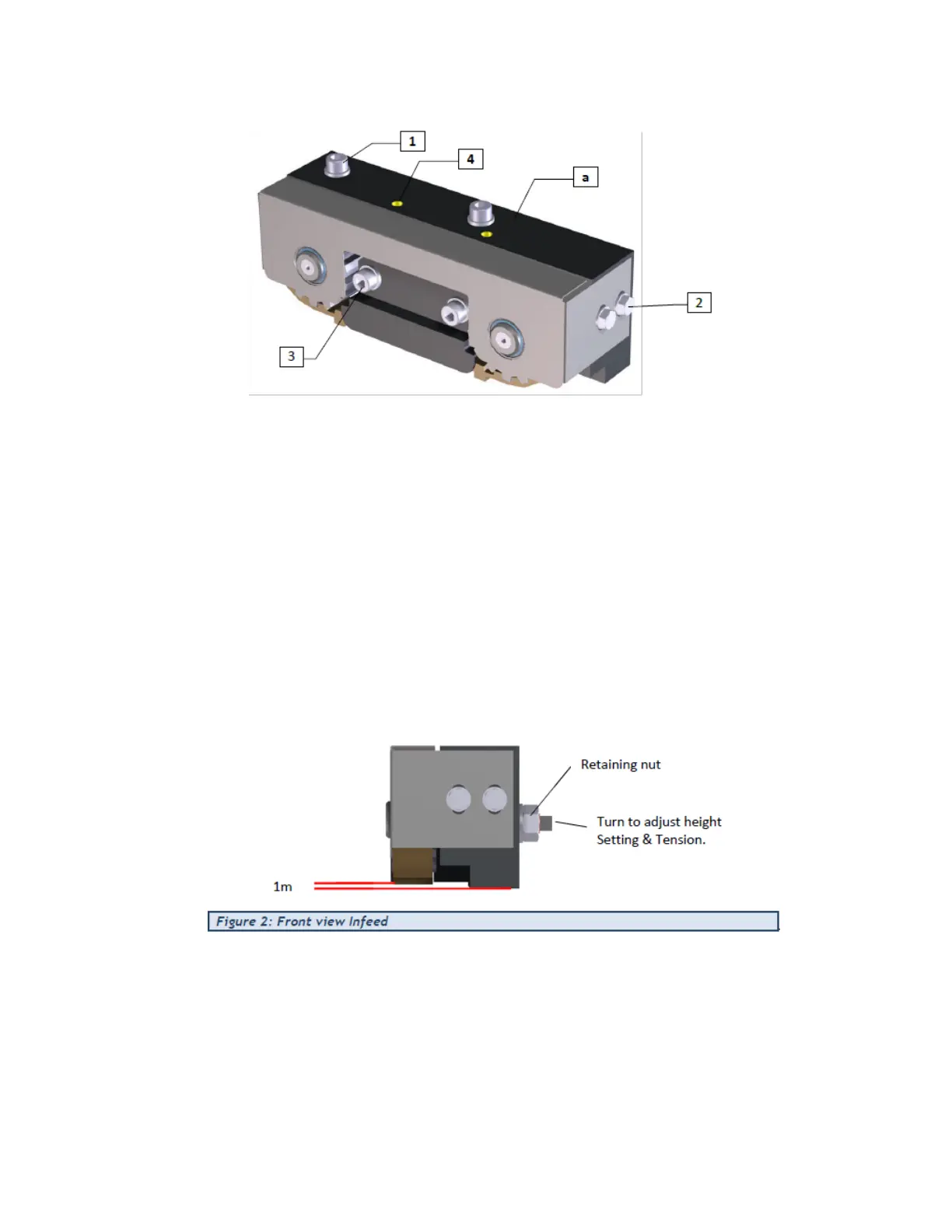
1. Remove the cover bolt (2).
2. Loosen the front side bolts (3) and
3. Retract the threaded studs (4).
4. Loosen nuts (on the backside) from the axels somewhat.
5. Remove the old belt by rotating the belt until it is removed from the gears.
6. Install the new belt on the gears – decrease tension as necessary to install the new belt.
7. Install the Infeed Assembly on the back on the mounting position.
8. Apply tension to the belt by turning the eccentric axles evenly in opposite directions. Make sure
thebelt stays parallel to the base unit. Fasten the nuts. Then adjust the height by evenly turning
thethreaded studs.
9. The notches of the belt have to be plus 1 mm higher than the bottom surface of the baseunit.
10. Fasten the front side bolts and place cover. Check the smooth running of the belt, if not lower
thetension.
11.
Install the Cover over the infeed assembly.
Service Bulletins & Maintenance
1. Check for the service bulletin sticker on the inside right hand door.
a. Install service bulletin sticker from the PM if not present. – Cross off Service bulletins
whenindicated during the procedure.



 To Next Page