Customer Guide
HPAC Cell Cleaning
©2015 Parata Systems, LLC page 22 of 40 Parata Technical Assistance Center
120-0465 Rev 03 1-888-PARATA1 (727-2821)
4.2 Allow the cell to dry for 1 hour, and then pick the cell up and shake it gently over
the drying cloth to remove any excess liquid.
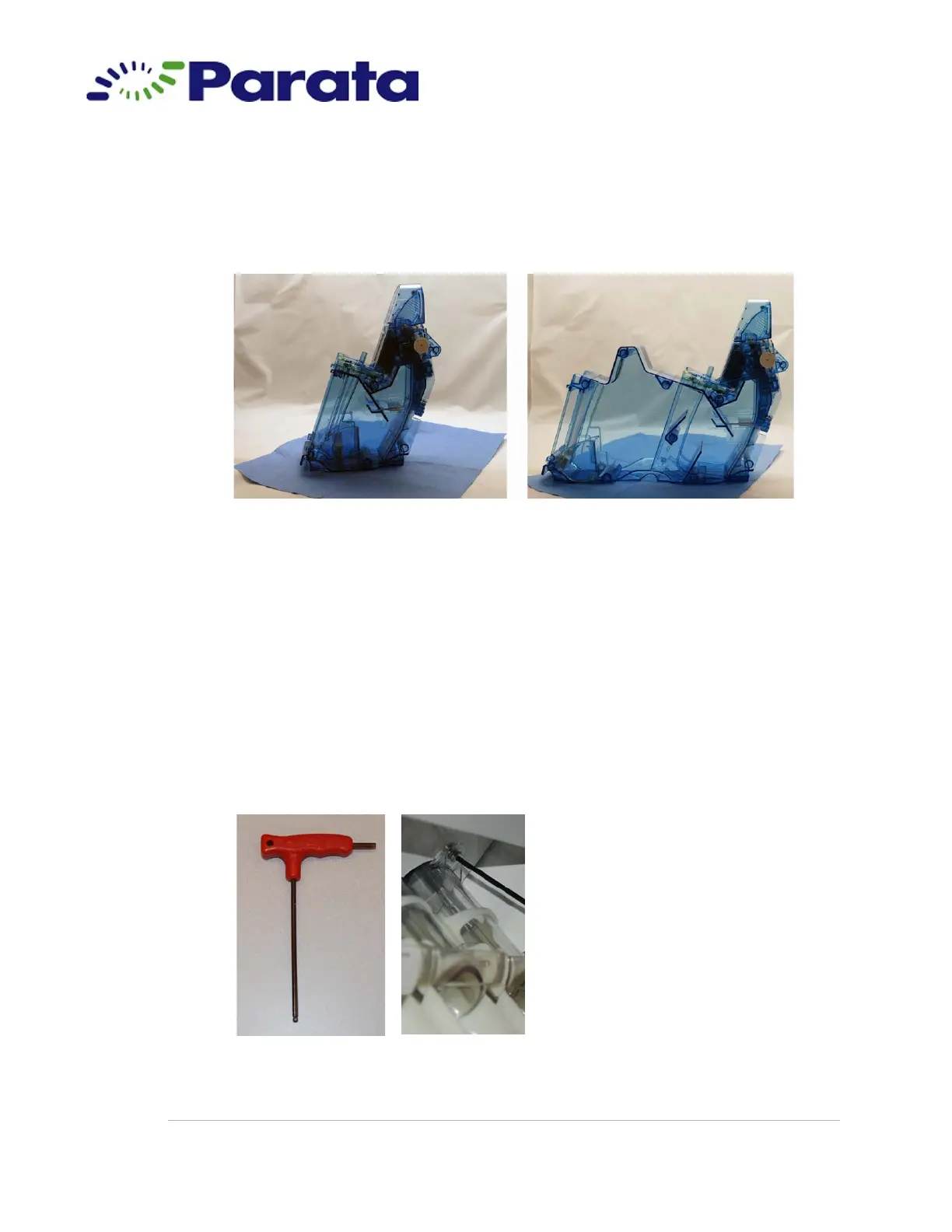
4.3 Position the cell door-end down on the cloth and allow it to dry for 24 hours.
Step 4.3 Standard cell (left) and super cell (right) positioned door-end down on the drying
cloth
5. If applicable, clean the chute assembly:
5.1 Using the T-handle driver from your starter kit, loosen the screw connecting the
chute assembly to the frame.
Turn the screw only until it is no longer connected to the frame. It is a captive
screw and will not come out of the chute assembly.
Note The chute is connected to the unit by a solenoid. It will not fall out when the
screw is loosened.
Step 5.1 T-handle driver and chute screw location



 To Next Page