Customer Guide
HPAC Cell Cleaning
©2015 Parata Systems, LLC page 28 of 40 Parata Technical Assistance Center
120-0465 Rev 03 1-888-PARATA1 (727-2821)
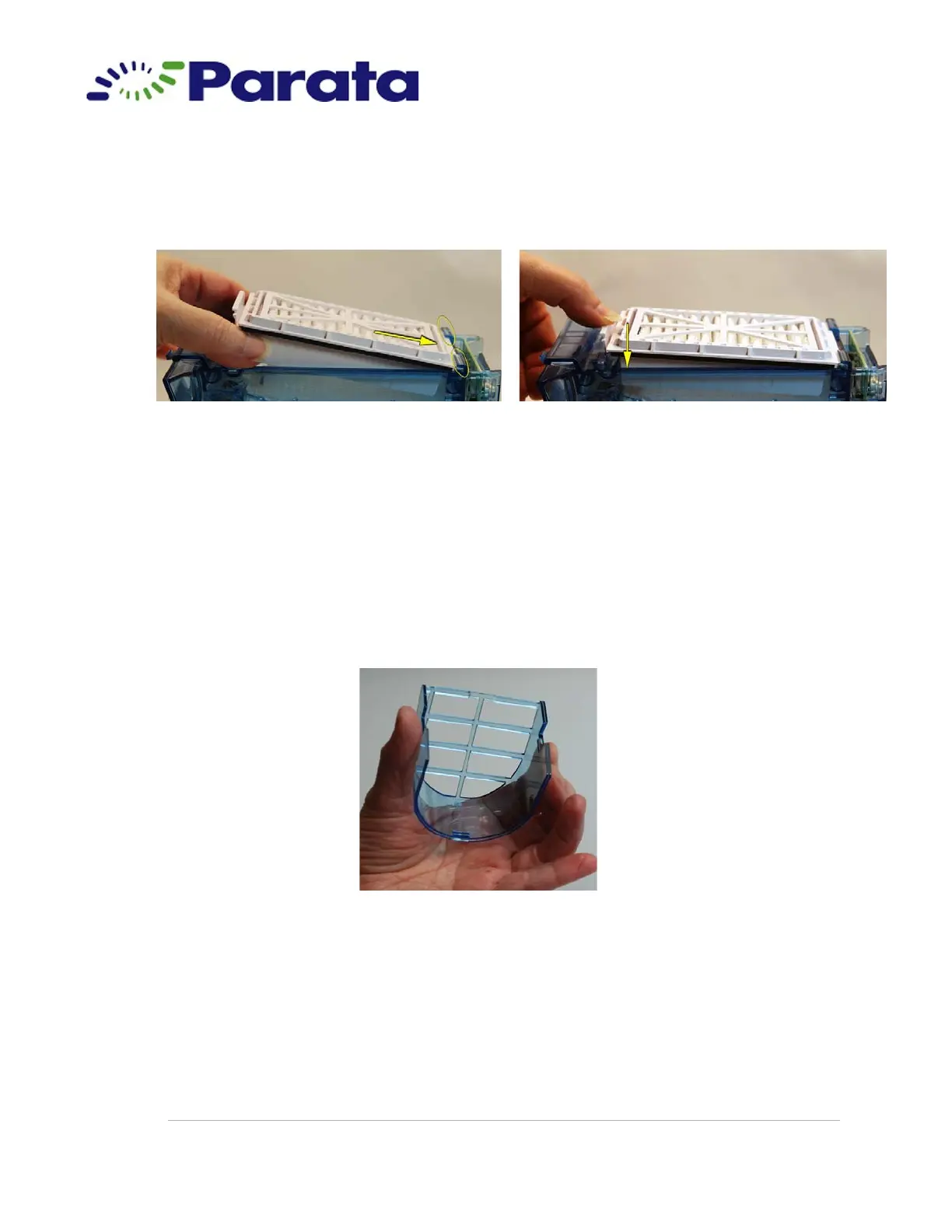
7.2.b Insert the flat end of the pleated breather under the
two tabs at the opening on the top of the cell; then
press down on the tab end until the breather snaps into
place.
Step 7.2.b Inserting a new pleated breather
7.3 Install a new foam breather:
7.3.a Obtain a new foam breather from the cleaning kit.
7.3.b Remove the nozzle cover from the cell as directed in step 1.8.
7.3.c Cup the nozzle cover between the thumb and fingers of one hand,
with the top grid away from you.
Step 7.3.c



 To Next Page