Customer Guide
HPAC Cell Cleaning
©2015 Parata Systems, LLC page 5 of 40 Parata Technical Assistance Center
120-0465 Rev 03 1-888-PARATA1 (727-2821)
1.6 Close the cell door.
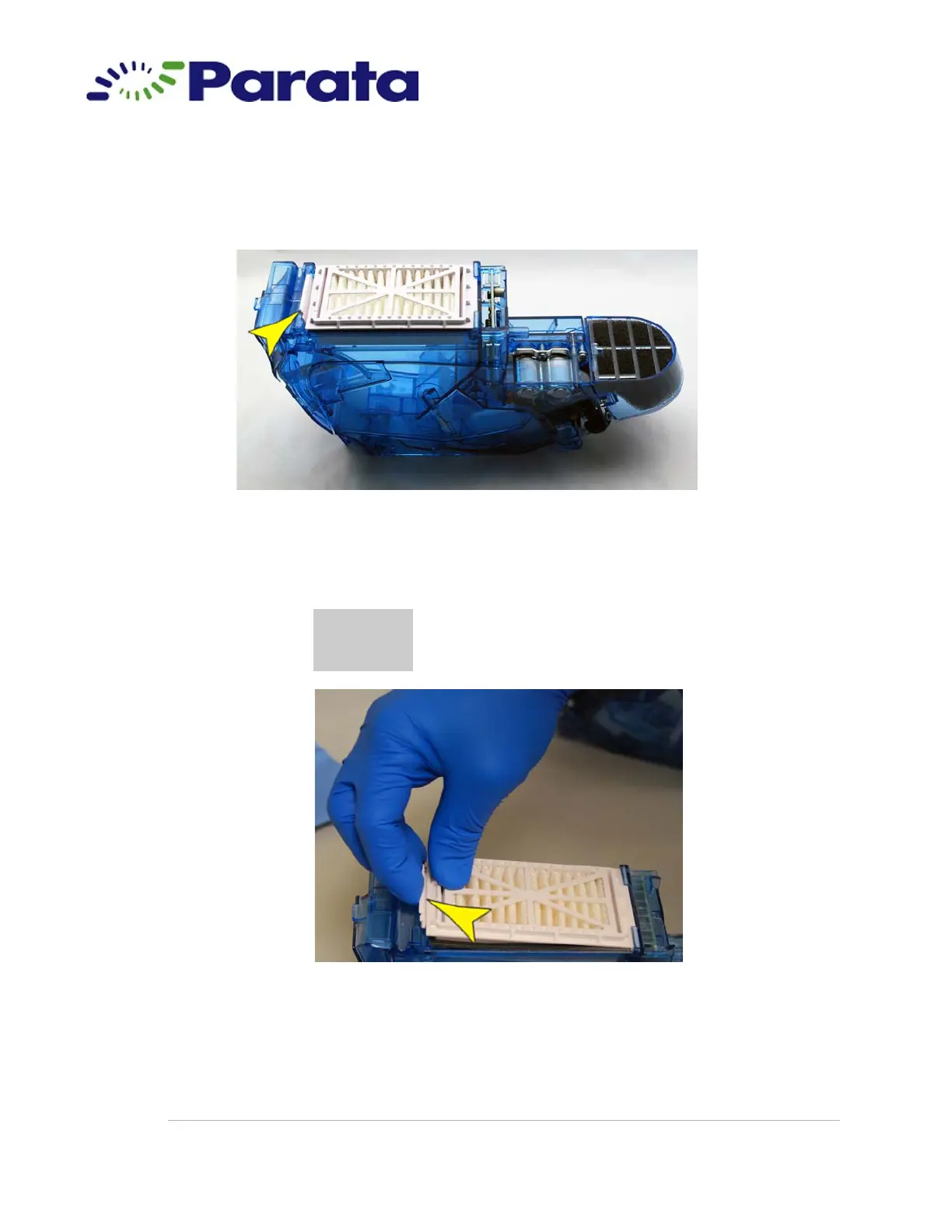
1.7 Remove the pleated breather.
Step 1.7 Tab location on the breather
1.7.a Push the tab toward the nozzle end of the cell and lift up to remove
the pleated breather from the cell.
Step 1.7.a
CAUTION
Locking cells contain an internal grate and wiring under the
breather. Do not remove the grate, and be careful not to
move the wires.



 To Next Page