18
7.0 POWER CONNECTION
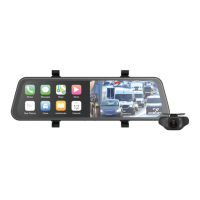
• Only use the supplied 12/24V power adaptor to
power the ClearView 7.
• Once the ClearView 7 is securely installed on
the windscreen or dashboard, plug the 12/24V
power adaptor cable into the vehicle’s 12/24V
power port.
• Run the cable along the vehicle’s dashboard and
plug the Type-C connector into the ClearView 7.
(See Figure 1 or Figure 2).
• The power adaptor has a USB A port with 1A
output. This port can be used to charge your
smartphone and to connect to CarPlay if your
smartphone does not support wireless CarPlay
or Android Auto connection.
• The 1A output from the USB A port may not
be sufficient for use with Qi charging products.
Please check your Qi charging specifications.
7.1 AUTO POWER ON/OFF
When the ClearView 7 is correctly installed and
connected to the vehicle 12/24V power port, it will
automatically power up and start recording when
the vehicle ignition is turned on.


 To Next Page