10
© 2014 - 2024 Parktron Technology Ltd.
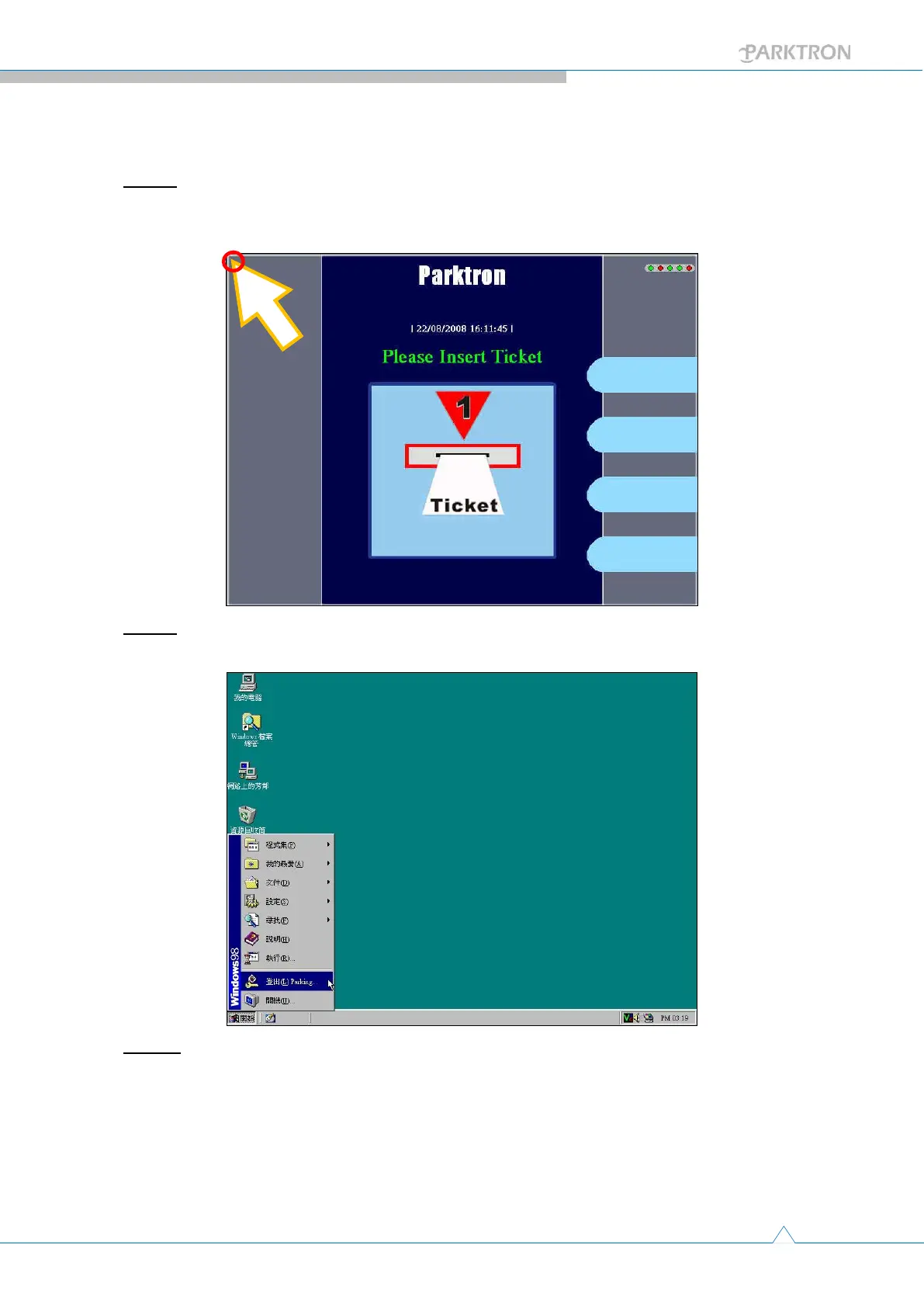
2.2. Shut down procedure:
Step 1: With touch screen system display, simply use your finger tip to touch the up-left
corner of the screen to bail out system program (Connects mouse to IPC and use the
mouse on non touch screen system)
Step 2: After bail out system program, just follow Windows ordinary shut down
procedure to turn off the IPC.
Step 3: Please wait for another minute after monitor shut down before switch off main
circuit breaker(No. 1 in Figure 3) to allow system completes data read/write.



 To Next Page