11
© 2014 - 2024 Parktron Technology Ltd.
3. Payment process:
3.1. Hourly parking:
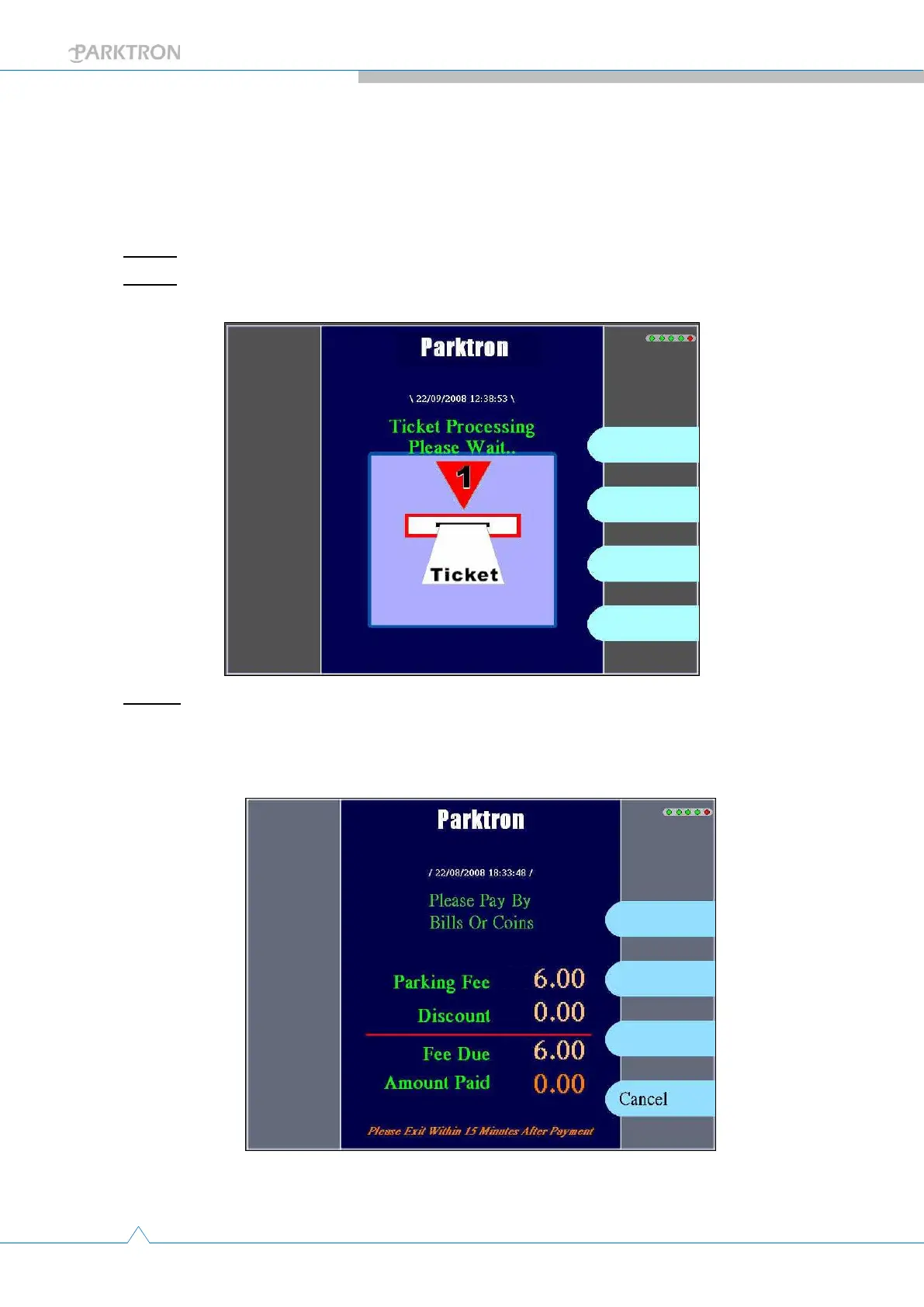
Step 1: Insert parking ticket (card) to the ticket insert slot (Item d. in Figure 1).
Step 2: System reads the data from the ticket (card) and calculates the parking fee.
Display shows “Ticket Processing Please Wait…”.
Step 3: After calculation, the required payment amount of parking will be shown on the
display. If any problem tickets found or ticket read error, the system will reject the ticket
to the user.



 To Next Page