25
© 2014 - 2024 Parktron Technology Ltd.
3.6.2. Bill dispenser operation: (Bill dispenser device is optional)
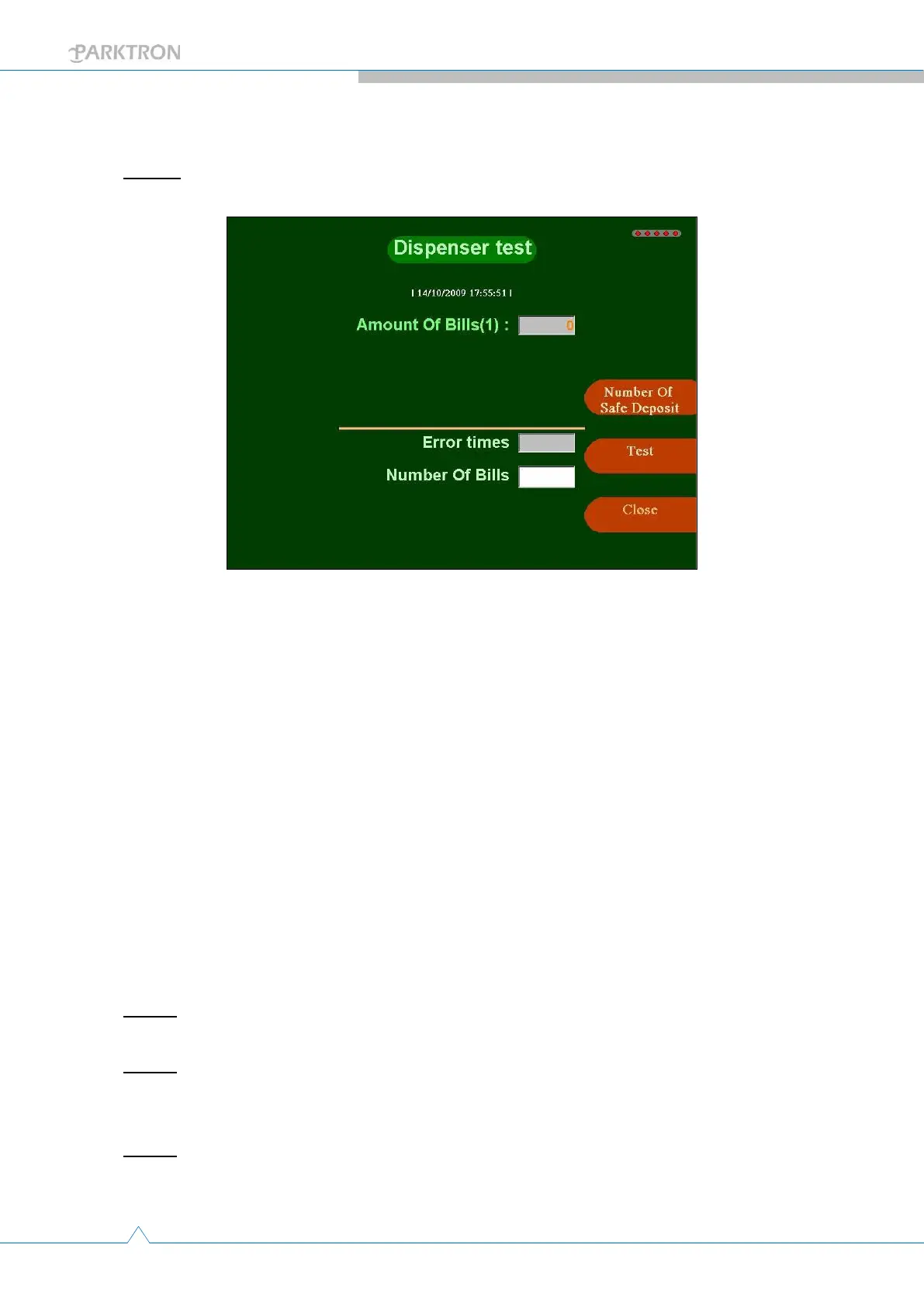
Step 1: Push the [Bill dispenser] button in Maintenance page (3) to enter bill dispenser
operation page as below.
Amount of Bills(Dispenser #): Current number of bill(s) in the
dispenser. Displayed according to the number of dispensers installed
in the APS.
[Set actual to safety]: To reset “Amount of Bills” to system configured
default quantity.
[Dispense Test]: Push to dispense out one(1) bill. For testing purpose.
Error times: Indicates the number of error time(s) when test
dispensing bill(s).
Number of Bills: Indicates the number of successfully dispensed bill(s)
when testing.
[Close]: Push to go back to Maintenance Page (3).
3.6.2.1. Bill change refill to safety amount:
Refer to Step 1 in previous section 4.4.2. to enter the bill dispenser operation page.
Step 2: Push [Set actual to safety] button for resetting all dispenser(s)’s “Amount of Bills”
to safety amount (system default is 300).
Step 3: Manually lift the position latch knob of the sliding base panel of dispenser(s), and
pull out the panel with dispenser(s) (more than 1 dispenser can be installed). Liquidate
and refill required number of bills to the dispenser(s) cassette.
Step 4: When finish bill refilling, push [Close] button to go back to Maintenance page (3).



 To Next Page