21
© 2014 - 2024 Parktron Technology Ltd.
3.5.3. Replenish change coins:
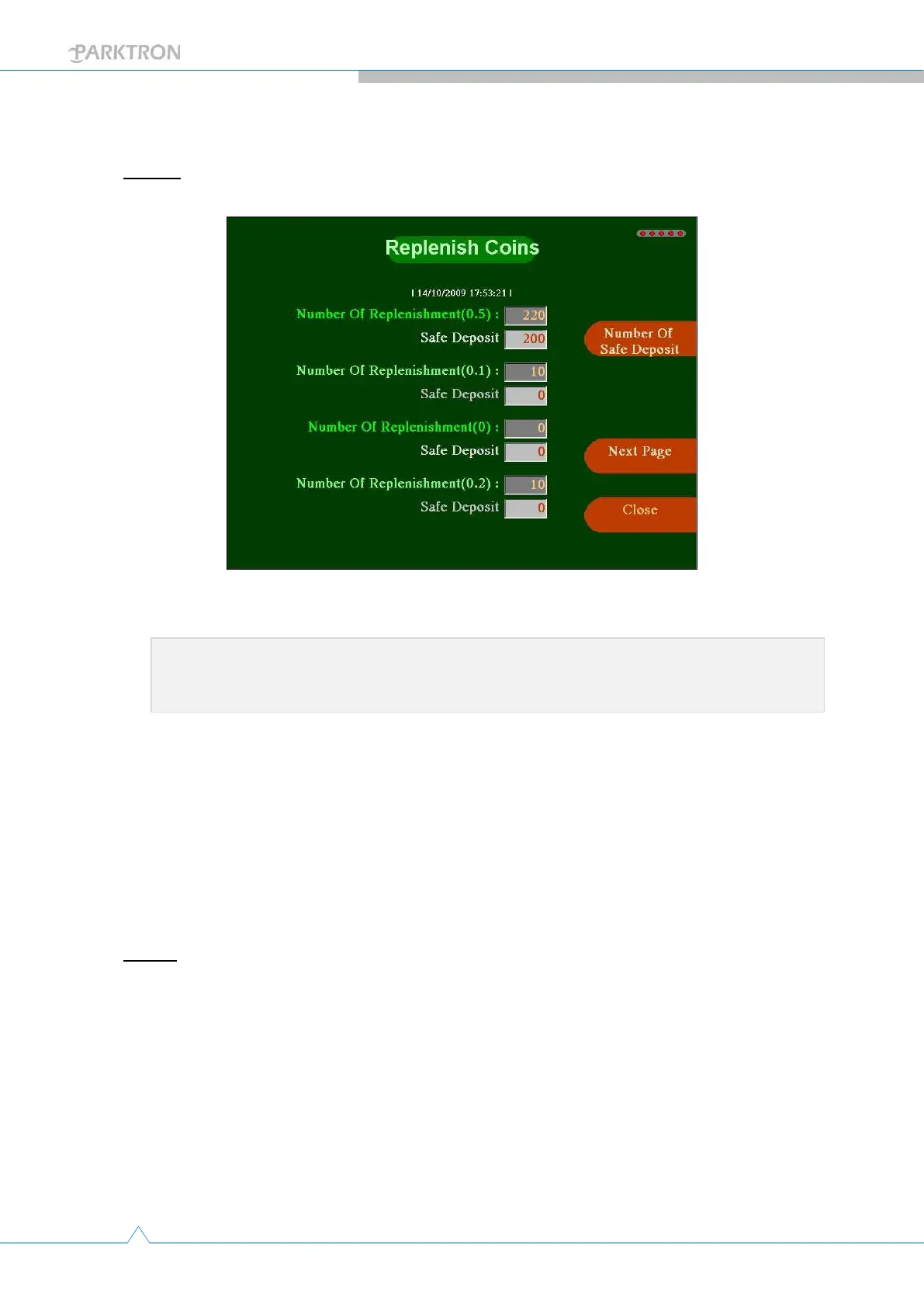
Step 1: Push the [Replenish Coins] button in Maintenance page (2) to enter change coins
replenish page as below.
[Set actual to safety]: Push to reset the actual coin number to safety
quantity for all coin hoppers.
[Actual coin number]: Actual number of coin(s) in that coin
denomination hopper. The [Safety quantity] below it the system
configured default safety quantity of that coin denomination (For
reference only, modification need to be done from IPMS2000 Central
Management Software).
[Next Page]: Push to enter next page.
[Close]: Push to quit out of coin replenishing page and go back to
maintenance page (2).
Step 2: Actual manual replenish operation -
Insert coin(s) one by one - Manually insert coin(s) from the coin inlet on APS
front panel. System will validate and accept inserted coin(s), and update [Actual
coin number] column for each coin denomination hopper accordingly on the
screen.
★ Important:
Only used when doing a safety quantity replenishment (refer to section ?)



 To Next Page