23
© 2014 - 2024 Parktron Technology Ltd.
3.6.1. Revenue settlement:
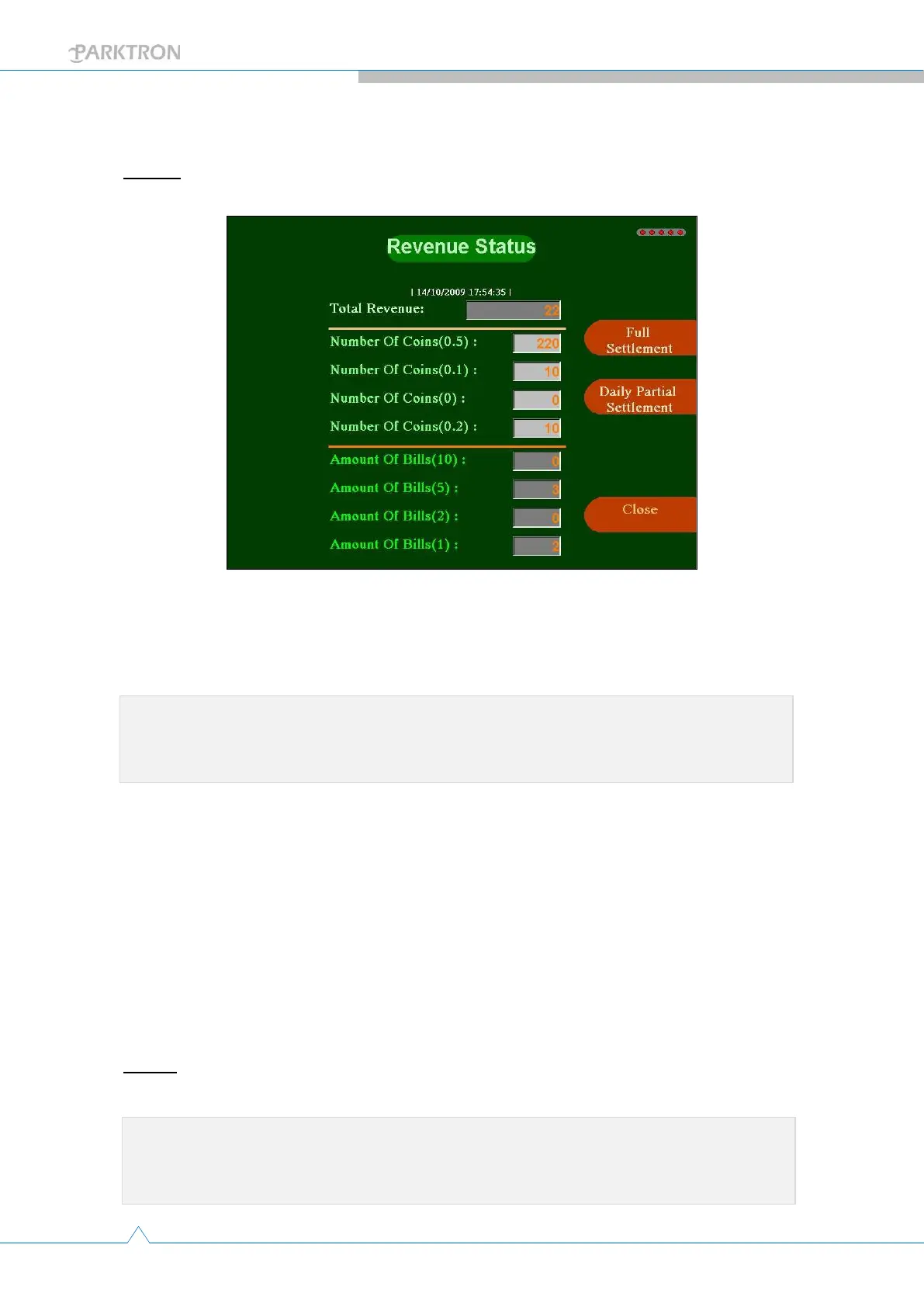
Step 1: Push the [Settle Revenue] button in Maintenance page (3) to enter revenue
settlement page as below.
[Full Settlement]: Need to remove(collect) all bill(s) from bill validator
and all coin(s) include safety quantity discharged from all coin
hoppers. Suggested to conduct this settlement once a week and
follow the instruction steps in below section.
[Daily Settlement]: Need to remove(collect) all bill(s) from bill
validator and collect coin(s) discharged from coin hoppers. Only coins
exceed safety quantity for change will be discharged.
Total Revenue: Indicates the total amount of revenue includes bill(s)
and coin(s) from the current shift (after last revenue settlement).
Number of coins (denomination): Indicates the number of coins in
that coin denomination hopper.
Amount of bills (denomination): Indicates the number of that bill
denomination in the bill validator.
Step 2: Push [Full Settlement] or [Daily Settlement] to conduct revenue settlement
operation.
Note:After liquidating please reload coin change to system configured quantity, and
refill bills for change to required amount if the APS model has bill change
function.
Note:Before pushing a settlement button, place coin collecting box under every coin
discharge outlets or close device cabinet door to allow coins to drop in the
change and receipt outlet.



 To Next Page