8
© 2014 - 2024 Parktron Technology Ltd.
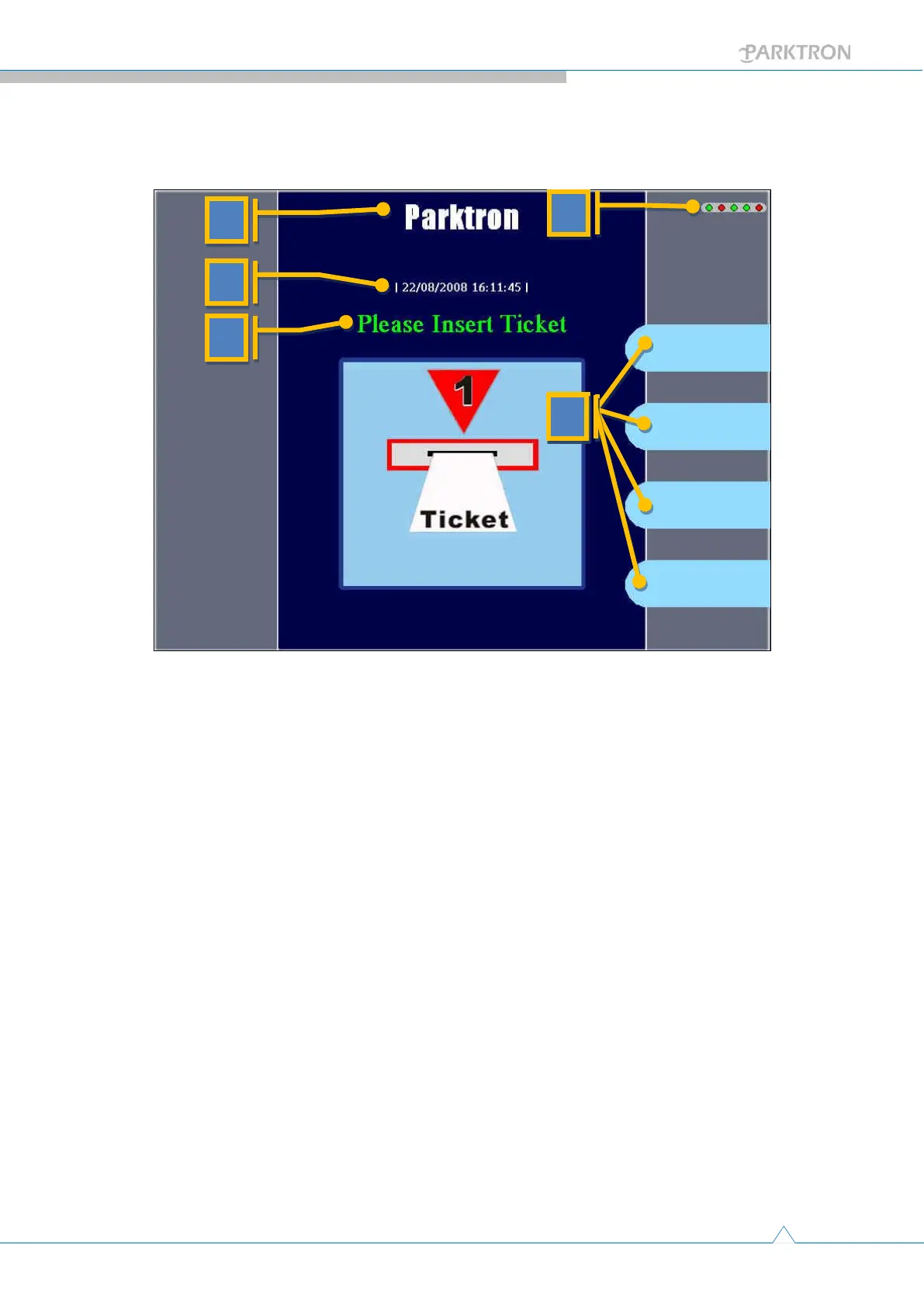
1.4. Display screen introduction:
Figure 5
a. Name of the parking facility.
b. System date/time, and a rotating slash bar indicates system under
normal operation.
c. Message line: A display message and a voice message with same
content will both prompt the user for current process status or
operation instructions.
d. Device status lights: 5 little round lights at the up right corner of the
display screen. Green indicates good status and red indicates device
not functioning. From left to right:
c-1. First light: Receipt printer.
c-2. Second light: Bill validator.
c-3. Third light: Card reader.
c-4. Fourth light: Connection to sever station (central management
station).
c-5. Fifth light: Currently not in used.
e. Function buttons: Provide text description for options to match with
physical buttons next to the display screen to users.



 To Next Page