34
Settings
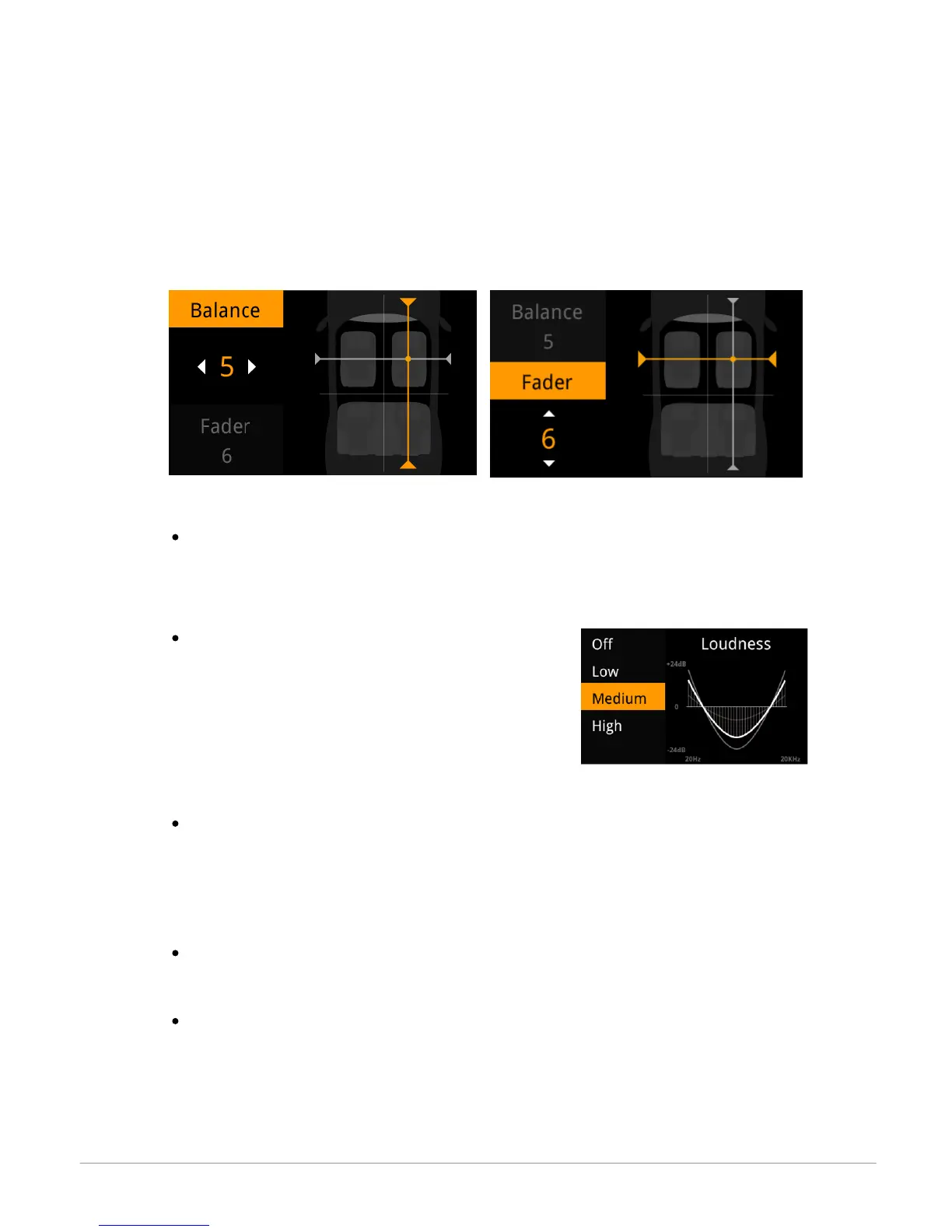
Changing the balance
You can change the sound balance in the passenger cell to achieve optimal listening
comfort for all occupied seats in your vehicle. To do this:
1. Select AudioFX > Balance.
2. Use the knob to adjust the balance (right / left) and press the knob to confirm.
3. Use the knob to adjust the fade (right / left) and press the knob to confirm.
Using the Loudness function
The Loudness function is a dynamic adjustment of bass and treble based on
listening volume. This function compensates for the human ear's loss of sensitivity
to bass and treble frequencies when the volume is low.
To use the Loudness function, select AudioFX >
Loudness. Adjust Loudness to medium or high if
you generally listen to music at a low volume.
Using the automatic volume control function
The Automatic volume control function automatically adjusts the volume of your
music to the surrounding noise level. If the Automatic volume control option is
activated, the music volume will increase or decrease along with the surrounding
noise level.
To activate / deactivate the Automatic volume control function, select AudioFX >
Automatic volume control > Activate.
To change the sensitivity of this function, select AudioFX > Automatic volume
control > Amplitude.


 To Next Page