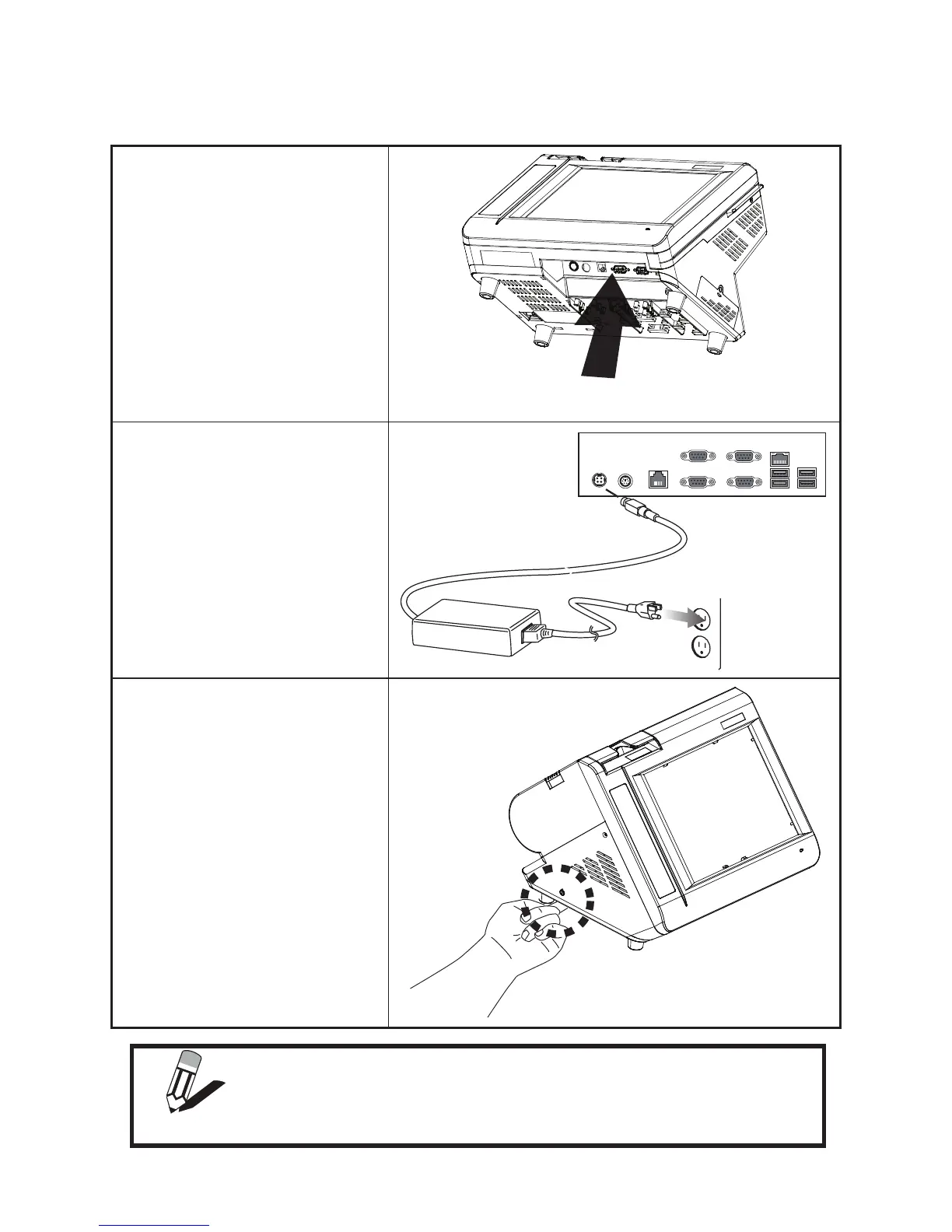
Powering the machine on and off
Refer to the following to power on and off the machine.
Locate the I/O panel that is at the 1.
bottom of the machine.
Connect the adapter to the 2.
power cable, and then insert the
power plug into an electrical outlet
(AC100 - 240 V).
Press the power button, it’s at the 3.
bottom left of the machine. The
power LED turns on.
To turn off the machine, shut down 4.
the operating system. The main
power turns off automatically.
NOTE
You may need to force power off the machine, for example if the
operating system you are using does not support power down by the OS
or if the system crashes or hangs. To force power off , long press the
power button for ve seconds.



 To Next Page