Installing the thermal paper roll
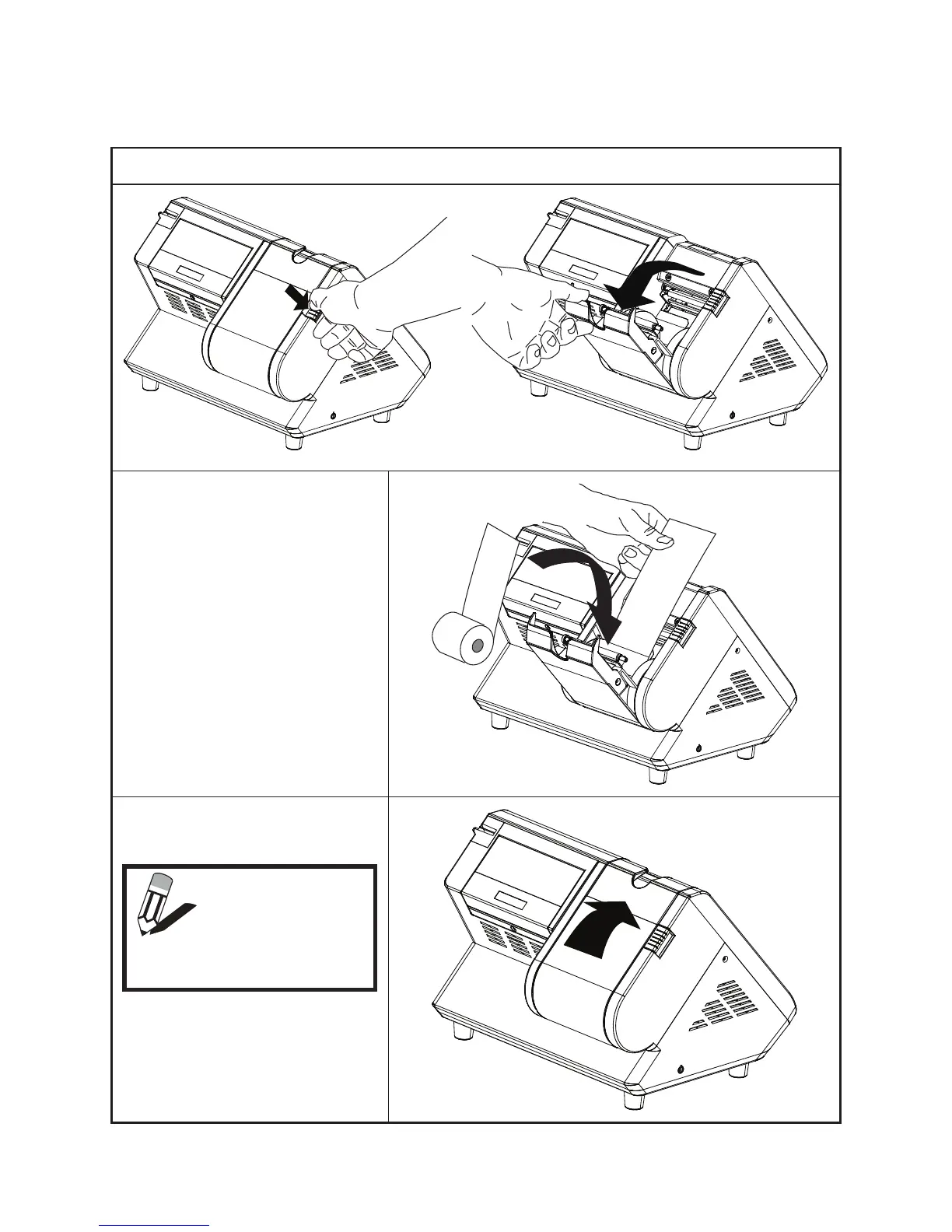
Refer to the following to install the thermal paper roll.
Press the release and open the printer cover. 1.
Insert the thermal paper roll as 2.
shown on the picture.
Pull a portion of the paper over the 3.
printer output part.
Close the cover and press it down 4.
until you feel a click.
NOTE
After installation,
the printer will
automatically feed
a few lines.



 To Next Page