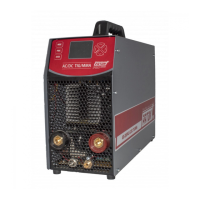
- 23 - PATON ProTIG AC/DC TIG/MMA
- Set mains switch to "I" position;
- Turn the machine with the button "Mode" to the MMA mode; - Set the main
welding current; - Press the "Enter" button.
Now you can start welding.
7. HANDHELD ARC WELDING WITH A NON-FUSIBLE ELECTRODE IN
AN INERT GAS ENVIRONMENT (TIG AC/DC)
To start working in the TIG AC/DC mode, you must:
- Connect the torch to the black "-" socket of the B source;
- Connect the gas connector of the torch to the socket No. 10;
- Connect the torch button to the socket No. 9;
- Connect gas hose to connector No. 14;
- Connect the grounding holder to the red "+" socket of the A source;
- Connect the grounding holder to the piece;
- Connect the mains plug to the mains supply;
- Set mains switch No. 12 to "I" position; -
Set the "Mode" button to TIG AC/DC
mode; - Set the machine to the mode.
WARNING! After the mode setting is done, the machine is ready to work.
Pressing the button on the torch starts welding; the oscillator will trigger in the first
seconds, so be extremely careful with the high voltage.
8. PEDAL OPERATION IN TIG AC/DC MODE
To start working with the pedal, you must:
- Connect the pedal to socket No. 9;
- Connect the torch to the black socket of the source B "-";
- Connect gas connector of the torch to the socket No. 10;
- Connect gas hose to connector No. 14;
- Connect the grounding holder to the red "+" socket of the A source;
- Connect the grounding holder to the piece;
- Connect the mains plug to the mains supply;
- Set mains switch No. 12 to "I" position;
- Set the "Mode" button to TIG AC/DC mode;
- "BUTTON MODE" parameter: set the button mode on the torch to "PED".


 To Next Page