Onboard PCI IDE
Use this item to enable or disable either of the
two onboard IDE channels, Primary or
Secondary.
USB Function
Use this item to enable or disable the USB
(Universal Bus Ports) that are integrated on this
mainboard.
USB Function for
DOS
If you have enabled the USB function, use this
item to enable or disable USB when you are
working in the DOS environment.
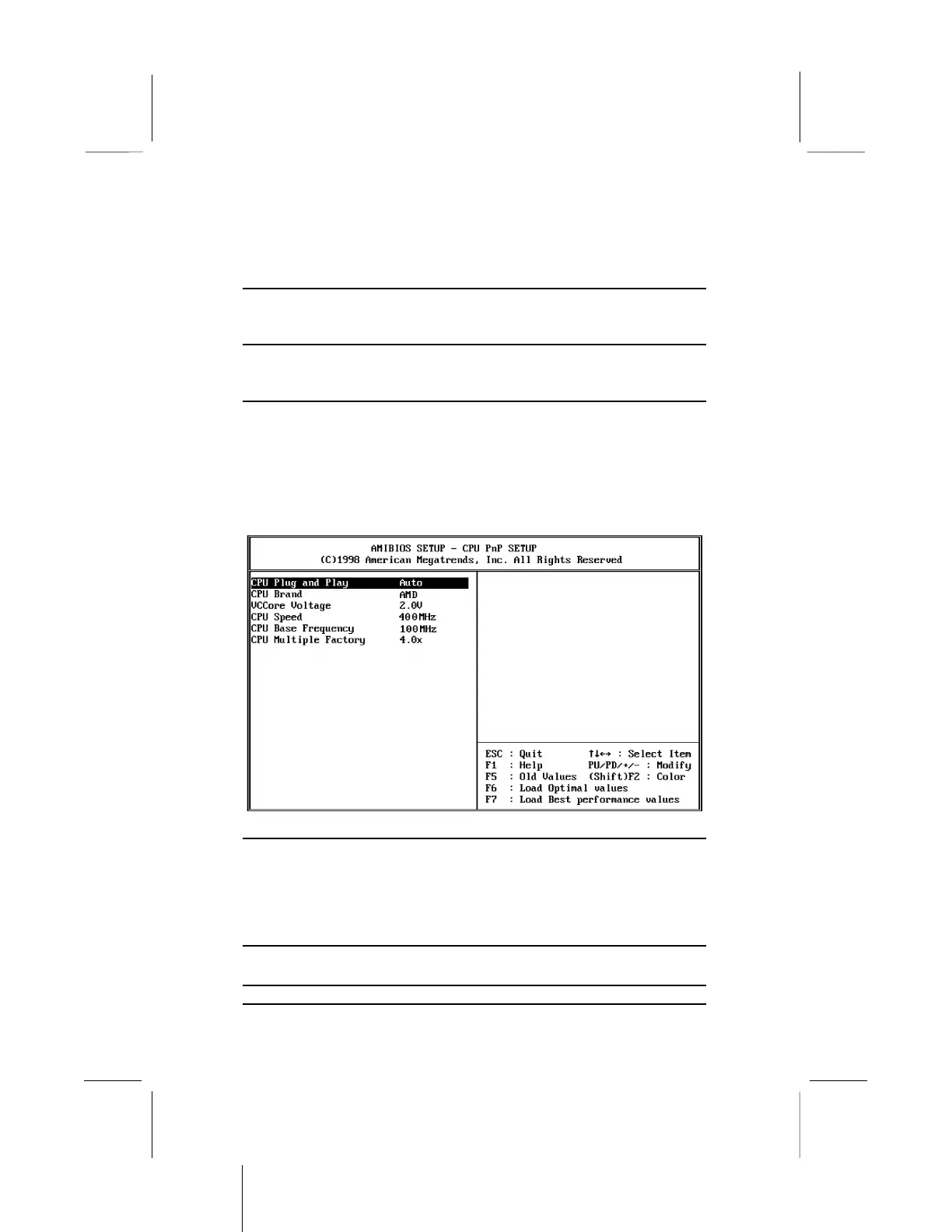
CPU PnP Setup Page
This page lets you configure the mainboard for the kind of CPU
that you have installed.
CPU Plug and Play
If you set this item to Auto, the system will
automatically detect the kind of CPU you have
installed and configure the mainboard for it. If
you set this item to User Define, you can use
the following items to manually configure the
mainboard.
CPU Brand
Use this item to set define the Brand of CPU
that you have installed in the system.
VCCore Voltage
Use this item to define the core voltage of the


 To Next Page