The Four Speakers System
The onboard Sound audio system supports 2 wave channels
(front/rear) known as the 4 speaker system. If you are running
applications which use the DirectSound® 3D or A3D® audio
interface, your system can simulate realistic 3D sound through a 4
speaker setup. Follow the steps below to install a 4-speaker setup.
Speaker Installation
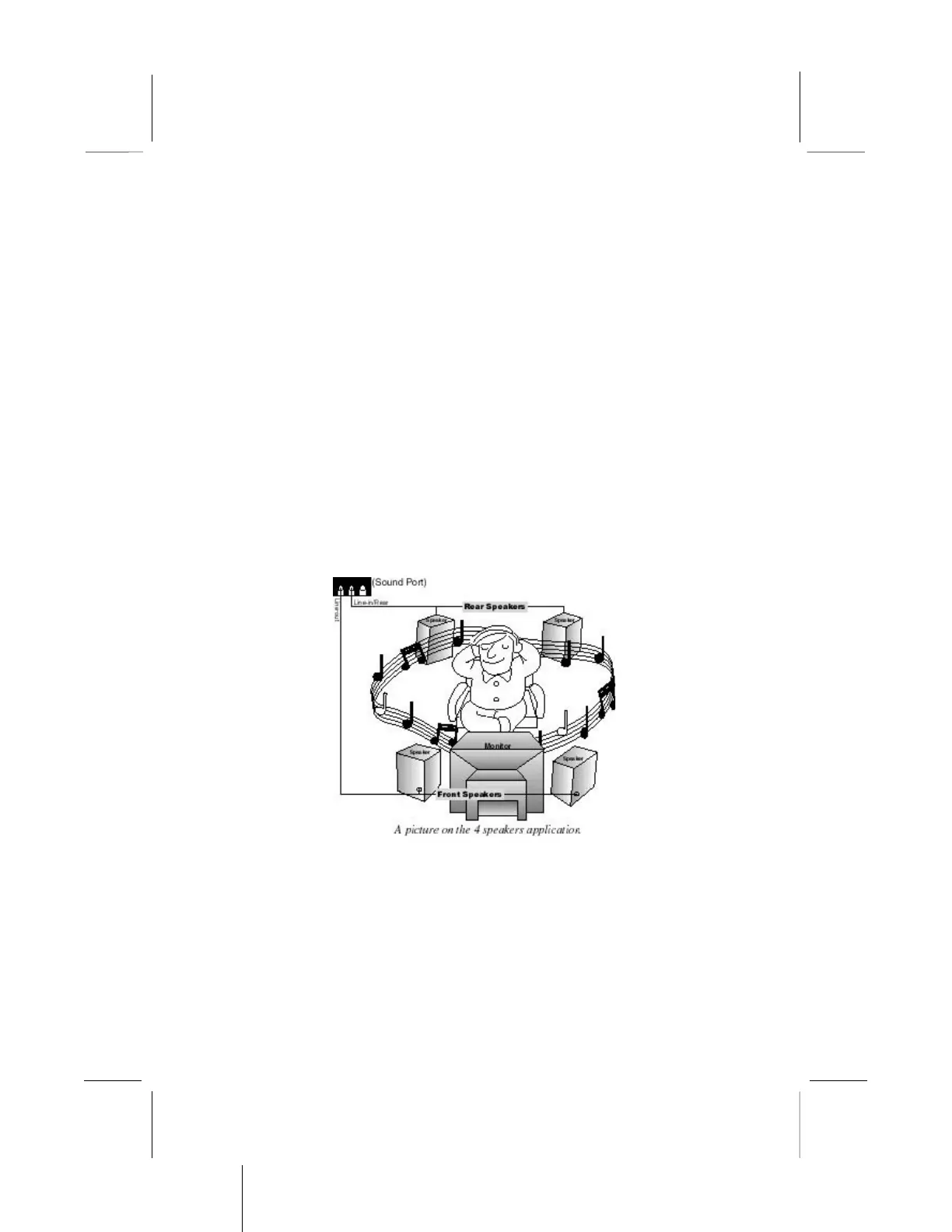
Connect the front two speakers to the Line-out jack on the sound
ports extension bracket. Connect the rear two speakers to the Line-
in/Rear jack on the sound ports extension bracket. The original
Line-in can be moved to Aux.
Speaker Position
Set up your speakers similar to the following figure to get the best
audio result.


 To Next Page