Please follow the steps listed below to install drivers and
applications for your system.
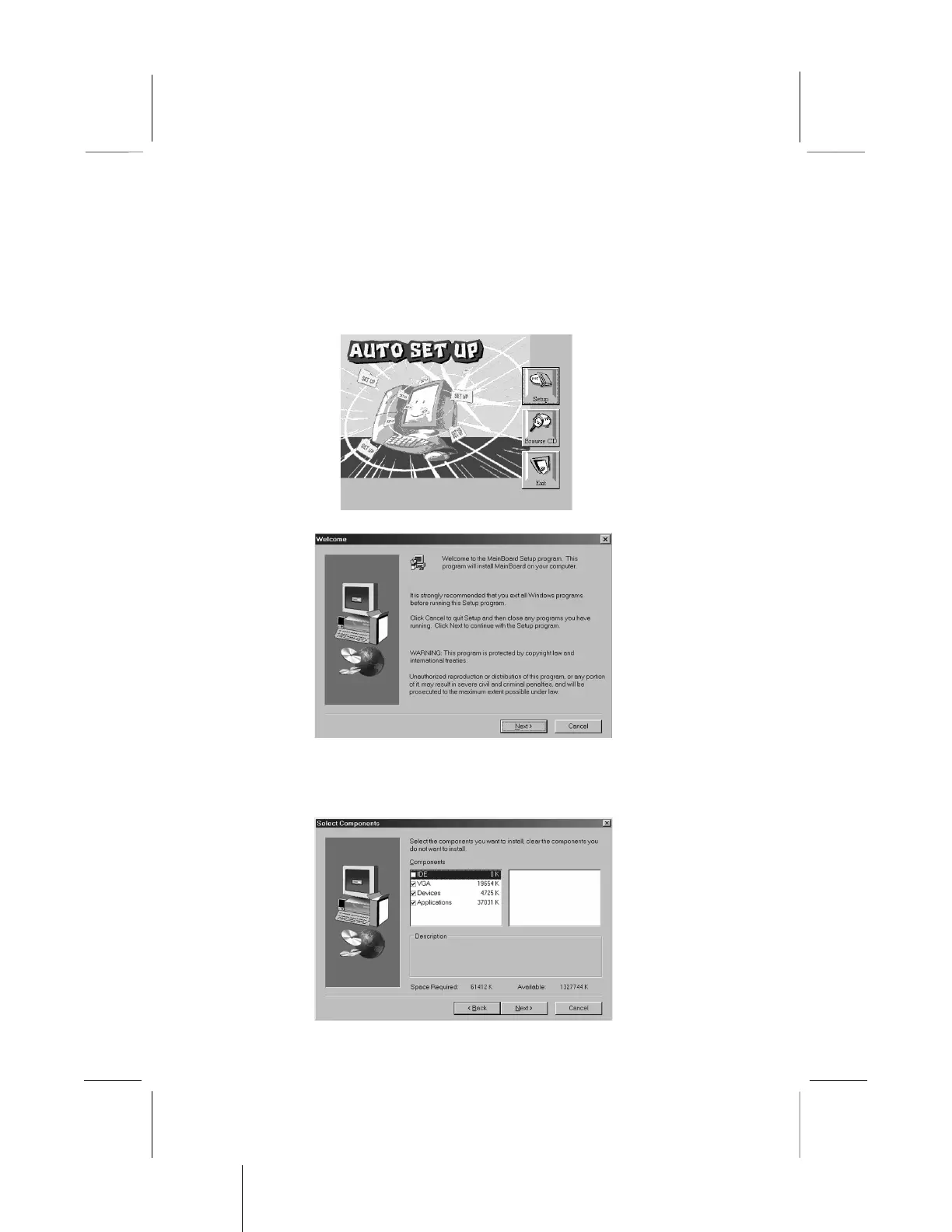
1. Put the support CD into CD-ROM drive.
2. The setup window will appear as below.
3. Click Setup button to continue.
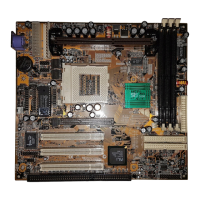
4. Click Next button to continue.
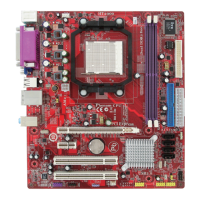
5. Select the items that you want to setup by clicking on it (the
default options are recommended). Click the Next button to
proceed.


 To Next Page