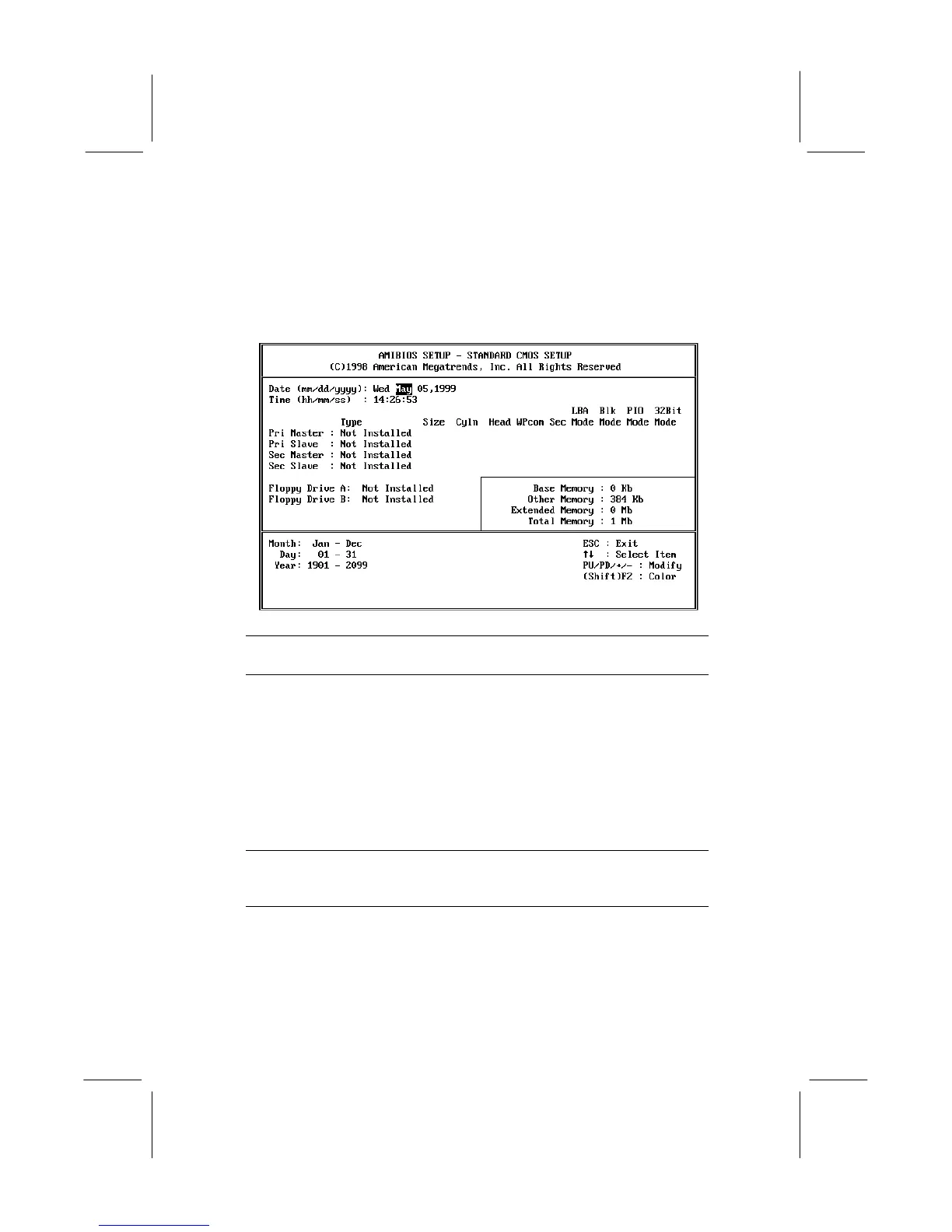
Standard CMOS Setup Page
Use this page to set basic information such as the date and time, the
IDE devices, and the diskette drives.
Date & Time
Use these items to install your system with the
correct date and time
Pri Master
Pri Slave
Sec Master
Sec Slave
Use these items to configure devices on the
primary and secondary IDE channels. To
configure a hard disk drive, choose Auto. If the
Auto setting fails to find a hard disk drive, set it to
User, and then fill in the hard disk characteristics
(Size, Cyls, etc.) manually. If you have a CD-
ROM drive, select the setting CDROM. If you
have an ATAPI device with removable media
(e.g. a ZIP drive or an LS-120) select
FLOPTICAL.
Floppy Drive A
Floppy Drive B
Use these items to set the size and capacity of
the floppy diskette drive(s) installed in the
system.


 To Next Page