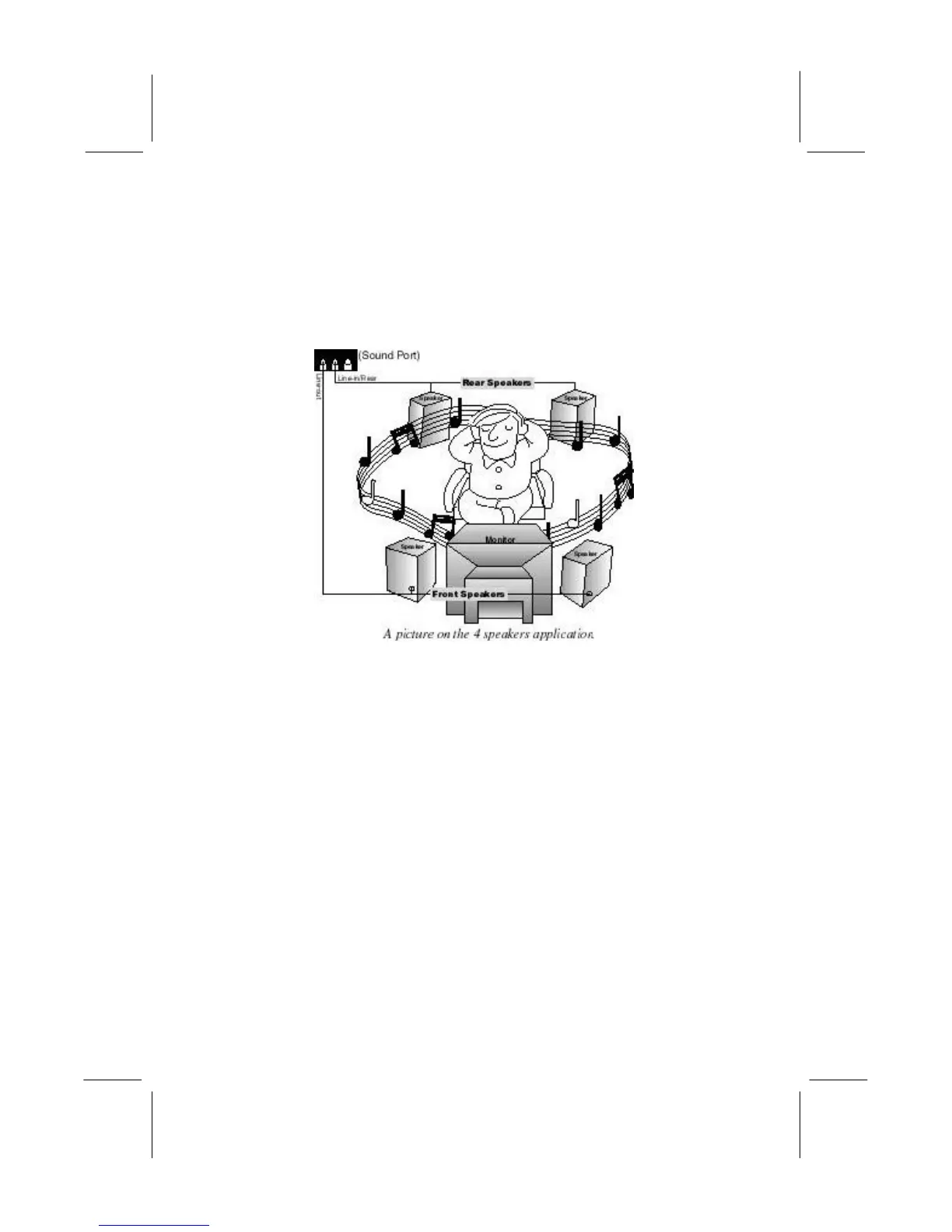
in/Rear jack on the sound ports extension bracket. The original
Line-in can be moved to Aux.
Speaker Position
Set up your speakers similar to the following figure to get the best
audio result.
Mixer Setup
There is a 4-speakers option in the Volume Control of the Mixer
when you are setting up the PCI Audio Application. Click on the 4
SPK icon to enable this option. This means that the output to the
rear speakers is sent through the Line-in/Rear jack. In order to
avoid hardware conflicts, DO NOT enable this option when the
Line-in/Rear jack is connected with a line-in device. While the 4
speakers mode is enabled, turn on/off the output of the front
speakers and adjust the volume of the speakers so that the
front/rear speakers have the same volume.
Demo
Execute the “Helicopter” demo in the C3D HRTF Positional Audio
Demos of the PCI Audio Application. When you hear the
helicopter flying behind you, it means that the rear speakers are
working properly.


 To Next Page